NOTE: Deep Sleep is enabled by default. Disable Deep Sleep at the BIOS setup to enable PowerShare feature on your
computer.
NOTE: PowerShare enables you to charge your USB devices even when your computer is turned off.
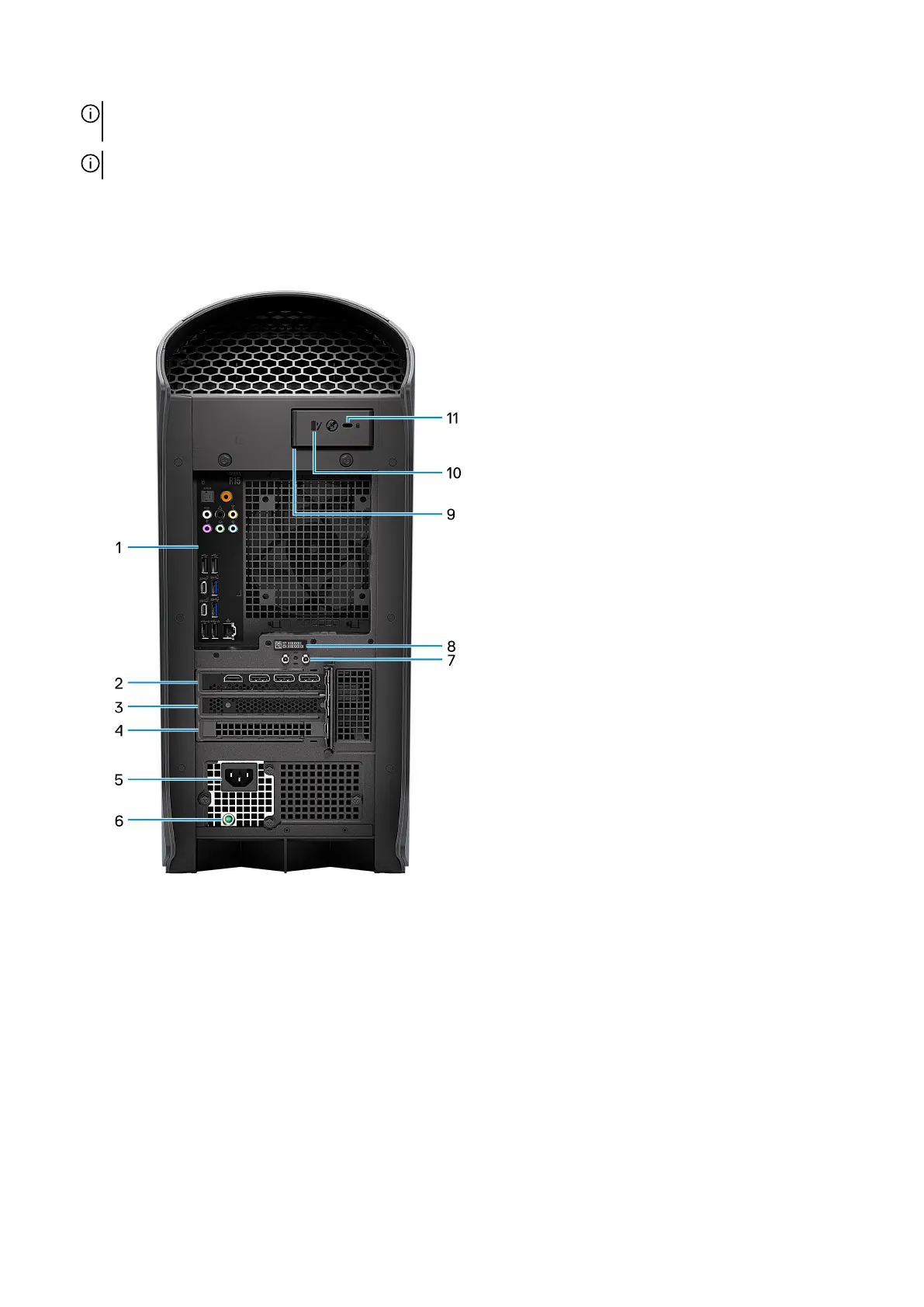
Back
1. Back panel
Connect USB, audio, video, and other devices.
2. PCI-Express X16
Connect a PCI-Express graphics card for optimal graphics performance.
3. PCI-Express X4 slot
Connect a PCI-Express card such as audio, network, or expansion card to enhance the capabilities of your computer.
4. PCI-Express X4 slot
Connect a PCI-Express card such as audio, network, or expansion card to enhance the capabilities of your computer.
5. Power-adapter port
Connect a power adapter to provide power to your computer.
6. Power-supply diagnostics light
11















 To Next Page