36 | Setting up the monitor
4. Plug the
power cables for your computer and monitor into a wall outlet.
5. T
urn on the monitor and the computer.
If your monitor displays an image, installation is complete. If it does not
disp
lay an image, see Common problems.
Removing the monitor stand
NOTE: To prevent scratches on the screen when removing the stand,
ensure that the monitor is placed on a soft surface and handle it carefully.
NOTE: The following steps are specially for removing the stand that is
shipped with your monitor. If you are removing a stand that you
purchased from any other source, follow the setup instructions that are
included with the stand.
To remove the stand:
1. Tur
n off the monitor.
2. Disconnect the cabl
es from the computer.
3. Plac
e the monitor on a soft cloth or cushion.
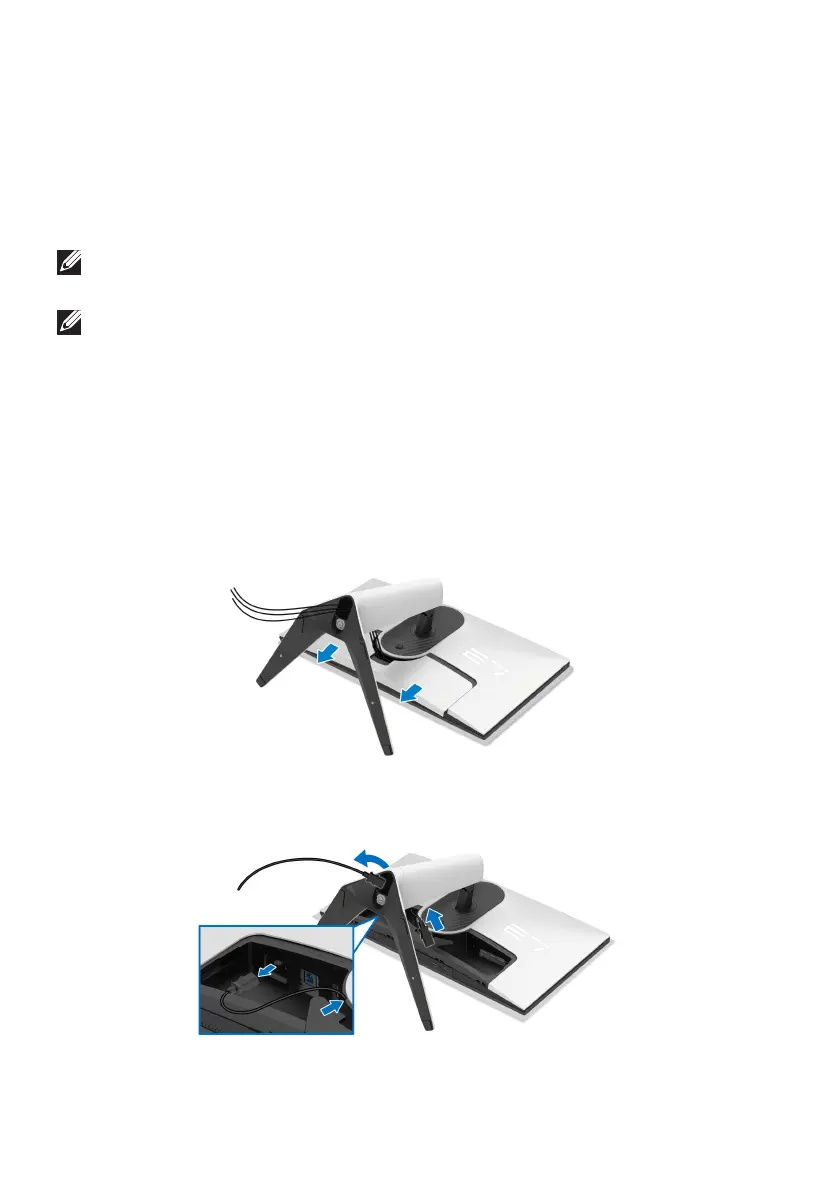
4. C
arefully slide and remove the I/O cover from the monitor.
5. Disconnect the cables from the monitor and slide them out through the
cable-management slot on the stand riser.















 To Next Page