Operating the monitor | 63
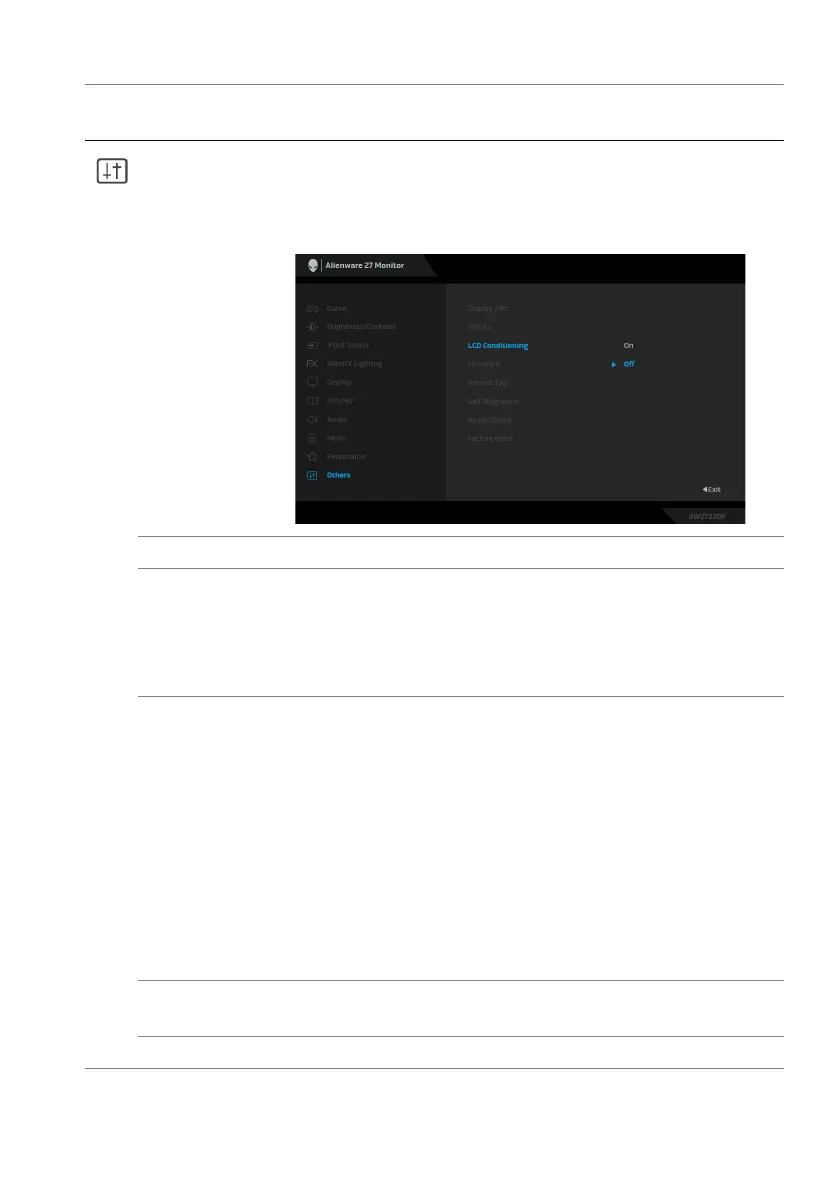
LCD
Condition
ing
Helps reduce minor cases of image retention.
Depending on the degree of image retention, the
program may take some time to run. You can enable this
feature by selecting On.
Firmware Displays the firmware version of your monitor.
Service Tag Displays the Service Tag of your monitor. The Service
Tag is
a unique alphanumeric identifier that is required
when you contact Dell technical support, access
warranty information, search for latest drivers on Dell
support website and so on.
Self-Diagnostic Select to initiate the following self-diagnostic process:
1. When initiated, a gray screen appears.
2.
Carefully inspect the screen for abnormalities.
3. Move the joystick. The color of the screen changes
to red.
4. Inspect the display for any abnormalities.
5. Repeat steps 3 and 4 to inspect the display in
green, blue, black, white and text screens.
The test is complete when the text screen appears. Press
the
joystick to end the testing process.
Reset Others Resets all settings under the Others me
nu to the factory
preset values.
Factory Reset Resets all OSD settings to the factory defaults.
Icon Menu and
submenu
Description















 To Next Page