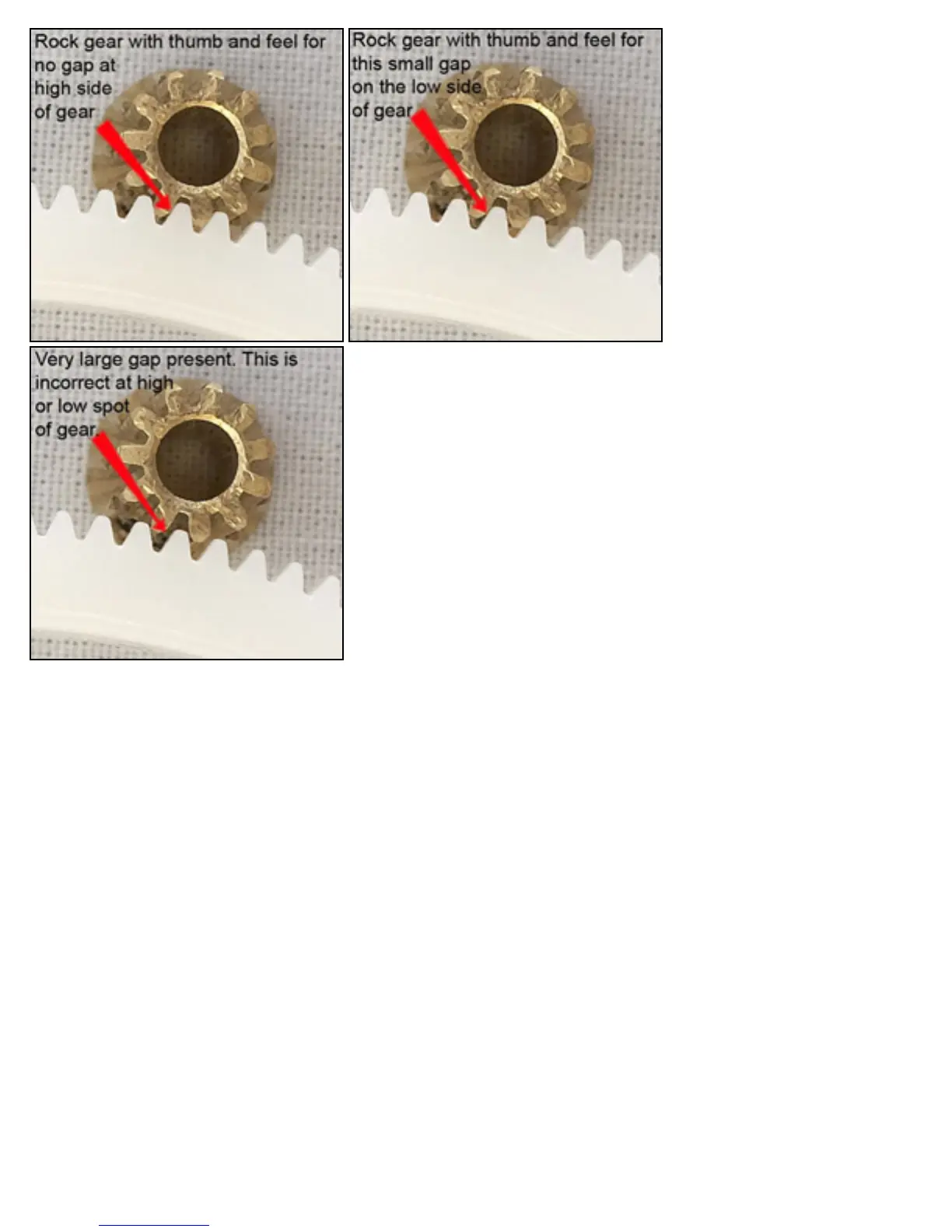
■ If you get the mesh at the high side to where there is no gap, then your low side mesh
should be correct. If its not then your gear is seriously out of round and probably not suitable
to use. A gap as in the last image will result in a stripped gear.
**NOTES**
● Flight Mode Switch
❍ Switch at 0 = pitch settings of -3, 0, +10 and throttle curve of 0, 60, 100.
❍ Swithc at 1 = pitch settings of -10, 0, +10 and throttle curve of 100, 80, 100.
● Throttle Hold Switch
❍ Switch at 0 = Normal operation
❍ Switch at 1 = No motor operation
● Aileron D/R Switch
❍ Switch at 0 = Gyro Head Hold Mode ON ( should remain in this mode)
❍ Switch at 1 = Gyro Head Hold Mode OFF
● Elevator D/R Switch
❍ Factory default on both 0 and 1
● Dual rate settings should be at factory default unless you made changes outside these instructions. Its
always better to double check.
● Radio settings, rates, degrees and any measurements shown in this guide are from my working SE. Do not
assume that by using the same values you will get the same results. Please verify all your settings and
general operation of you heli.



 To Next Page