EasyManua.ls Logo

Alinco DJ-500 - User Manual

Alinco DJ-500
69 pages
Print Icon
To Next Page IconTo Next Page
Loading...
A1.131121
ALINCO, INC.
Yodoyabashi Dai-bldg 13F
4-4-9 Koraibashi, Chuo-ku, Osaka 541-0043 Japan
Phone: +81-6-7636-2362 Fax: +81-6-6208-3802
http://www.alinco.com
E-mail:export@alinco.co.jp
Copyright Alinco, lnc. PS0800/FNEG-EF
Printed in China
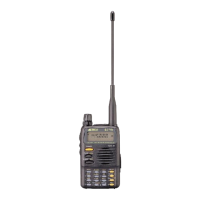
VHF/UHF FM amateur transceiver
144.000~145.995MHz / 430.000~439.995MHz
All EU and EFTA member states. Operator
license is required.

Table of Contents

Questions and Answers

  • R
    rodriguezsusanAug 14, 2025
    Why Alinco DJ-500 has no power?
    • M
      Matthew MurphyAug 14, 2025
      Your Alinco Transceiver might not be powering on due to several reasons: The battery may be exhausting, so recharge or replace it. Also, the battery may not be installed correctly, try removing and reinstalling it. The power switch could be broken, in which case you should send it to local dealers to repair. Finally, the battery life might be at its end, contact local dealers to replace it.
  • O
    Olivia McgrathAug 17, 2025
    What to do if Alinco Transceiver cannot talk or hear other members in your group?
    • D
      David JonesAug 17, 2025
      If you cannot communicate with other members using your Alinco Transceiver, it might be due to different frequency or channel settings, please change it. It could also be due to different CTCSS / DCS / DTMF settings, so please reset it. You might also be out of communication range.
  • E
    espinozashannonAug 21, 2025
    Why is Alinco DJ-500 Transceiver receiving signal intermittent?
    • R
      Rachel OwenAug 21, 2025
      An intermittent receiving signal on your Alinco Transceiver might be because you are out of communication range or obstructed by walls or buildings, change position to transmit. Internal components may be in trouble, please contact with local dealers to repair.
  • J
    Joel BowmanAug 25, 2025
    What to do if Alinco Transceiver receiving indicator with green light but no sound?
    • D
      Daisy FoxAug 25, 2025
      If your Alinco Transceiver shows a green light but produces no sound, the volume may be too low, increase the audio level. The volume switch or loudspeaker could be broken, please contact with local dealers to repair. The earphone jack might also be broken, please contact with local dealers to repair.
  • M
    Michael MatthewsAug 28, 2025
    Why Alinco Transceiver communication distance becomes short, and Low sensitivity?
    • E
      Elizabeth GeorgeAug 28, 2025
      If the communication distance of your Alinco Transceiver is short and the sensitivity is low, check whether the antenna is in good conduction and the antenna base do not come adrift. The antenna may be broken. Consult your local dealer for services.
  • B
    brettrodriguezAug 31, 2025
    What to do if Alinco Transceiver can not power on or frequent power off?
    • K
      Kristine BarronAug 31, 2025
      If your Alinco Transceiver cannot power on or frequently powers off, check if the battery pack is securely attached.
  • B
    Brett OneillSep 3, 2025
    What to do if Alinco DJ-500 has no sound when using earphone?
    • P
      pjimenezSep 4, 2025
      If there is no sound when using an earphone with your Alinco Transceiver, the earphone or the jack might be broken, please contact with local dealers for inspection.
  • C
    chadrodriguezSep 6, 2025
    Why Alinco DJ-500 loudspeaker sounds lower or with dry noise after certain time of usage?
    • N
      Nancy WhiteSep 6, 2025
      If the loudspeaker of your Alinco Transceiver sounds lower or with dry noise after some use, check whether the loudspeaker is broken, or if iron powder or dust is in the loudspeaker. Please contact with local dealers to repair.
  • S
    Shannon ChungSep 10, 2025
    How to fix Alinco Transceiver cannot scan?
    • C
      Courtney PerezSep 10, 2025
      If your Alinco Transceiver cannot scan, adjust the level.

Summary

Introduction, Safety, and Compliance

Product Introduction and Features

Overview of the transceiver, its capabilities, and key features.

Operational Advice and Precautions

Guidance on operating the transceiver safely, including lightning warnings.

IP54 Rating and Coverage

Details on the dust and splash resistance rating and expected radio range.

Regulatory Compliance (FCC, Canada, EU)

Information regarding compliance with FCC, Canadian, and EU regulations.

General Safety and Handling

Essential safety alerts, handling instructions, and emergency procedures.

Installation and Accessories

Standard Accessories Included

Lists the accessories that come standard with the transceiver.

Battery Information and Charging

Details on battery types, charging procedures, and safety precautions.

Transceiver Installation Procedures

Instructions for installing the battery, antenna, and belt clip.

Accessory Installation (Clip, Strap)

Guidance on installing accessories like the belt clip and hand strap.

Getting Acquainted and Basic Operations

Understanding the LCD Display and Controls

Explains the LCD display icons, front panel, and side panel controls.

Basic Operations: Power, Audio, Modes

Fundamental operations including power, audio adjustment, and mode switching.

Channel Management and Input

Procedures for switching bands, modes, changing frequencies, and keypad input.

Transmitting, Alarm, and Key Functions

Covers transmitting, alarm function, and the usage of PF1/PF2 keys.

Advanced Operations and Settings

FM Radio and Signal Scanning

Instructions for using the FM radio receiver and various scanning functions.

CTCSS;DCS and Signaling Setup

Configuration for CTCSS/DCS encode, decode, and synchronous settings.

Frequency Management and Transmission Control

Covers frequency reverse, TX power, talk around, and frequency step settings.

Channel Settings and Lockouts

Details on busy channel lockout, prohibiting transmission, and band limits.

Timer, VOX, and Power Management

Settings for beep sounds, time-out timer, VOX, and automatic power off.

Squelch, Scan, and Display Settings

Configuration for squelch level, scan dwell time, and display options.

Battery Save and Tone Pulse

Information on battery save modes and tone pulse frequency settings.

System Configuration and Specifications

Set Mode Operations and Reset

Procedures for changing display modes and performing a factory reset.

Auxiliary Functions: Cable Cloning

Instructions for copying transceiver data to another unit via cable.

Default Settings Summary

A comprehensive list of the transceiver's default operational parameters.

Optional Accessories

A list of optional accessories available for the transceiver.

Technical Specifications

Detailed technical data including frequency ranges, power, and dimensions.

Troubleshooting and Reference Charts

Troubleshooting Common Issues

Solutions for common problems such as no power, charging issues, and poor reception.

Reference Charts: CTCSS and DCS

Charts providing CTCSS frequencies and 1024 groups DCS frequencies.

Alinco DJ-500 Specifications

General IconGeneral
ModulationFM
Channel Capacity200 channels
Current Drain RX150 mA
Current Drain TX1.5 A
Antenna Impedance50 ohms
Channel Spacing12.5 kHz
Supply7.4V DC

Related product manuals