Need help?
Do you have a question about the Alinco DJ-580T and is the answer not in the manual?
Lists the items included with the transceiver.
Lists available accessories to enhance radio features.
Outlines general specifications for amateur band use.
Details frequency coverage for the DJ-580T model in the US.
Details frequency coverage for the DJ-580E model in Europe.
Specifies output power, deviation, and modulation system.
Details receiver sensitivity, IF, and audio output.
Basic steps for powering on and receiving.
Steps for simplex, offset, split, tone encode/decode.
Instructions for memory, skip, and copy functions.
Overview of VFO and Memory scanning functions.
Describes VFO, Memory, and Call priority functions.
Instructions for programming and using the autodialer.
Explains DSQ codes and programming.
How to activate and deactivate crossband repeat.
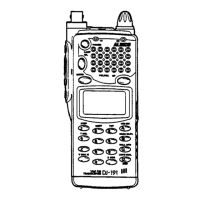
Details about controls and functions on the front panel.
Details controls located on the top panel of the radio.
Details controls located on the left side of the radio.
Details controls located on the right side of the radio.
Explains various indicators and symbols on the LCD display.
Instructions for entering frequencies directly via the keypad.
How to select incremental frequency changes using the STEP key.
General guidance on entering frequencies using the keypad.
Methods to clear incorrect entries during keypad input.
Steps to operate the radio using only one band.
How to select High, Medium, or Low power output levels.
Function to extend battery life when power is low.
Using the radio in VFO mode for frequency and setting adjustments.
Programming and manipulating memory channels.
Steps to write functions and frequencies into memory channels.
How to navigate through memory channels.
Procedure to erase data from a memory channel.
Allows reallocation of memory channels between VHF and UHF.
Copies memory channel data into the VFO.
Using the Call channel for quick access to programmed frequencies.
Steps to program the dedicated Call channel.
How to access the programmed Call channel.
Copies Call channel data into the VFO.
Monitors VFO frequency and Memory frequency alternately.
Monitors Memory frequency and VFO frequency alternately.
Monitors Call channel and VFO/Memory alternately.
Constant monitoring of two modes (VFO/Memory, Call/VFO, Call/Memory).
Monitors VFO and Memory channels simultaneously.
Monitors Call and VFO channels simultaneously.
Monitors Call and Memory channels simultaneously.
Scans VFO frequencies independently on each band.
Scans programmed frequency ranges in VFO mode.
Scans programmed memory channels independently.
Detailed explanation of VFO scanning options.
How to set and initiate programmed VFO band scans.
How to initiate memory channel scans.
Allows skipping specific memory channels during scans.
Describes Busy Scan, Timed Scan, and other scan types.
Additional information on scanning features.
How to scan both VHF and UHF bands simultaneously.
Combines dual band scanning with memory priority.
How to set separate transmit and receive frequencies.
Setting split frequencies in VFO mode.
Setting split frequencies in Memory mode.
Instantly reverses input/output frequencies and offset direction.
Procedure to reset the radio to factory defaults.
Using CTCSS tones for selective calling and repeater access.
Steps to enter and store telephone numbers for autodialing.
How to erase stored autodial numbers.
Procedure for editing stored autodial numbers.
How to transmit a programmed autodial number.
How to dial numbers manually using the keypad.
How to disable the autodial function.
Explains the DSQ tone structure and codes.
Steps to program Group, Own, and Other's DSQ codes.
Overview of different DSQ transmission and reception modes.
How to transmit using Code Squelch.
How to receive using Code Squelch.
How to transmit to a specific group of operators.
How to receive group calls using DSQ.
How to make private calls within a group using DSQ.
How to receive private calls within a group using DSQ.
How to make a private call to a single operator.
How to receive private calls using DSQ.
Explains error codes related to DSQ.
Information on timing for DSQ transmissions.
Using wildcard characters in DSQ codes.
How to send and receive digital signal messages.
Steps to transmit a digital signal message.
How to receive digital signal messages.
Transmitting with a digital signal message displayed.
How to view stored digital signal messages.
How to clear stored digital signal messages.
Steps to enable the crossband repeater function.
Steps to disable the crossband repeater function.
Enables speaker feedback for full duplex operation.
Disables speaker feedback for semi-duplex operation.
 General
| Brand | Alinco |
|---|---|
| Model | DJ-580T |
| Category | Transceiver |
| Language | English |

 To Next Page