EasyManua.ls Logo

Alinco DJ-G7 - User Manual

Alinco DJ-G7
114 pages
Print Icon
To Next Page IconTo Next Page
Loading...
II
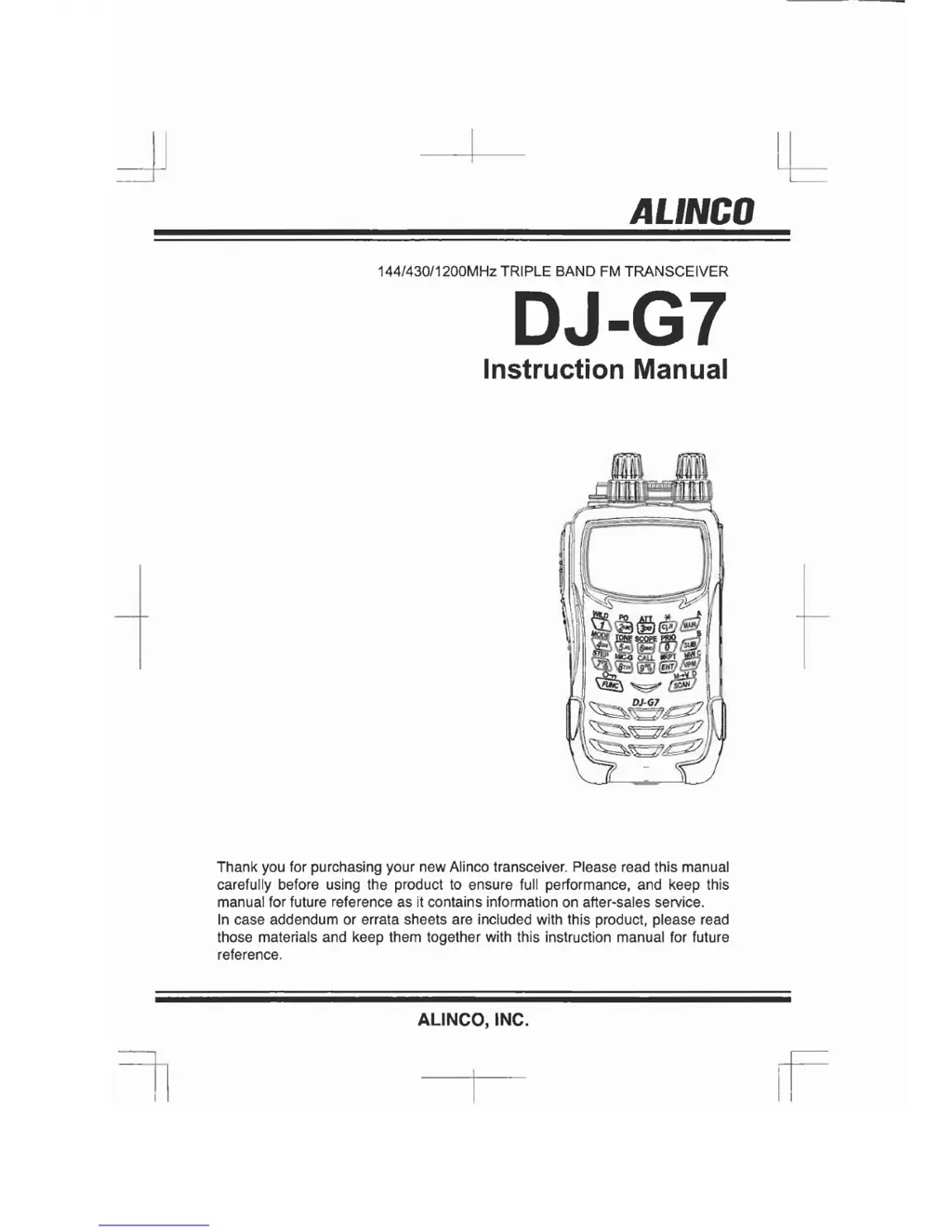
ALINCO
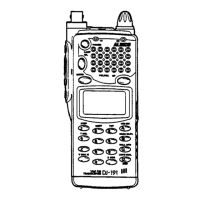
144/430/1200MHz TRIPLE BAND
FM
TRANSCEIVER
DJ-G7
Instruction Manual
Thank you for purchasing your new Alinco transceiver. Please read this manual
carefully before using the product to ensure full performance, and keep this
manual for future reference as it contains information on after-sales service.
In
case addendum or errata sheets are included with this product, please read
those materials and keep them together with this instruction manual for future
reference.
ALiNCO, INC.

Table of Contents

Questions and Answers

Summary

Conformity Information

Safety Warnings and Precautions

Warning Symbols and Meanings

Explains danger, alert, and caution symbols used in the manual.

Environmental and Usage Conditions

Product Handling and Charger Safety

Product Handling Precautions

Safety guidelines for handling the transceiver, including audio levels, disassembly, and environmental exposure.

Charger Safety Guidelines

Precautions for using adapters, multiple devices, and wet hands with chargers.

Power Supply and Emergency Safety

Power Supply Safety

Warnings about using correct voltage, avoiding overloading outlets, and handling plugs.

Emergency Situations

Actions to take for unusual sounds, damage, liquid ingress, or thunderstorms.

Maintenance and Operational Environment

Operational Environment Hazards

Warnings about proximity to TVs/radios, humid/dusty places, unstable locations, temperature extremes, and oily smoke.

Frequency Operations, Lightning, and Power Source

Lightning Safety

Warnings about the dangers of lightning when using handheld radios.

Product Features

Key Transceiver Capabilities

Lists features like full-duplex, triple band, independent dials, LCD, broadcast reception, VOX, bug detection, cloning, and CTCSS/DCS.

Charging via DC Jack

Battery Charging and Safety

Preventing Battery Short-Circuiting

Safety advice on carrying and handling the battery pack to prevent short circuits.

Transceiver Controls and Operations

Top and Front Controls

Identifies and describes controls on the top and front of the DJ-G7.

Side Controls

Keypad Functions

Shortcut Function Assignment

How to assign functions to the MONI and FUNC keys for quick access.

Transmitter Output Power Setting

How to select transmission power levels for range and battery life.

Display (LCD) Indicators

Basic Operation

Selecting Frequencies

How to select frequencies for the main and sub bands using the dials.

Adjusting Volume

Guides on adjusting audio output levels for the main and sub bands.

Adjusting the Squelch

Monitor, Mute, and Band Selection

Operation Modes

Overview of Operation Modes

Introduces the three modes: VFO, Preset, and Memory.

Transmitting Procedures

Memory Mode Operations

Types of Memory Banks

Lists and describes the seven types of memory banks available on the DJ-G7.

Registering Memory Channels

Memory Bank and Channel Details

Recalling Memory Channels

Deleting Memory Channels

Moving Memory Channels Between Banks

Memory Registration for Transmitter Detecting and Call Channels

Registering for Transmitter Detecting

How to register frequencies for the Transmitter Detecting function.

Registering Call Channels

How to register frequently used channels into the call channel bank.

Quick Memory and Memory Skip

Naming Memory Channels

Attenuator and Modulation Settings

Attenuator Function

How to use the attenuator to reduce signal intensity and improve reception clarity.

Tone Squelch and DCS Settings

Tone Squelch and DCS Operation

Channel Scope Function Overview

VFO Channel Scope Operation

Memory Channel Scope Operation

Call Channels and Priority Function

Priority Function Operation

How to set up and use the Priority function for monitoring two channels alternately.

Repeater Shift and Memory Copy

Shift Setting for Repeaters

How to set the offset frequency and shift direction for repeater systems.

XBR (Cross Band Repeater) Mode

Convenient Functions

Keylock Function

How to lock keys and dials to prevent accidental operation (Quick/Normal Lock).

Scanning Functions Overview

Scanning Functions Overview

Introduces different scan types: VFO-Scan, Preset-Scan, Memory-Scan, Program-Scan.

VFO-Scan Operation

How to perform a VFO-Scan to search frequencies in the selected band.

Preset-Scan and Memory-Scan

Program Scan and Tone Scan

Program Scan Operation

How to scan a frequency range defined by user-selected high and low frequencies.

Tone Scan Operation

How to automatically identify tone frequencies in received signals.

DCS Scan and Sweep Scan

DCS Scan Operation

How to identify DCS codes included in received signals.

Transmitter Detecting Function

Set Mode Customization

Set Mode Menu Overview

Lists the main menus and submenus available in the Set mode for customization.

Entering Set Mode and Screen Display

Entering the Set Mode

Step-by-step guide to access the Set mode menu.

Power and Battery Management

Auto Power-Off Function

How to set the transceiver to automatically turn off after a period of inactivity.

Battery Save Ratio Settings

How to control battery consumption by adjusting the transceiver's power on/off cycles.

Transmitter Settings and VOX

VOX Function Operation

How to enable voice-activated transmission and adjust VOX sensitivity.

Time Out Timer (TOT) Settings

TOT Penalty, BCLO, and Tone-Burst

TOT Penalty Function

How to set a penalty time preventing transmission after TOT stops.

Busy Channel Lock Out (BCLO)

How to restrict transmission on a busy channel.

Duplex and Repeater Settings

Repeater and DTMF Settings

Auto-Dialer Operation

DTMF Burst and Pause Time Settings

DCS and TSF Operation Settings

Memory Settings and Bank Linking

Overwrite Function and Scanning Settings

Overwrite Function

How to enable or disable editing (overwriting/deleting) of registered memory channels.

Scan Mode Settings

Bug Detector Settings and Activation

Bug Detector Settings (T-version)

How to use the function to scan for bugging devices.

Activating Bug Detector Function

Steps to activate the bug detector function.

Bug Detector: Silent Mode Search

Bug Detector: Sound Mode Search

Bug Detector Mode and Sensitivity

Key Assignment and Lock Modes

Key Lock Mode Settings

How to configure different key lock modes (PTT, keypad, dials, all).

Moni Key Settings

Set Mode Exit Setting

Cloning and PC Connection

Sending Data Between Transceivers

Steps to put the transceiver in clone mode and initiate data transfer.

Receiving Data for PC Connection

Packet Communications Setup

Reset Functions

Partial Reset Procedure

How to reset the transceiver to factory settings without affecting memory data.

All Reset Procedure

How to reset all memory data and return to default VFO mode.

Maintenance and Reference

Troubleshooting Common Issues

Lists common symptoms, possible causes, and actions for resolution.

Troubleshooting (Continued)

Technical Specifications

Receiver Specifications

Alinco DJ-G7 Specifications

General IconGeneral
BrandAlinco
ModelDJ-G7
CategoryTransceiver
LanguageEnglish

Related product manuals