EasyManua.ls Logo

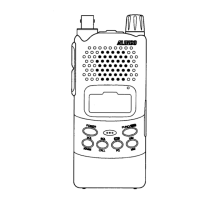
Alinco DJ-100 - User Manual

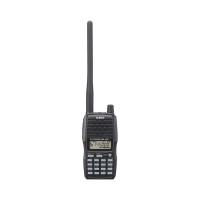
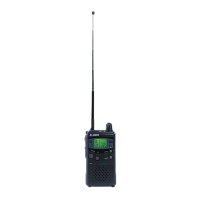
Alinco DJ-100
78 pages
Print Icon
To Next Page IconTo Next Page
Loading...
A1.0-13/01
ALINCO, INC.
Yodoyabashi Dai-bldg 13F
4-4-9 Koraibashi, Chuo-ku, Osaka 541-0043 Japan
Phone: +81-6-7636-2362 Fax: +81-6-6208-3802
http://www.alinco.com
E-mail:export@alinco.co.jp
Copyright Alinco, lnc. PS0663/FNEG-EN
Printed in China
VHF FM Transceiver / 136.000-173.995MHz
All EU and EFTA member states. Operator
license is required.

Table of Contents

Other manuals for Alinco DJ-100

Questions and Answers

  • E
    Emily LeeAug 13, 2025
    What to do if Alinco DJ-100 has no power?
    • C
      Christine MurphyAug 13, 2025
      If your Alinco Transceiver has no power, the battery may be exhausting; recharge or replace it. Alternatively, the battery may not be installed correctly; remove it and install it again. If the power switch is broken or the battery life is end, contact local dealers for repair or replacement.
  • S
    Sarah MccannAug 16, 2025
    Why Alinco Transceiver communication distance becomes short, and low sensitivity?
    • J
      John KentAug 17, 2025
      If the communication distance is short and the sensitivity is low, check if the antenna is in good condition and the antenna base is not loose. The antenna may be broken, so consult your local dealer for services.
  • K
    Karen PetersAug 20, 2025
    What to do if Alinco DJ-100 Transceiver receiving indicator with green light but no sound?
    • D
      Daniel WangAug 20, 2025
      If your Alinco Transceiver shows a receiving indicator with a green light but produces no sound, the volume may be too low; increase the audio level. Alternatively, the volume switch, loudspeaker, or earphone jack might be broken. In this case, please contact your local dealer for repair.
  • M
    Matthew McdonaldAug 25, 2025
    What to do if Alinco DJ-100 Transceiver cannot talk or hear other members in your group?
    • C
      charrisAug 25, 2025
      If you cannot communicate with other members in your group, you may be using a different frequency or channel; please change it. Also, check if the CTCSS / DCS /DTMF settings are different and reset them if needed. Consider that you might be out of communication range.
  • G
    Gail VasquezAug 27, 2025
    What to do if Alinco DJ-100 Transceiver receiving signal is intermittent?
    • S
      sparkstaylorAug 27, 2025
      If the receiving signal on your Alinco Transceiver is intermittent, you may be out of communication range or obstructed by walls or buildings; change your position to transmit. If the issue persists, internal components may be in trouble, and you should contact local dealers for repair.
  • J
    James HuberAug 31, 2025
    What to do if Alinco DJ-100 battery power dies shortly after charging?
    • J
      Jim FoxAug 31, 2025
      Replace the battery pack with a new one.
  • W
    wleeSep 4, 2025
    What to do if Alinco DJ-100 Transceiver loudspeaker sounds lower or with dry noise after certain time of usage?
    • M
      Miss Sheryl Lang MDSep 4, 2025
      Check whether the loudspeaker is broken, if iron powder or dust is in the loudspeaker. Please contact with local dealers to repair.
  • N
    nhowellSep 8, 2025
    What to do if Alinco DJ-100 Transceiver has no sound when using earphone?
    • R
      rblanchardSep 8, 2025
      Please contact with local dealers for inspection, because the earphone or the jack may be broken.

Summary

Features

SAFETY TRAINING INFORMATION

Warning: Please Read Carefully

Critical warnings and guidelines for safe operation.

Electromagnetic Interference;Compatibility

FCC INFORMATION

FOR CLASS B UNINTENTIONAL RADIATORS:

Compliance details for Class B digital devices.

FOR CUSTOMERS IN CANADA:

Canadian regulatory compliance information.

Handling this product

In case of emergency

PC PROGRAMMING

STANDARD ACCESSORIES

KEY OPERATIONS; QUICK CHART

Function

Table listing functions and their corresponding key operations.

BATTERY INFORMATION

Charging Operation

Instructions on how to charge the battery.

Caution

Detailed cautions regarding battery risks and usage.

How to Charge the battery pack

Detailed instructions on the battery charging process.

6. LED Indicator:

Table detailing LED status indicators and their meanings.

Notice for Charging Battery

Critical notices and warnings for safe battery charging.

INSTALLATION & CONNECTION

BASIC OPERATIONS

Power On and off

Instructions for turning the radio on and off.

Frequency Input by Keypad

Steps to enter frequencies using the numeric keypad.

Receiving

How to receive signals on the transceiver.

Side Key [PF2] Function

Functions assigned to the PF2 key.

Transmitting

Procedures for transmitting signals.

ADVANCED OPERATIONS

Channel Edit

Steps to edit existing channel settings.

ADVANSED OPERATIONS

Add or Cancel DTMF, 2 TONE, 5 TONE,FSK Signaling

Setting up or removing various signaling methods.

CTCSS; DCS Scan

How to scan for CTCSS and DCS tones.

Add or cancel CTCSS;DCS

Managing CTCSS/DCS settings for a channel.

Priority Monitor

Activating and using the priority channel monitor.

DTMF Code Searching And Setup

Setting up and searching for DTMF codes.

CHANNEL OPERATIONS

CTCSS; DCS Encode Setup

Configuring CTCSS/DCS encoding for channels.

CTCSS;DCS Decode

Setting up CTCSS/DCS decoding for incoming signals.

Scrambler Setup (Encryption)

Configuring the scrambler for voice encryption.

SET MODE OPERATIONS

Voice Operated Transmission (VOX)

Setting up the hands-free VOX transmission.

RESET

Performing a factory reset of the radio.

AUXILIARY FUNCTIONS

Cable Cloning

Copying transceiver data to another unit.

TECHNICAL SPECIFICATIONS

TROUBLE SHOOTING GUIDE

No power

Troubleshooting steps for power issues.

The receiving sound level is low or intermittent

Addressing issues with low or intermittent audio.

Battery power dies shortly after charging.

Solutions for rapid battery depletion.

Receiving signal is intermittent.

Troubleshooting intermittent signal reception.

Transceiver cannot scan

Diagnosing issues with scanning functions.

Receive voice from the other parties and can not transmit

Resolving issues with receiving but not transmitting.

Alinco DJ-100 Specifications

General IconGeneral
BrandAlinco
ModelDJ-100
CategoryTransceiver
LanguageEnglish

Related product manuals