EasyManua.ls Logo

Alinco DJ-175 T - User Manual

Alinco DJ-175 T
60 pages
Print Icon
To Next Page IconTo Next Page
Loading...
ALINCO, INC.
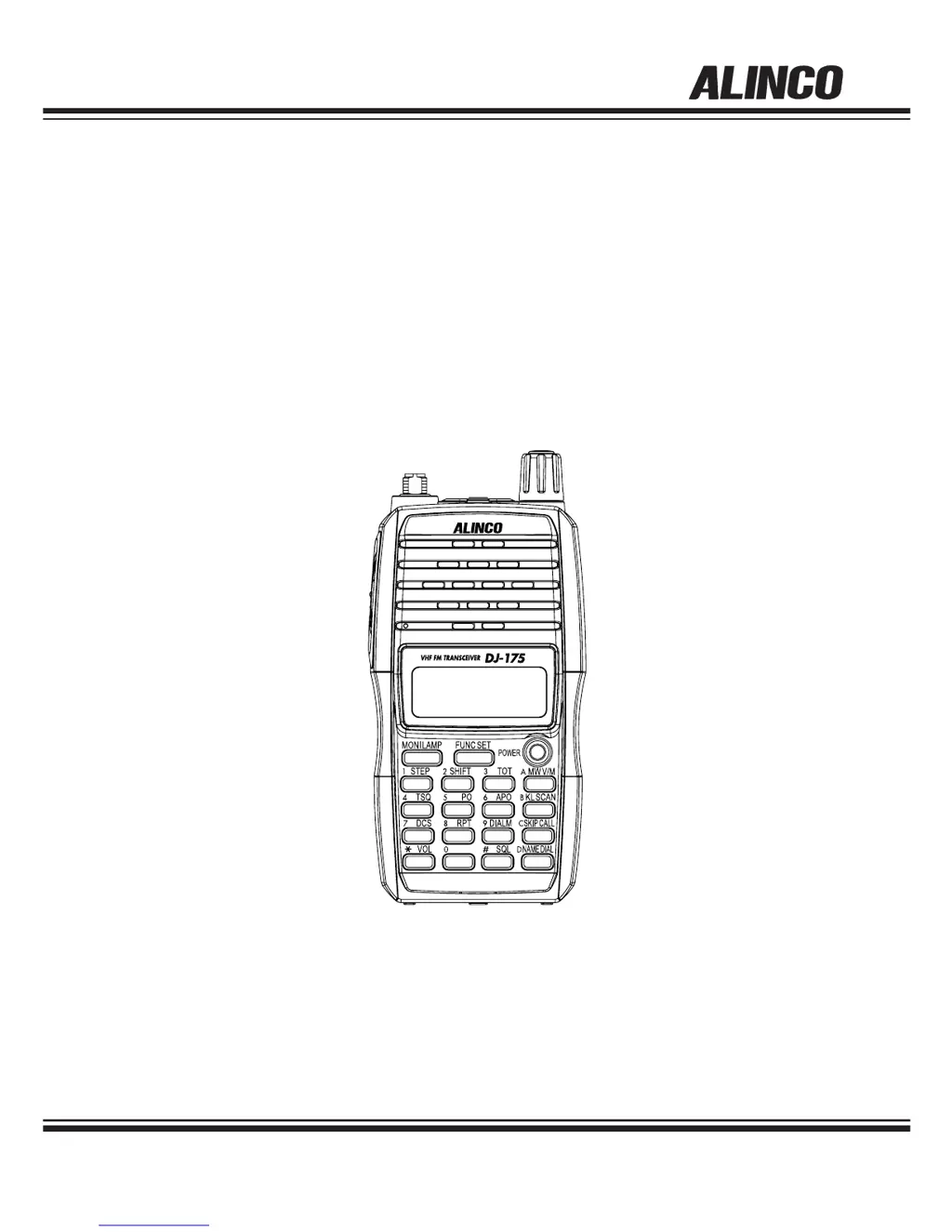
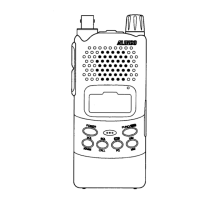
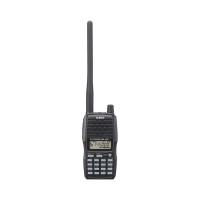
VHF FM TRANSCEIVER
DJ-175 T/E/TFH
Instruction Manual
Thank you for purchasing your new Alinco transceiver.
This instruction manual contains important safety and
operating instructions. Please read this manual
carefully before using the product and keep it for future
reference.

Table of Contents

Questions and Answers

  • B
    Brandy LangAug 15, 2025
    How to fix Alinco Transceiver when nothing appears on the display?
    • J
      Joy ByrdAug 15, 2025
      If nothing appears on the Alinco Transceiver display when you turn it on, there are a few potential causes. First, ensure the battery pack terminals are clean and correctly attached. Second, the battery may be exhausted, so try recharging or replacing it. Finally, make sure you hold the power key down until the display shows figures; you might be releasing it too quickly.
  • C
    Colleen WilliamsAug 18, 2025
    What to do if Alinco DJ-175 T Transceiver can't transmit or talk to other stations?
    • D
      Daniel HowardAug 19, 2025
      If you can't transmit and can't talk to other stations using your Alinco Transceiver, consider these possibilities: * Ensure you are pressing the PTT key firmly enough, and confirm that the TX/RX lamp lights red. * Verify that you are within the TX range and check the shift status, as being off-frequency can prevent transmission. * Also, check the shift status and repeater settings to ensure you are using the correct frequency.
  • M
    Mrs. Danielle Norton MDAug 22, 2025
    Why is there no speaker audio and no reception on my Alinco DJ-175 T Transceiver?
    • E
      erik02Aug 22, 2025
      If there is no speaker audio and no reception on your Alinco Transceiver, there are several things you can check. Ensure that the volume is not too low by adjusting the audio level. Also, the squelch level might be too high, so adjust the squelch. Check if tone squelch or DCS is on, and if so, turn them off. Finally, make sure you are not pressing the PTT key and transmitting; release it.
  • E
    Emma RussoAug 25, 2025
    What to do if the frequency display is incorrect on Alinco Transceiver?
    • M
      Meagan TerryAug 26, 2025
      If the frequency display on your Alinco Transceiver is incorrect, it could be due to a CPU error; try resetting the unit. Alternatively, a channel name might be set. Refer to the Naming Memory Channels function to resolve this.
  • A
    Andrea StewartAug 28, 2025
    How to fix Alinco DJ-175 T Transceiver when it won't scan?
    • H
      Heather RasmussenAug 28, 2025
      If your Alinco Transceiver won't scan, the squelch might be unmuted. Set the squelch so that noise mutes.
  • C
    Cheyenne ArmstrongSep 1, 2025
    Why won't the frequency and memory number change on my Alinco Transceiver?
    • G
      George PaceSep 1, 2025
      If the frequency and memory number don't change on your Alinco Transceiver, check if Keylock is on and turn it off. Also, ensure that the transceiver is not in Call mode; select the VFO or Memory mode.
  • D
    Douglas RosalesSep 4, 2025
    What to do if key entry is not possible on Alinco DJ-175 T Transceiver?
    • G
      Gabriel MullinsSep 4, 2025
      If key entry is not possible on your Alinco Transceiver, it's likely that Keylock is enabled. Turn off Keylock to enable key entry.
  • S
    Scott OdonnellSep 7, 2025
    Why does the display flash or disappear during reception on my Alinco DJ-175 T?
    • J
      James GoodmanSep 7, 2025
      If your Alinco Transceiver display flashes or disappears during reception, the battery is likely exhausted. Recharge or replace the battery.
  • C
    Colleen SmithSep 12, 2025
    What to do if Alinco Transceiver can't transmit and display flashes?
    • A
      Autumn CastilloSep 12, 2025
      If you can't transmit using your Alinco Transceiver and the display flashes or goes out when you transmit, the battery is likely exhausted. Recharge or replace the battery.

Summary

NOTICE; Compliance Information Statement

Warning

Environment and Condition of Use

Discusses safe operating environments and conditions to avoid.

Handling this product

Instructions and warnings for handling the transceiver safely.

About chargers and power supply

Safety precautions and guidelines for using the charger and power supply.

Cigar-lighter cable, emergency, and maintenance

Guidelines for emergencies, maintenance, and using the cigar-lighter cable.

General cautions and transceiver warnings

General cautions, transceiver-specific warnings, and power supply notes.

Lightning and power source safety

Safety precautions regarding lightning and compliant power sources.

Introduction

Features

Accessories

Lists the standard accessories included with the transceiver.

Accessories

Installations and Attachments

Instructions for attaching the antenna and hand strap.

Belt Clip and Battery Pack

Instructions for attaching/removing the belt clip and battery pack.

Battery Pack Precautions

Detailed safety cautions and handling instructions for battery packs.

Battery Short Circuit Prevention and Level Icon

Guidelines to prevent battery short-circuiting and explanation of the battery level icon.

Names and Operations of Parts

Keys and Ports Identification

Identifies and describes the various keys and external connectors on the transceiver.

Key Descriptions

Detailed explanation of the function of each key on the transceiver.

Keypad Operations

Details the functions accessed by pressing keys with and without the FUNC key.

Display (LCD) Icons and Indicators

Explains the meaning of various symbols and indicators on the LCD display.

Basic Operation

Powering On;Off and Volume Adjustment

Steps for powering the unit on/off and adjusting audio output level.

Squelch Adjustment

How to adjust the squelch level to filter out noise.

Setting the Frequency in VFO Mode

Guide to selecting VFO mode and setting frequencies using the dial or keypad.

Tuning Step and Offset Frequency Settings

How to select tuning step size and configure repeater offset frequencies.

Memory Channel Programming and Management

Instructions for programming, recalling, and deleting memory channels.

Call-Channel Mode Operations

How to use the Call-Channel mode for quick access to a frequent channel.

Receiving and Monitor Function

How to receive signals, adjust squelch, and use the Monitor function.

Selecting Transmission Output Level

How to choose between low, middle, and high transmission power levels.

Useful Functions

Scan Modes

Explanation of Busy Scan and Timer Scan modes.

Keylock and Tone-Burst

How to activate keylock and use the tone-burst function.

Naming Memory Channels

Instructions for assigning alphanumeric name-tags to memory channels.

Auto-Power-Off and Time-Out-Timer

How to set and use APO and TOT functions for battery and transmission management.

Lamp Function

How to activate and control the display backlight and keypad illumination.

Selective Calling

Tone Squelch (TSQ) Operations

How to set and use the Tone Squelch function for selective communication.

DCS Operations and Settings

How to set and use the Digital Code Squelch (DCS) function.

Changing DCS Codes and DET Mode

How to select DCS codes, turn off DCS, and use the DET mode.

DTMF Tone Encoding

How to manually transmit DTMF tones.

Auto Dialer Setup

How to program and use the Auto Dialer for DTMF tones.

Auto Dialer Codes, Redial, and DTMF Operation

How to generate auto dialer codes, use redial, and operate DTMF.

Special Functions

Battery Refresh Function

How to use the Battery Refresh function to discharge and recondition the battery.

Repeater-Access Function

How to apply the Repeater-Access setting to operating frequencies.

Set Mode

Entering and Navigating Set Mode

How to enter and navigate the Set mode to customize parameters.

Battery Save and Scan Settings

How to set Battery Save, Timer/Busy Scan, Beep, and Tone-Burst frequency.

Beep Function

How to turn all beep sounds on or off.

Tone-Burst Frequency Setting

How to select the frequency for the tone-burst signal.

Clock Shift Setting

How to shift the CPU clock frequency to reduce noise.

Busy Channel Lockout Setting

How to restrict PTT transmission on busy channels.

TOT Penalty Time

Determines time to resume transmission after TOT penalty.

DTMF Wait Time

Sets delay before transmitting DTMF tones in Auto Dialer.

DTMF Burst;Pause Time

Determines length of DTMF tones and pauses.

DTMF First Digit Burst Time

Sets burst time for the first DTMF digit to ensure reception.

Battery Type Setting

Selects battery type (Ni-MH or Li-ion) for correct icon display.

Cloning and Packet Operation

Cloning Procedures

How to connect units and perform data cloning using master/slave operations.

Cable Connection for Cloning

Instructions for connecting units via audio cable for cloning.

Master and Slave Unit Operations

Procedures for master and slave units during data cloning.

Packet Operation Connections

How to connect the transceiver to a TNC for packet data communication.

Maintenance and Reference

Troubleshooting Common Issues

A list of common symptoms, possible causes, and recommended actions.

Resetting the Unit and Factory Defaults

Instructions for performing resets and information on factory default settings.

Available Options and Accessories

Lists optional accessories like battery packs and earphones.

Battery Packs and Charging

Information on battery pack types and charging combinations.

Using the EDC-165 Trickle Charger

Instructions for charging the battery pack using the EDC-165 trickle charger.

Charging with EDC-164 Quick Charger

Instructions for charging the battery pack using the EDC-164 quick charger.

EBP-72 Battery Specifications

Technical specifications for the EBP-72 battery pack.

EBP-71 Battery Specifications

Technical specifications for the EBP-71 battery pack.

Charger Notes and Troubleshooting

Important notes and troubleshooting tips for charging.

Specifications

General Specifications

Covers frequency range, modulation, channel steps, memory, impedance, power, etc.

Transmitter and Receiver Specifications

Details on output power, modulation, deviation, and receiver performance.

Alinco DJ-175 T Specifications

General IconGeneral
TypeHandheld Transceiver
Frequency Range TX144-146 MHz
ModulationFM
Current drain TX1.5 A
Antenna impedance50 Ohms
Antenna ConnectorBNC
BatteryLi-ion
Sensitivity0.16 uV (12dB SINAD)
Channel Step5/10/12.5/25 kHz
Output Power5W

Related product manuals