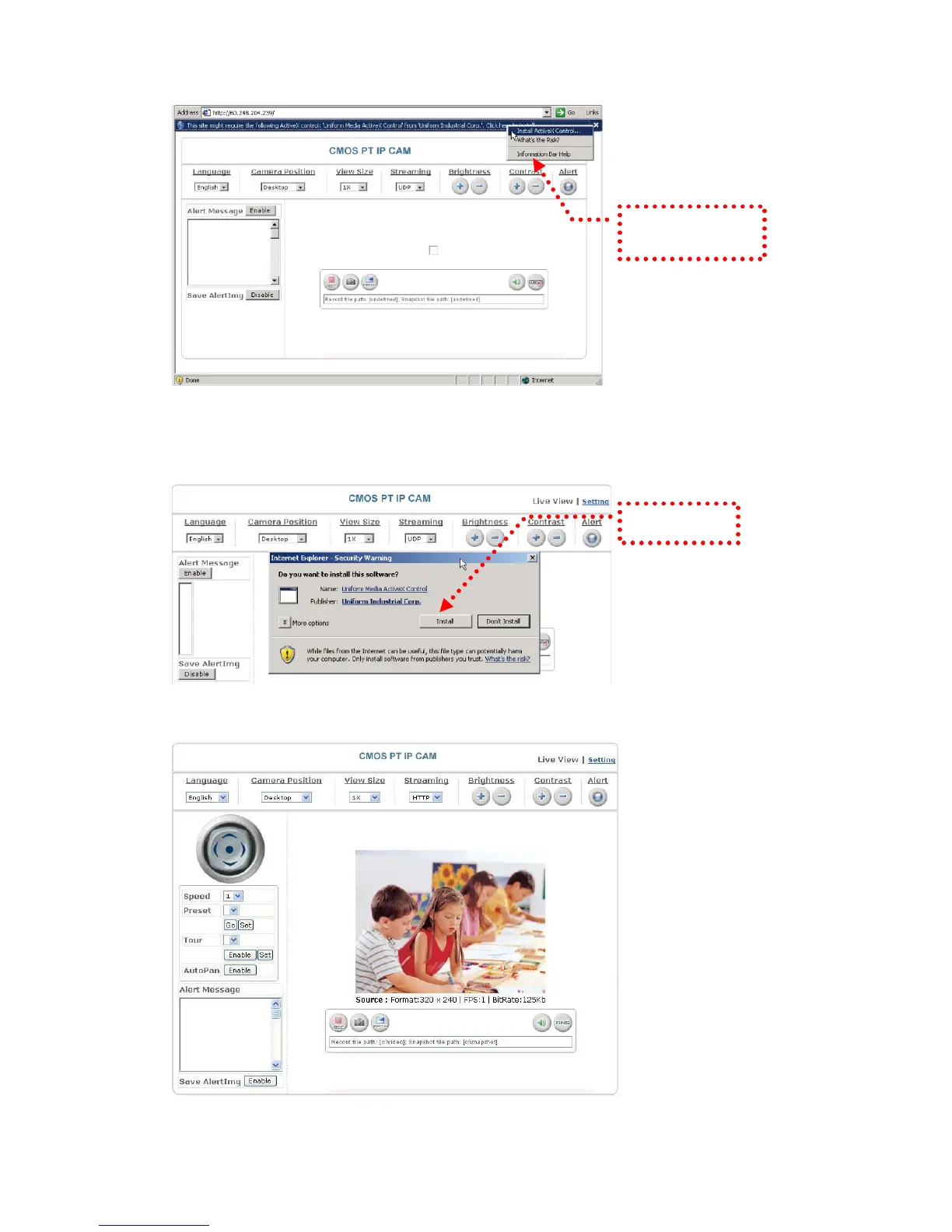
Click “Install
ActiveX Control”.
Setup prompt screen
4. The security warning screen appears. Click "Install".
The ActiveX Control is named "UIC ActiveX Control". This software is owned by
UIC and well certified. You can use it without any doubts about its validity.
Click “Install”.
5. When ActiveX Control is installed successfully, you can see the camera image
and interface.
Camera main page and image
16


 To Next Page