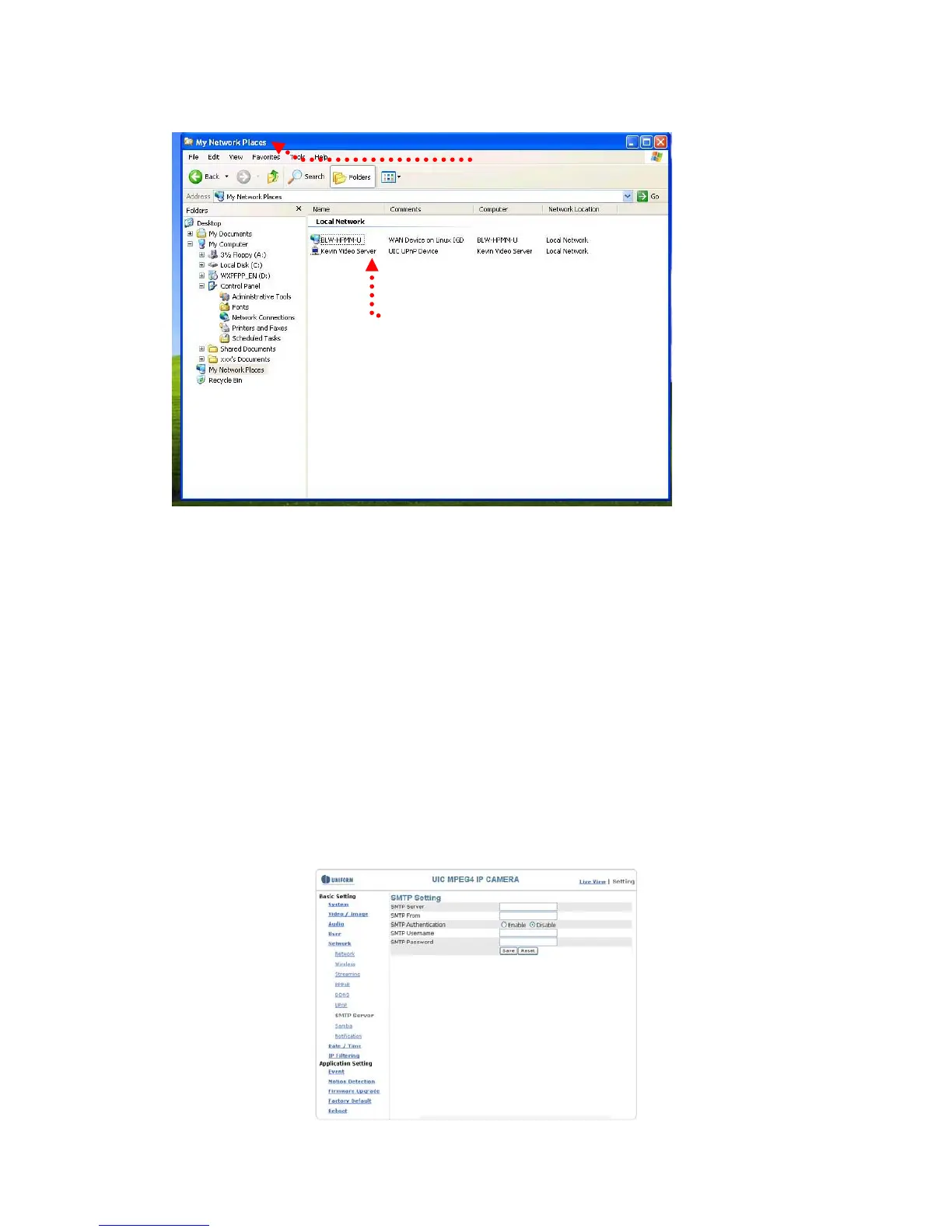
3. View the connection device using Network Neighborhood
1. Open Network Neighborhood
2. The LAN camera appears.
Double-click to access the main page.
Basic Setting > Network > SMTP Server (mail server setting)
The camera is able to transmit images to a particular email address when a motion
detection event occurs or a sensor is triggered. To use this function, a mail server
setting of the camera is required.
Enter the following information in sequential order to complete the setting:
z SMTP server: the SMTP server IP address.
z SMTP From: the email of the sender, i.e. xxx@xxx.com
z SMTP Authentication: enables/disables
z User name: the SMTP server username.
z Password: the password of the SMTP server.
z Select “SAVE” to save the setting.
50


 To Next Page