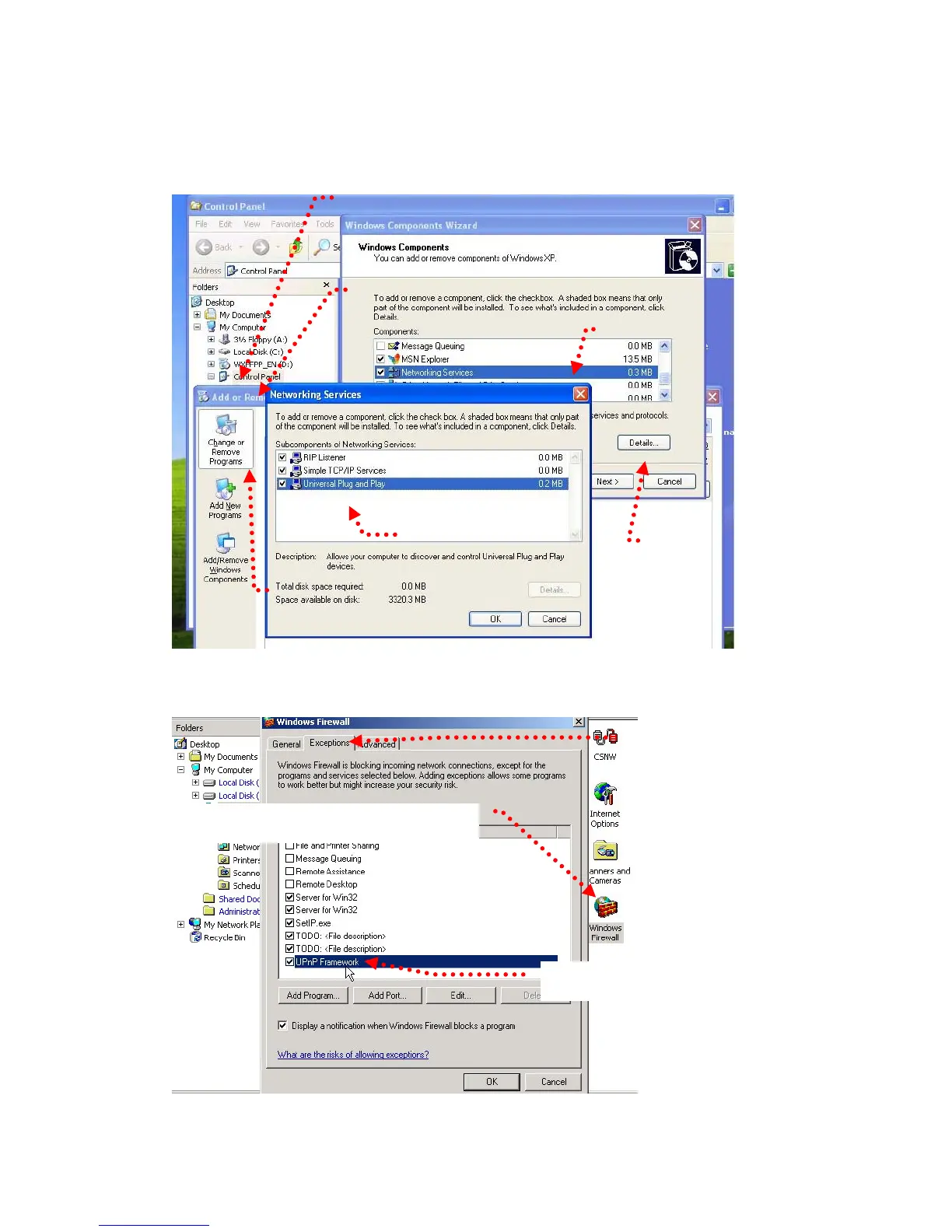
To activate the UPnP function in Windows OS:
Ex: Windows XP:
1. Windows component installation.
1. Click Control Panel
2. Click Add/Remove Programs
4. Click Networking
Services
6. Check UPuP User Interface 5. Click Detail
3. Click Add/Remove Windows Components
2. Open Windows firewall option
2. Click Exceptions
1. Click Windows Firewall in the Control Panel
3. Check UPnP Configuration.
49


 To Next Page