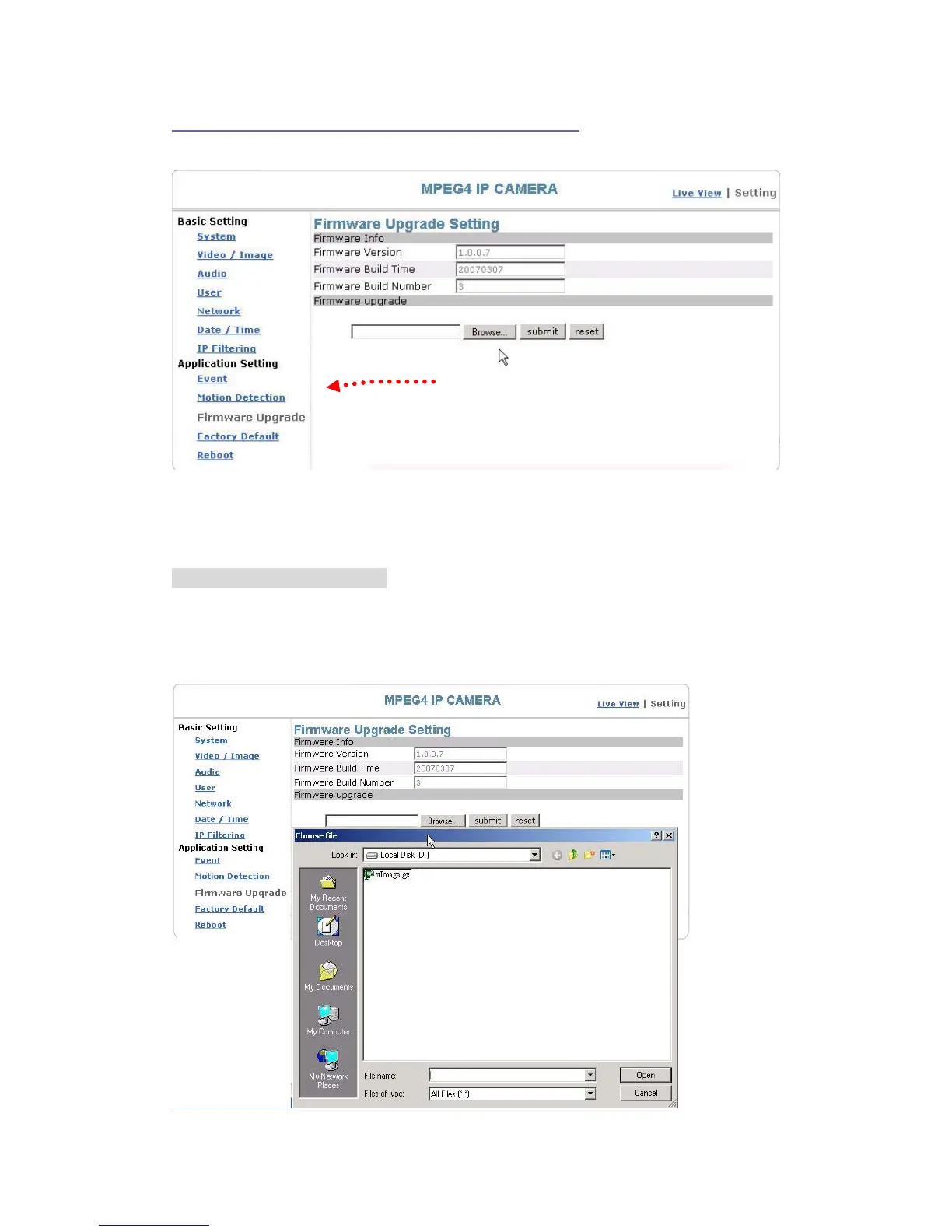
Application Setting > Firmware upgrade
Firmware upgrade page
Contact your dealer for more information about firmware upgrade. The sales
representative will transmit the latest version to you via e-mail. When you receive the
firmware, decompress the file (uImage.gz) to your PC and follow the steps below to
execute the upgrade.
Important! Read Carefully!!
1. Close all active applications on your PC.
2. Select “Firmware Upgrade”
3. The Firmware Upgrade Setting page appears.
64


 To Next Page