System Instructions
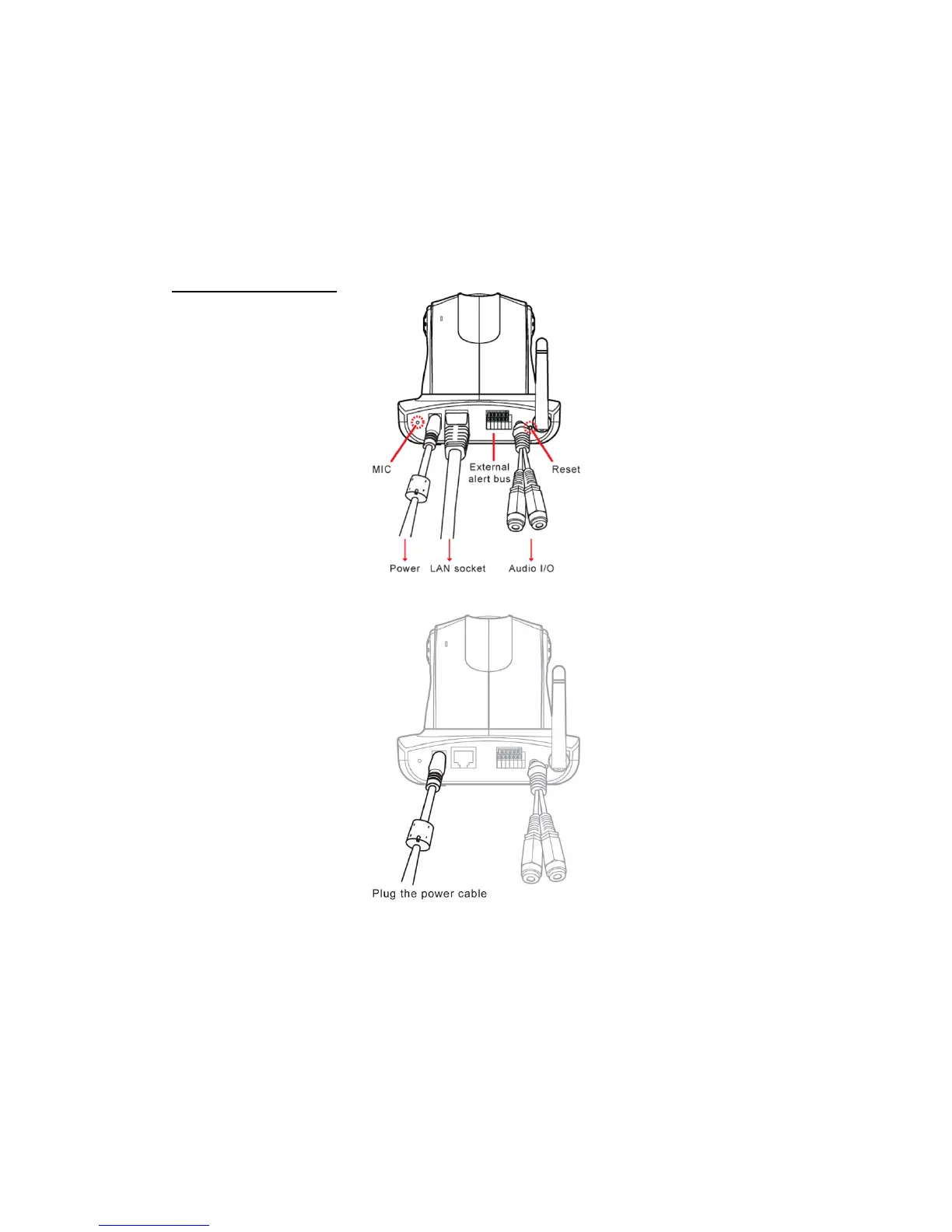
1. DC power cable: The DC input connector has a socket to connect the product to a
power source.
2. Ethernet connector: A RJ-45 connector is provided for connection to the 10Base-T
Ethernet cable or 100 Base-T High Speed Ethernet cable. This port can
automatically detect or coordinate the transmission rate of the network.
3. Use a video/audio output cable for external video/audio transmission if required.
Wiring of the product
DC Power
Plug the power cable in the power socket on the product.
Tripod
The product can be fixed on the wall (Fig. 1) or hung from the ceiling (Fig. 2).
When using the attached plastic anchor and screws to fix the product, make sure that
no steel bars or power cables exist behind the position where the product is to be fixed.
Some walls or ceilings may not be strong enough to support the tripod and the product.
Pay attention during installation to avoid injury that might be brought about due to
falling of the product.
7


 To Next Page