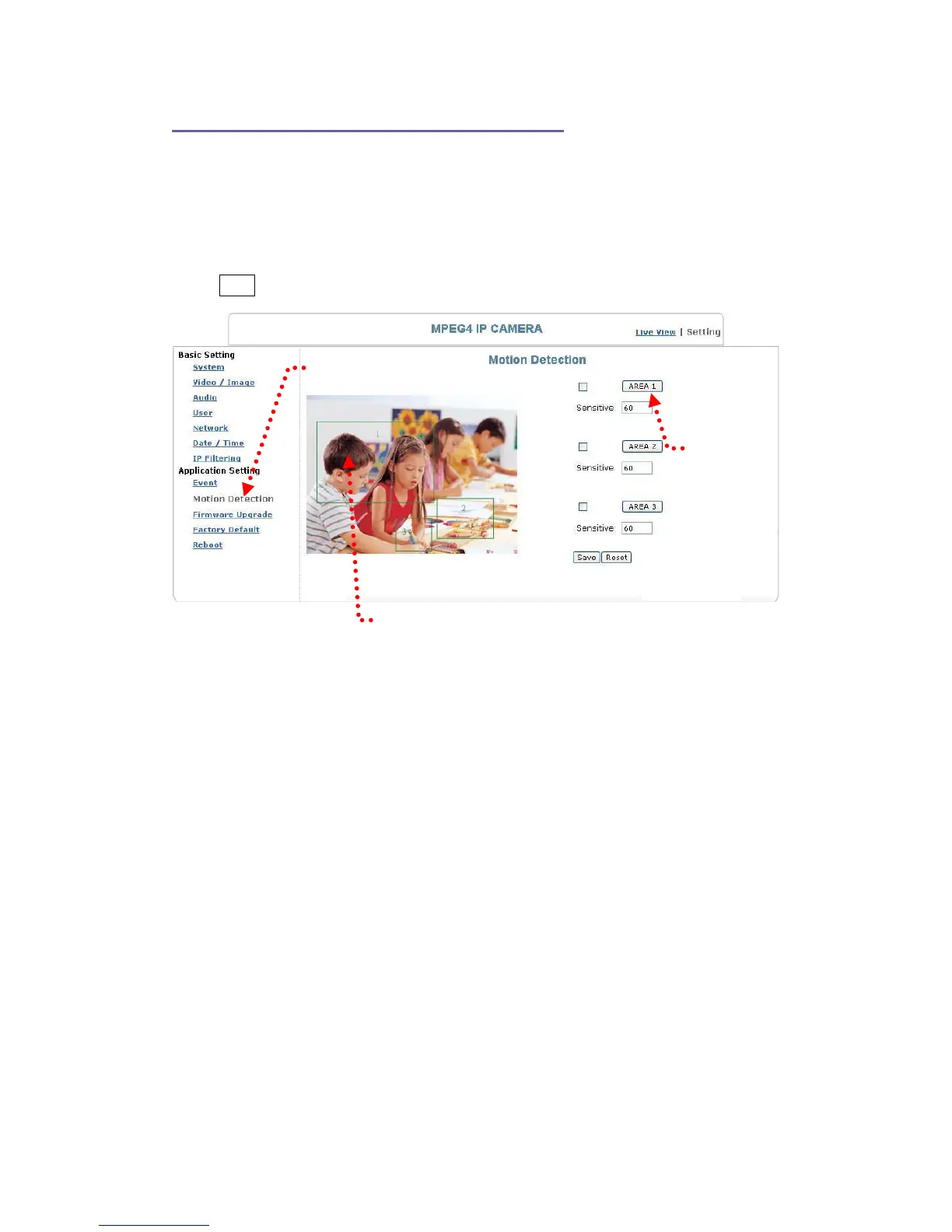
Application Setting > Motion Detection
You can open the setting frame by clicking on the area to monitor. To move area to
monitor, drag the area with your mouse; to adjust the size of the frame, drag the arrow
to adjust after you move the mouse to the edge of the area and left-click; There are 3
frames available for setting. You may adjust the sensitivity of the area by entering the
sensitive degree in the “Sensitive” field. “1” is least sensitive, ”100” is extremely
sensitive.
Select Save to complete and activate your settings.
Motion detection setting
Area setting
Setting frame
63


 To Next Page