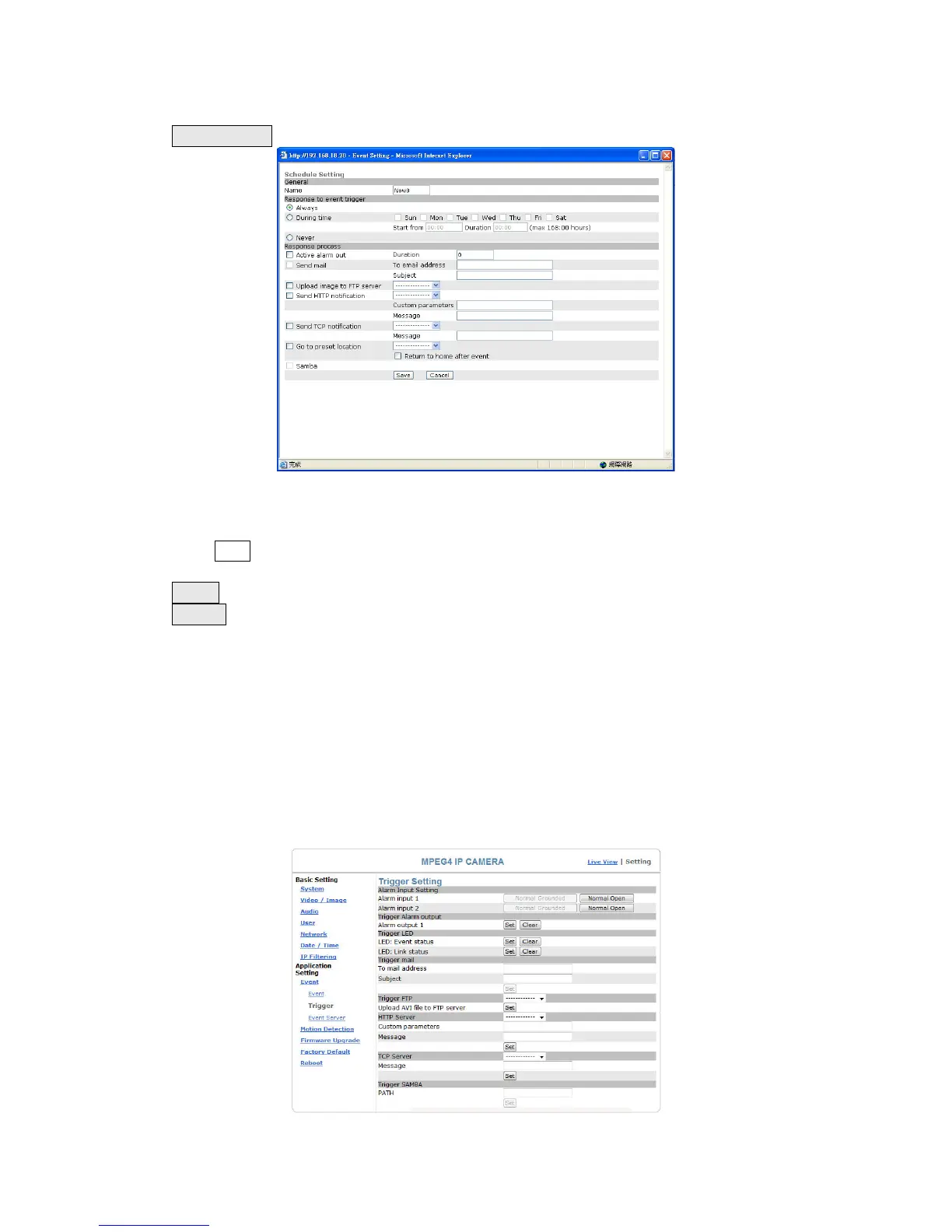
Add Schedule: Add Schedule setting page
The Add Event setting page and the Add Schedule setting page is basically the same
except that the Add Schedule setting page does not have the option “Trigger by” to
indicate the sources of the trigger event.
Click Save to save and activate your settings when you complete setting.
Delete: delete the event cluster setting.
Modify: modify the event cluster setting.
Application Setting > Event > Trigger (manual test of trigger
response)
Whenever the camera detects abnormal events during the scheduled time, it will
automatically respond by performing trigger response. There are 3 types of trigger
responses: alarm sending, LED status indicator flash, emailing the alarm or recorded
image to the specified server. To use this function, enter the server information by
accessing Application Setting > Event > Event Server. You may perform manual test
as specified in this section once you complete the setting to ensure that all functions
are working properly.
58


 To Next Page