Product Level Indicator
Displays status of the product level in the hopper and
provides access to the Product Level Menu screen.
Indicator appears Green when sufficient product
detected in the hopper or Red when at low level.
Pressing the indicator accesses the Product Level
Menu screen.
Agitator Indicator
Displays status agitator drive/blade in the hopper and
provides access to the Agitation Menu screen.
Indicator appears Green when agitator running or Red
when off. Pressing the indicator accesses the Agitation
Menu screen. When the agitator is running (Indicator
Green), the agitator blade of the fill head graphic also
appears Green.
Cutoff Indicator
Displays status of a cutoff device and provides access
to the Cutoff Menu screen. Indicator appears Green
when cutoff open or Red when closed. Pressing the
indicator accesses the Cutoff Menu screen.
Auger Revolutions Display
Displays the setup number of auger revolutions of the
current recipe in use and provides access to the Auger
Revolution Menu screen. Pressing the display access-
es the Auger Revolutions Menu screen.
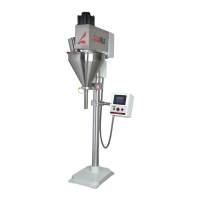
Fill Head Graphic Display
The representation of the fill head can be used as a
quick, visual indication of filler and control functioning.
The following components shown on the graphic are
depicted as On (Green) or Off (Red) when in operation:
● Level Control
● Agitator
● Auger
● Cutoff
Menu
Provides access to a Filling Accessory and Test Menu
screens. These screens are described separately.
Status Messages
The current operation being performed by the system and controls are displayed via Status
Messages appearing at the top of the panel. Messages are listed in the following.
No Control Power
Ready To Start
Wait For Initiation
Open Cutoff
Fill By Rev
Delay After Fill
Close Cutoff
Low Level Pause
Fill By Time
Model B-350Touch Control Panel Operating Instructions
4
AFI Publication 1200316 ● Issue: Review ● March 2016



 To Next Page