AB168 Getting Started Guide 1 AP9588 iss.4
Copyright © 2021 Allen & Heath Ltd, Kernick Industrial Estate, Penryn, TR10 9LU, UK. All rights reserved.
The AB168 is a portable, rugged stage box for all Allen & Heath digital mixing systems compatible with
the dSnake protocol. It provides 16 remote controlled mic/line preamps and 8 XLR line outputs.
It can be operated horizontally with the connectors facing upward or sideways,
or vertically to save space on stage. It can also be mounted in a 19” equipment
rack or case using the optional AB1608-RK19 kit.
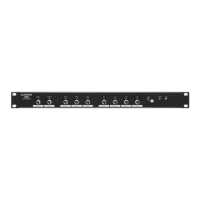
Using a single network cable, the AB168 can be connected directly to the mixer or cascaded from an
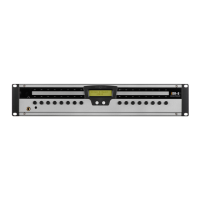
AR2412 or AB168. An expansion port allows connection to another AB168 or an AR84 when used as the
first unit, or to a ME personal monitoring system when used as the first or second unit.
A maximum of two dSnake remote units can be connected to each mixer’s dSnake port.
The AB168 is used to increase the number of I/O sockets in a system and position both sockets and
AD/DA conversion close to the source/stage. It will not increase the number of processing channels
available in the system and must be connected to a mixer where the audio can be processed and routed.
Compatibility and Cable
The AB168 uses the 48kHz dSnake protocol, which is a layer 2, fast ethernet protocol designed for point-
to-point connections. This means it can be connected to the dedicated dSnake ports included on the
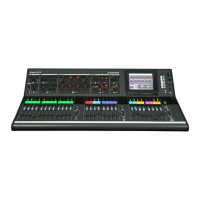
GLD and Qu systems, or used with the intelligent SLink port that can switch to a dSnake mode.
Refer to the latest documentation for your mixer available from www.allen-heath.com for more information
on connecting, patching, and controlling the AB168 with your system.
Cat5e (or higher) STP (Shielded Twisted Pair) cable should be used, with a maximum cable length of
100m (330ft) between each unit. Use of passive couplers to join cables will reduce this distance.
High-quality touring grade cables are available through your A&H dealer. Please see
www.allen-
heath.com/ahproducts/cat5/ for more details.
Connection, Automatic firmware matching and LED behaviour
When powered, the ‘Power’ LED on the front of the AB168 will illuminate.
On connection to a mixer, the AB168 will automatically check and match its firmware to the mixer model
and mixer firmware version. If an update to firmware is required, it will happen automatically. This may
take up to 2 minutes to complete and if the AB168 is cascaded (connected through another unit),
checking and updating may take slightly longer. During an update, the port ‘Lnk/Err’ LED will flash red
and once the update is complete, the AB168 will automatically reboot.
AB-168
AB-168
MIXER
AB-168
MIXER
AR-84
AB-168
MIXER
AR-2412
AB-168
MIXER

 Need help?
 General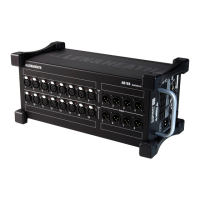





 To Next Page