Verge IP Phone Series FAQs
866.ALLWORX * +1 585 421 3850 Page 3
www.allworx.com Version: B
© 2017 Allworx Corp, A Windstream Company. All rights reserved. Revised: April 13, 2017
As before the Allworx Server Administrator assigns the parking orbit numbers to the programmable button as well as the reminder to ring the
phone if the parked call is in the parking orbit longer than the specified time limit. Verge IP phone users with permissions can assign the Park
programmable button to an available programmable buttons for customized functionality.
Programmable Button examples:
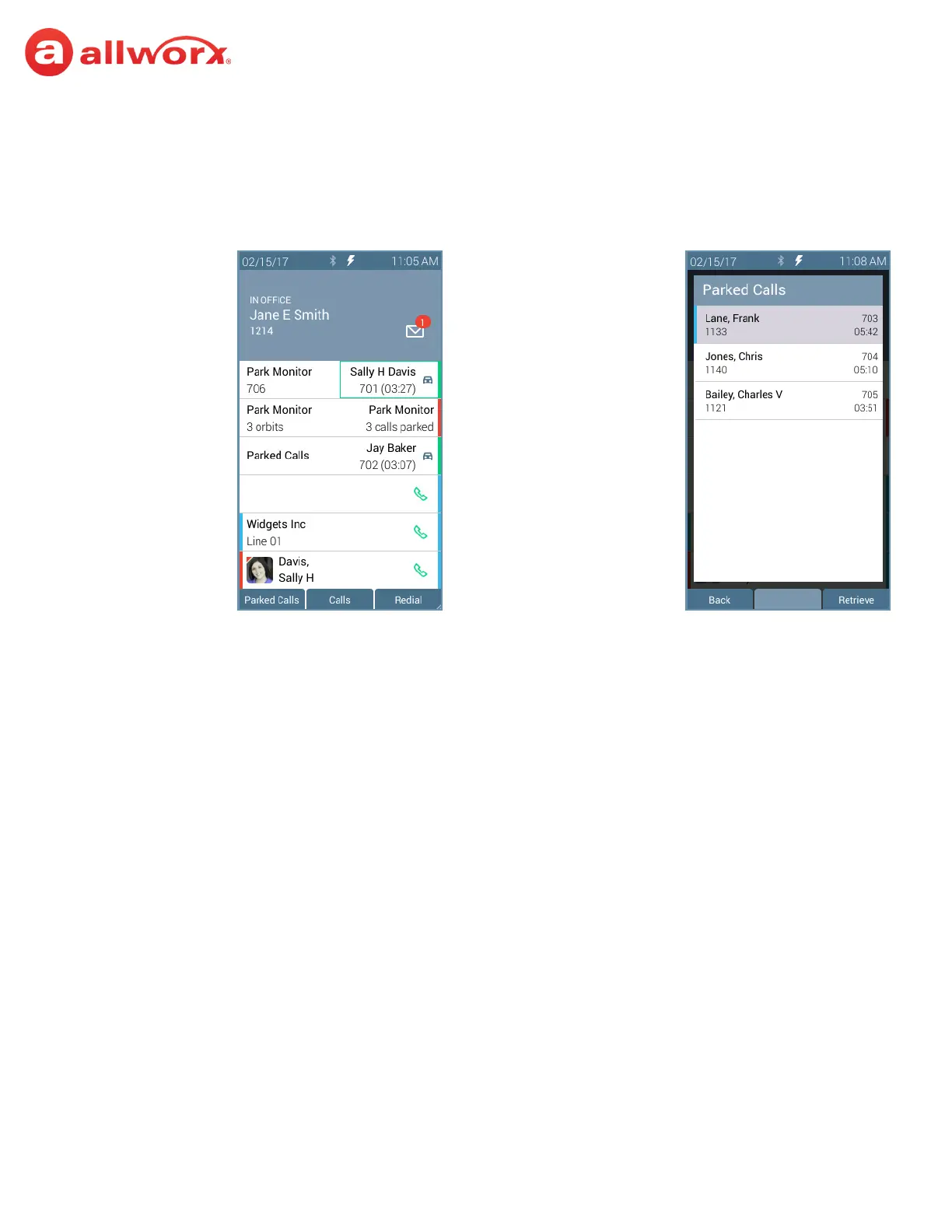
Press the Park Monitor programmable button:
• If monitoring a single parking orbit, automatically connect to the parked call.
• If monitoring multiple parking orbits, view the Parked Calls screen. Highlight and select the parked call to retrieve the call.
Single Orbit Monitor
No Call Parked
Multiple Orbit Monitor
No Calls Parked
Parked Calls
Press to retrieve a parked
call. Label changes to Park
during an active call.
Single Orbit Monitor
User Parked Call
Multiple Orbit Monitor
Calls Parked
Single Orbit Monitor
Another user Parked Call
Park Programmable
Button Options
Parked Call Listings



 To Next Page