SHANGHAI ALLYNAV TECHNOLOGY CO., LTD.
Address: Room 201, Building 1, No,99, Lane 215, Gaoguang Road, QingPu District, Shanghai,
to start type in and send command to R30 device.
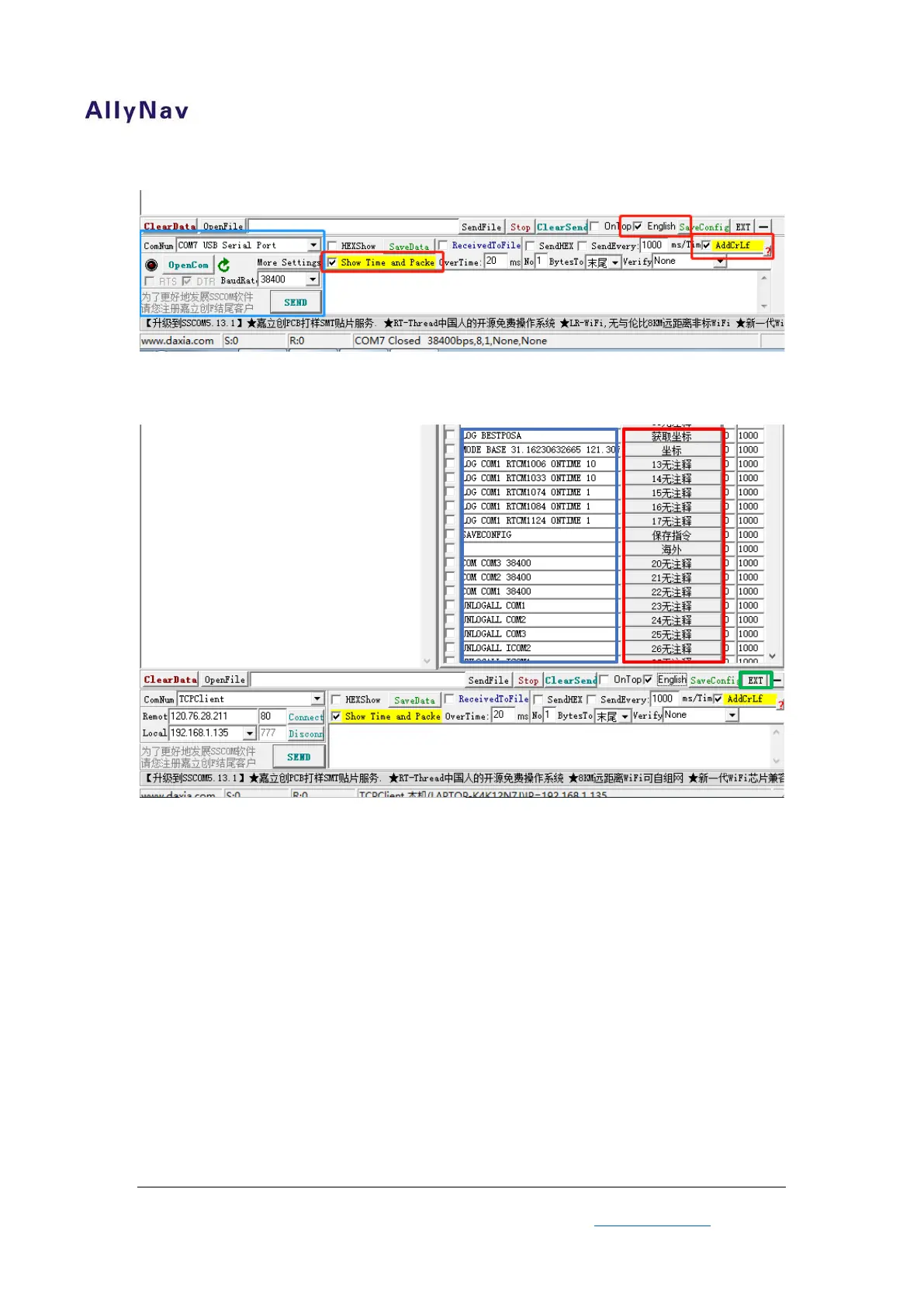
Figure 5 Software Notes
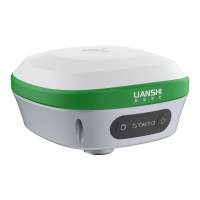
Click “EXT” will expand a shortcuts (Figure6), you can customize your command at here (Blue
Zone) and send command quickly by click (Red Zone).
8
Figure 6 Shortcuts
2.1.5 The Use of Software
Operation software after double check hardware connect and power supply.
Choose port No. in figure5 blue zone (The laptop recognizes the port
number of the USB-Serial port converter), Baud rate (original 38400).
Click “OpenCom” button after double check red zone have been choose.
Then, connect between software and R30 has finished.


 To Next Page