RC3-LOG & RC3P-LOG INSTRUCTION MANUAL Page 8
SHAWALMEX-EUROPE BV RC3-LOG & RC3P-LOG INSTRUCTION MANUAL SEPT 2018
RAISE/LOWER BUTTONS
Within
trending displays,
the Raise
and
Lower keys can
be used
to scroll
through
the
enabled
display
modes
in the
sequence:
vertical
trend, horizontal trend,
vertical
bargraph, horizontal
bargraph, numeric, vertical
trend... and
so
on.
Within
configuration pages, these pushbuttons
act as
cursor
keys,
allowing,
for
example,
the
user to
high-
light
menu items
for
selection using
the scroll
button, and
in many
cases allowing
the user to
select one from
a
number
of
alternative values
within
menu
items.
Theses
keys are
also
used
to
navigate through
the
virtual
keyboards
and number pads used
to
enter
text or
numeric strings.
5.1.1. Setting the Process Values
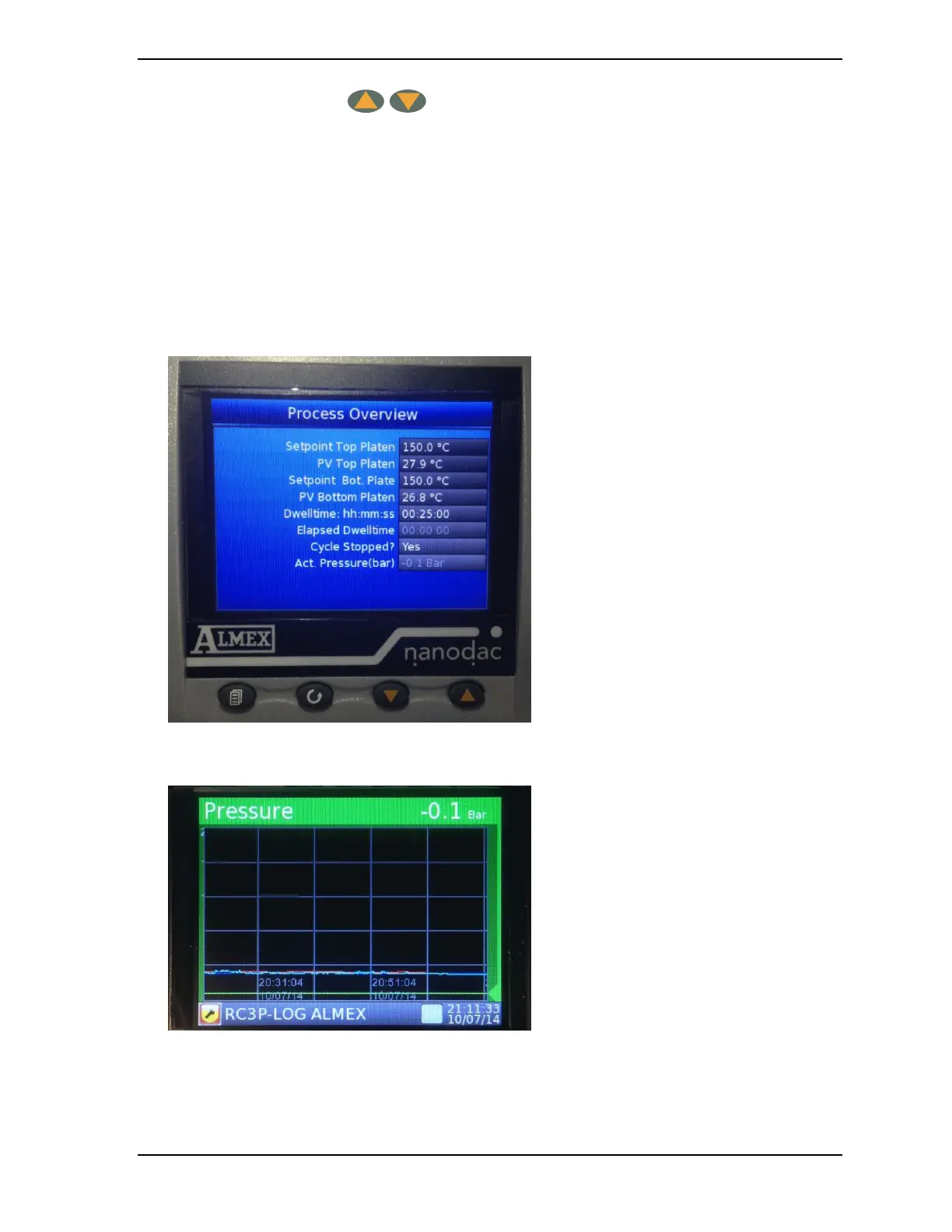
1. Starting at the home screen the following screens can be seen by pushing the page button and the lower
button:
2. Figure 5: Process Overview screen.
The setpoints of Upper and Lower Platen and the dwelltime can be adjusted in this screen.
3. Figure 6: Channel “cycling” screen
By default, the recorder scrolls through all the channels (Top platen, Bottom platen, Pressure and
Temperature Probe) in the display group, with each channel becoming the active channel in turn.



 To Next Page