EasyManua.ls Logo

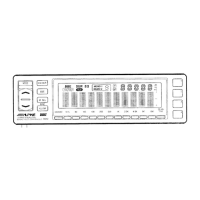
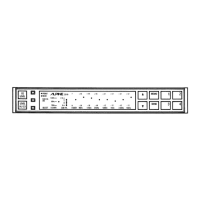
Alpine 3342 - Control Unit Installation; Velcro Tape Mounting; In-Dash Mounting Kit

Alpine 3342
27 pages
Print Icon
To Next Page IconTo Next Page
To Previous Page IconTo Previous Page
Loading...
Refer
to
Fig.
3
--
7
on
page
7.
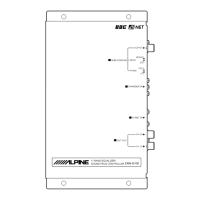
The
3342
is
made
up
of
two
components:
the
Control
Unit
and
Base
Unit.
CONTROL
UNIT
AS
with
all
installations
you
shouid
begin
by
aetermining
the
mec
for
the
components
of
the
system.
The
Control
Unit
can
be
custom
mounted
flush
in
the
dashboard,
center
console,
sun
visor,
or
other
flat
surface
in
the
vehicle.
The
compaci
size
e
Control
Unit
allows
it
to
be
stored
in
the
glove
box
or
center
console
storage
area.
There
is
also
an
optional
4107
in-dash
mounting
kit.
This
allows
the
Control
Unit
to
be
mounted
in
a
DIN
opening.
@
Velcro™
(Double-Sided
Adhesive)
Tape
Mounting
(Fig.
3)
The
Control
Unit
can
be
mounted
to
any
flat
spot
using
the
Velcro™
tape.
Choose
a
location
which
allows
easy
access
to
operate
the
Control
Unit.
1.
Remove
the
adhesive
protective
paper
from
one
side
of
the
Velcro
tape.
2.
Attach
the
exposed
adhesive
side
to
the
rear
side
of
the
Control
Unit,
in
a
central
location.
3.
Select
a
secure
and
flat
spot
for
mounting.
Make
sure
the
mounting
location
is
clean,
dry
and
free
from
contaminants.
4,
Remove
the
protective
paper
from
the
other
side
of
the
Velcro
tape.
5.
Press
the
Control
Unit
to
its
mounting
location.
6.
Connect
the
DIN
connector
of
the
Control
Unit
to
the
Base
Unit.
@
Using
the
Alpine
4107
In-Dash
Mounting
Kit
(Sold
separately)
(Fig.
4)
NOTE:
There
are
two
plastic
screws
to
cover
the
screw
holes
on
the
rear
side
of
the
Control
Unit.
Be
sure
not
to
miss
the
screws.
If
you
remove
the
mounting
bracket,
the
screws
should
be
mounted
on
the
original
position.
Do
not
use
the
screws
to
mount
the
mounting
bracket.
1.
Install
the
mounting
bracket
on
the
control
unit
with
two
screws
(M8
x
4).
2.
Install
the
two
bracket
stoppers
for
mounting
sleeve
on
the
mounting
bracket
with
four
screws
(M2.6
x
4).
3.
Slide
the
mounting
sleeve
into
the
dashboard.
4.
Connect
the
DIN
connector
to
the
base
unit.
5.
Slide
the
control
unit
into
the
sleeve
and
push
the
locking
pins
to
their
full
“up"
position
(use
a
screwdriver
or
similar
tool).
Gently
pull
out
on
the
unil
to
make
sure
it
is
locked
in
position.
6.
Snap
the
front
trimplate
on
around
the
front
end
of
the
controi
unit.
25

Related product manuals