EasyManua.ls Logo

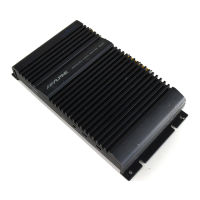
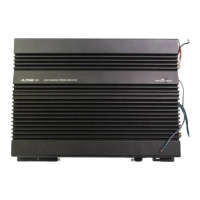
Alpine 3522S - Active Dividing Network Mode Settings; Status Monitor Indicator

Alpine 3522S
25 pages
Print Icon
To Next Page IconTo Next Page
To Previous Page IconTo Previous Page
Loading...
2-Channel
Stereo
System
(Full
Range,
Tweeter/Midrange
Satellite,
or
Subwoofer)
Position
of
the
Position
of
the
Input
Filter
Switch:
Mode
Selector
Switch:
@
Full
Range
®
Tweeter/Midrange
ST
Satellite
CH(](MONO)
ST
CHL]
®
Subwoofer
Position
of
the
*
Position
of
the
Input
Filter
Switch:
Mode
Selector
Switch:
Subwoofer
Single
Channel
System
(Full
Range,
Midrange
Satellite)
Position
of
the
*
Position
of
the
input
Filter
Switch:
Mode
Selector
Switch:
1(MONO)
ayes
CHE(MONO)
ST
CHO]
ations
‘dr
:
®
Midrange
Satellite
aah
fe
ag
lf
eS
OFF
HP
uP
CHE(MONO)
ST
CHE}
Full
Range
|
35228
=
3352.28
|
SWITCH
SETTINGS
~—
Input
Mode
Selector
Switch
a)
Select
the
“ST”
position
(center)
when
the
Left
(CH
1)
and
Right
(CH
2)
channels
are
used
in
stereo.
el
ie
CH
[i]
(MONO)
ST
CHE}
+2]
b)
Select
the
“{1]
(MONO)”
position
when
only
one
channel
(Left
or
Right)
will
be
used
for
both
outputs
of
a
stereo
system
or
the
mono
output
of
a
bridged
system.
To
CH[T](MONO)
ST
CH[i]+2]
c)
Select
the
‘{1]
+
[2]”
position
when
the
Left
(CH
1)
and
Right
(CH
2)
-
channels
will
be
summed
for
a
subwoofer
system.
{
-—
|
CH(AJ(MONO)
ST
CH{t]+{2]
Input
Gain
Adjustment
Control
After
setting
your
head
unit's
volume
control
1/4
of
a
turn
down
from
the
maximum
output
level,
rotate
the
Input
Gain
Adjustment
Control
with
a
#0
flat
blade
screwdriver
and
adjust
the
input
gain
to
the
point
where
there
is
maximum
volume
with
no
distortion.
"SWITCH
SETTINGS
Active
Dividing
Network
Mode
Selector
Switch
a)
Select
the
“LP”
position
when
the
amplifier
is
used
for
the
low-pass
(subwoofer)
system.
The
frequencies
higher
than
80
Hz
will
be
cut
(ata
rate
of
18
dB
per
octave).
a
OFF
HP
LP
b)
Select
the
“HP”
position
when
the
3522S
is
used
for
the
high-pass
(tweeter/midrange)
system.
The
frequencies
lower
than
80
Hz
will
be
cut
(at a
rate
of
18
dB
per
octave).
L—
PLP
L
+
mm
OF
c)
Select
the
“OFF”
position
when
the
3522S
is
used
for
the
regular
stereo.
system
with
full-range
speakers.
The
full
bandwidth
will
be
output
without
cutting
the
high
or
low
frequencies
eee
3
OFF
HP
LP
Status
Monitor
This
indicator
lights
in
green
when
the
power
is
on.
The
3522S
has
built-
in
protection
circuitry.
If,
for
some
reason,
this
protection
circuit
is
activated,
the
indicator
turns
orange.
If
this
happens,
turn
the
system
off,
find
the
cause
of
the
problem
and
remedy
the
situation.
This
includes
checking
all
your
connections
and
wiring.
If
the
indicator
remains
Orange
when
the
system
is
turned
on,
consult
your
authorized
Alpine
dealer.
NOTE:
The
indicator
will
illuminate
in
orange
for
a
few
seconds
when
the
power
is
turned
on
as
the
turn
on
muting
circuit
is
activated.
This
is
normal.
+10—

Related product manuals