EasyManua.ls Logo

Alpine 7281M - Tape Player Operation

Alpine 7281M
22 pages
Print Icon
To Next Page IconTo Next Page
To Previous Page IconTo Previous Page
Loading...
:
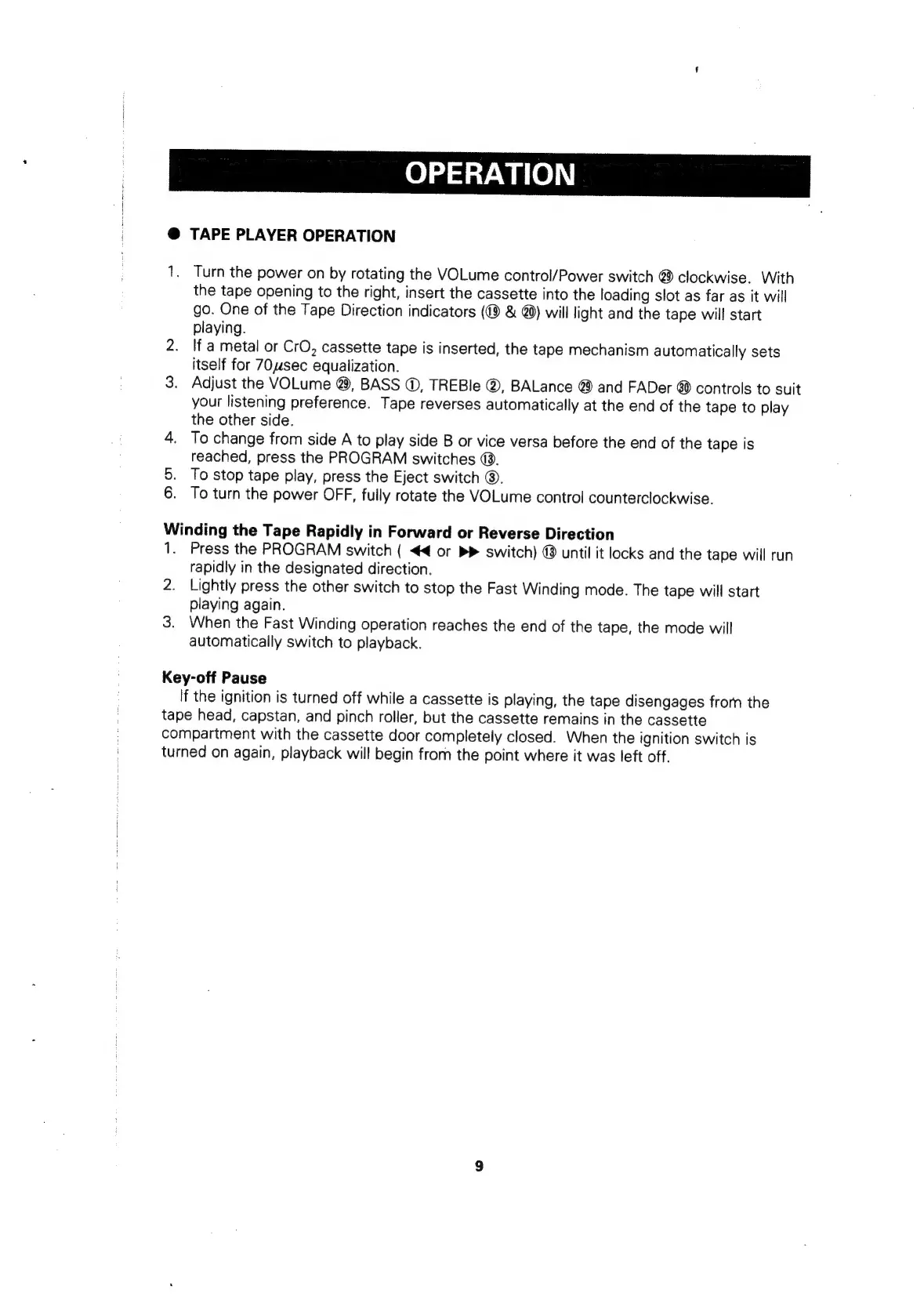
OPERATION
-4
i
@
TAPE
PLAYER
OPERATION
1.
Turn
the
power
on
by
rotating
the
VOLume
control/Power
switch
@
clockwise.
With
the
tape
opening
to
the
right,
insert
the
cassette
into
the
loading
slot
as
far
as
it
will
go.
One
of
the
Tape
Direction
indicators
&
@)
will
light
and
the
tape
will
start
playing.
2.
If
a
metal
or
CrO,
cassette
tape
is
inserted,
the
tape
mechanism
automatically
sets
itself
for
7Ousec
equalization.
3.
Adjust
the
VOLume
@,
BASS
©,
TREBle
@,
BALance
@
and
FADer
@
controls
to
suit
your
listening
preference.
Tape
reverses
automatically
at
the
end
of
the
tape
to
play
the
other
side.
4.
To
change
from
side
A
to
play
side
B
or
vice
versa
before
the
end
of
the
tape
is
reached,
press
the
PROGRAM
switches
@.
5.
To
stop
tape
play,
press
the
Eject
switch
@.
6.
To
turn
the
power
OFF,
fully
rotate
the
VOLume
control
counterclockwise.
Winding
the
Tape
Rapidly
in
Forward
or
Reverse
Direction
1.
Press
the
PROGRAM
switch
(
<4
or
b>
switch)
®
until
it
locks
and
the
tape
will
run
rapidly
in
the
designated
direction.
2.
Lightly
press
the
other
switch
to
stop
the
Fast
Winding
mode.
The
tape
will
start
playing
again.
3.
When
the
Fast
Winding
operation
reaches
the
end
of
the
tape,
the
mode
will
automatically
switch
to
playback.
Key-off
Pause
If
the
ignition
is
turned
off
while
a
cassette
is
playing,
the
tape
disengages
frorn
the
tape
head,
capstan,
and
pinch
roller,
but the
cassette
remains
in
the
cassette
compartment
with
the
cassette
door
completely
closed.
When
the
ignition
switch
is
turned
on
again,
playback
will
begin
from
the
point
where
it
was
left
off.

Related product manuals