10-EN
Basic Operation
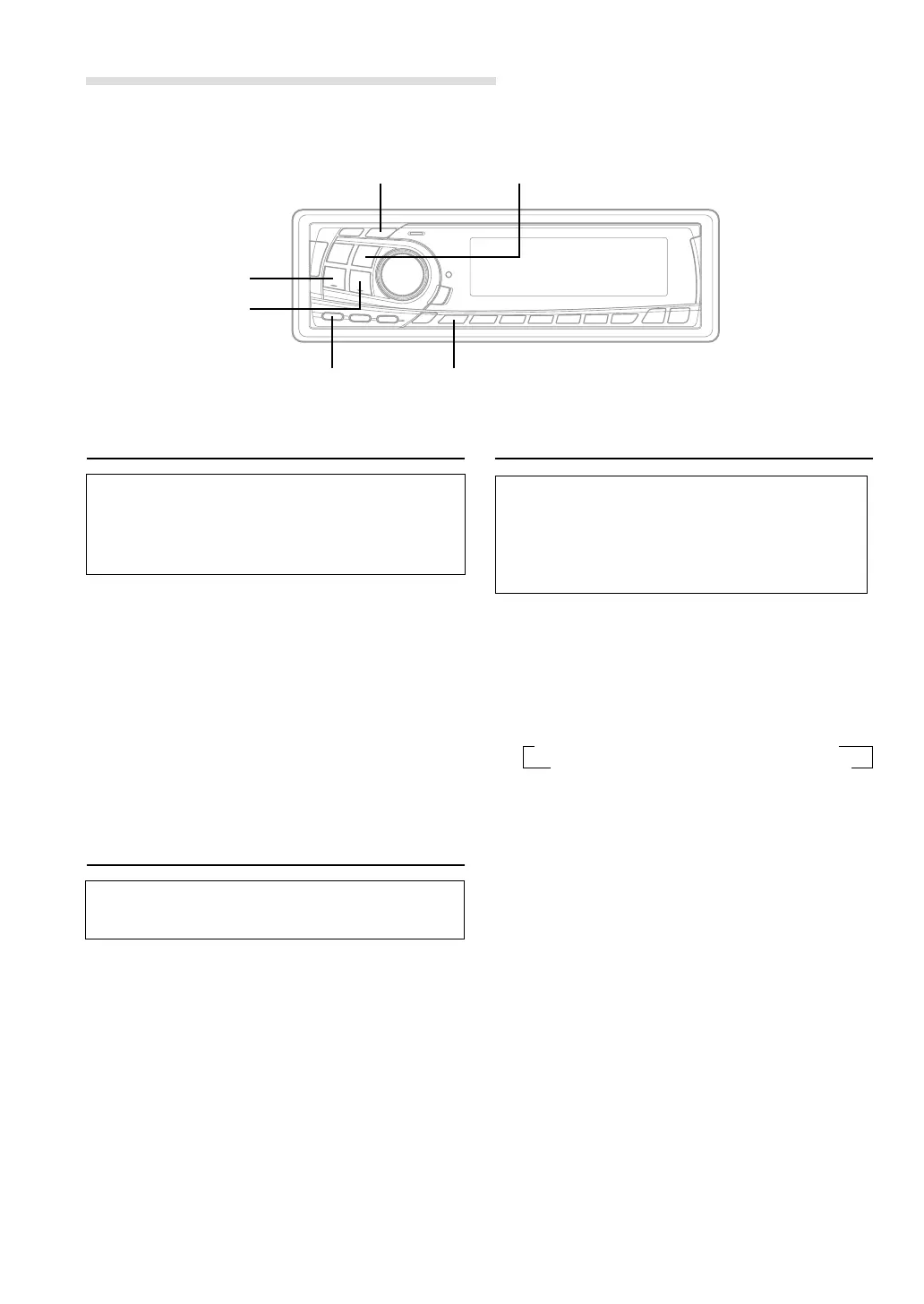
f UP
g DN
B-FWD/DEFEAT
DISP/B.OUT
Setting Bass Forward
The Bass Forward function shifts the low
frequency's energy component to the front. This
moves the high energy, dynamic bass sound to
the front sound stage.
1 Press the B-FWD button to activate the Bass
Forward setting mode.
2 Press the g DN button or f UP button to
select the Bass Forward level.
OFF ←→ 1 ←→ 2 ←→ 3
(Less ←
....
→ More)
NOTE
If no buttons are pressed within 5 seconds, the setup
menu returns to the normal audio display.
Defeat
By setting Defeat ON, all previously adjusted
settings will return to the factory defaults.
1 Press the DEFEAT button for more than 3
seconds to turn Defeat on.
To cancel Defeat, press the DEFEAT button
again for more than 3 seconds.
Switching the Tuner Mode
The CDA-7977/CDA-7876/CDA-7875/CDA-7873
incorporates the MAX TUNE SQ for the highest
quality tuner audio. Moreover, you can choose
between two settings to suit your own personal
sound preferences and usage.
1 Press and hold the SETUP button for at least 3
seconds.
2 Press the f UP button repeatedly to select
"NORMAL or HI-FI." Each press of the f UP
button changes the modes as shown:
∗ CDA-7876 Only
NOTE
If you press the g DN button the display scrolls in
reverse sequence.
3 Press the TUNE button to switch the TUNER
mode.
NORMAL: Standard setting
HI-FI: Sound quality priority setting
NOTES
• The initial setting at the factory is "NORMAL."
• If you find the sound is very noisy while listening to
the tuner in the HI-FI mode, we recommend you
change to the NORMAL mode.
4 When the setting is completed, press the SETUP
button to return to the normal mode.
SETUP
BAND
HI-FI
←→
NORMAL
→
NORMAL/HI-FI
→
AMBER*
→
DIM
→
SUB
DEMO
←
AUX
←
SCR
←
MUTE
←
BEEP
←



 To Next Page