8-EN
ALPINE CDE-205DAB 68-40368Z04-B (EN) 128x182
Gettin
To cance
display,
For the
c
35.
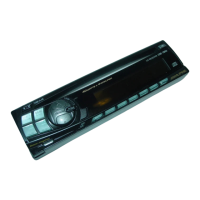
Detach
You can d
prevent t
h
1 Press
unit t
u
releas
towar
Caution a
If you turn
without d
alarm will
only soun
Attachi
(page 20)
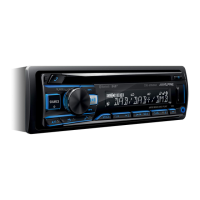
Disc slot (CDE-205DAB only)
Display window
(disc eject) (CDE-205DAB only)
USB port
SOURCE
Change the source.
(power)
Turn on the power.
Press and hold for more than 2 seconds to
turn off the power and the display.
Press in the Radio mode to change the radio
band.
A.ME
Press and hold for more than 2 seconds in the
Radio mode to store stations automatically.
(back)
Return to the previous display.
SLEEP
Press and hold for 2 seconds to turn the
source off and display the clock.
(page 20)
Open audio setup mode directly.
SETUP
Press and hold to open the setup menu.
VOICE (pages 19, 20)
Press to activate voice dial, voice recognition
(Android™ smartphone only), or the Siri
function (iPhone only).
Number buttons (1 to 6)
Receive stored radio stations. Press and hold
to store stations.
/
Skip an album for audio device. Press and
hold to skip albums continuously.
(Not available when a USB device in Android
mode or iPod is connected.)
(play/pause)
(repeat)
(Not available when a USB device in Android
mode is connected.)
(shuffle)
(Not available when a USB device in Android
mode is connected.)
MIC (CDE-205DAB/ UTE-204DAB only)
(page 19)
VIEW
Change display items.
(scroll)
Press and hold to scroll a display item.
AUX input jack
(MUTE)
Set the mute mode to on/off.
DIM.
Press to change the Dimmer function.
Controllable with Remote Control
This unit can be controlled with an optional
Alpine remote control. For details, consult
your Alpine dealer.
Point the optional remote control transmitter
at the remote control sensor.
Remote control sensor
Connectable to Remote Control Interface
Box
With an optional Alpine Steering Wheel
Remote Control Interface Box (not included),
this unit is controllable from the vehicles
steering wheel controls. For details, contact
your Alpine dealer.


 To Next Page