7-EN
EN
FR
ES
DE
IT
SE
NL
RU
PL
ALPINE CDE-205DAB 68-40368Z04-B (EN) 128x182
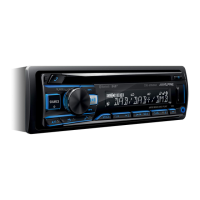
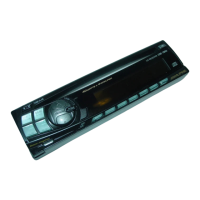
Guide to Parts and Controls
Main unit
Front panel release button
Enter the call menu. Receive/end a call.
Press and hold for more than 2 seconds to
switch the BLUETOOTH signal.
Control dial
Rotate to adjust the volume.
ENTER
Enter the selected item.
(browse) (pages 13, 15, 17)
Enter the browse mode during playback.
(Not available when a USB device in Android
mode or iPod is connected.)
During DAB reception: Select service.
During FM reception: Select PTY in RDS.
/
Radio mode:
Tune in radio stations automatically. Press
and hold to tune manually.
Disc/USB Device mode:
Switch between previous/next song.
Press and hold for 2 seconds to fast-reverse/
fast-forward.


 To Next Page
 Loading...