10
EnglishEnglish
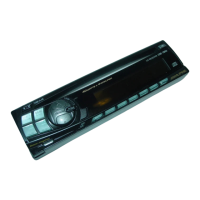
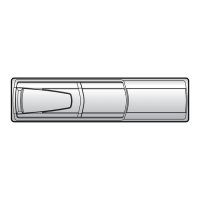
Detachable Front
Panel
Attaching the Front
Panel
1. First, insert the right side of the front panel
into the main unit. Align the 2 small holes on
the front panel with the 2 projections on the
main unit.
2. Push the left side of the front panel until it
locks firmly into the main unit.
1
Note: Before attaching the front panel, make
sure that there is no dirt or dust on the
connector terminals and no foreign
object between the front panel and the
main unit.
1
2
Basic Operation
Initial System Start-Up
1
1
When operating the unit for the first time after
installation or after the vehicle's battery has
been disconnected and reconnected, set the
volume level to its minimum, then remove the
detachable front panel. Press the Reset switch
with a ball-point pen or any other pointed
object.


 To Next Page