17
English
Basic Operation
Demonstration
In the Demonstration (DEMO) mode, the unit
scans each source; tuner and CD player.
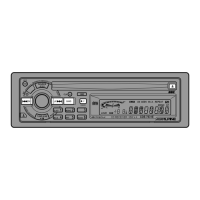
Press and hold the DEMO button for at least 3
seconds to activate the DEMO mode.
"DEMO" blinks in the display.
The unit automatically performs the following
scanning operation.
1. The unit goes into the Tuner mode and
scans the preset radio stations by playing
the first 10 seconds of each preset station
in the FM1, FM2 and AM bands.
2. Then the unit goes into the CD mode and
scans the selections on the loaded CD by
playing the first 10 seconds of each
selection starting with the first selection.
3. The unit continues scanning of the sources
as described in 1 to 3 above.
1
1 2
DEMO
DEMO
F
To end the DEMO mode, press the DEMO
button.
"DEMO" disappears from the display.
2
DEMO
F


 To Next Page