10 11
Set up your eX-10
Here’s how to get your eX-10 working properly in your car.
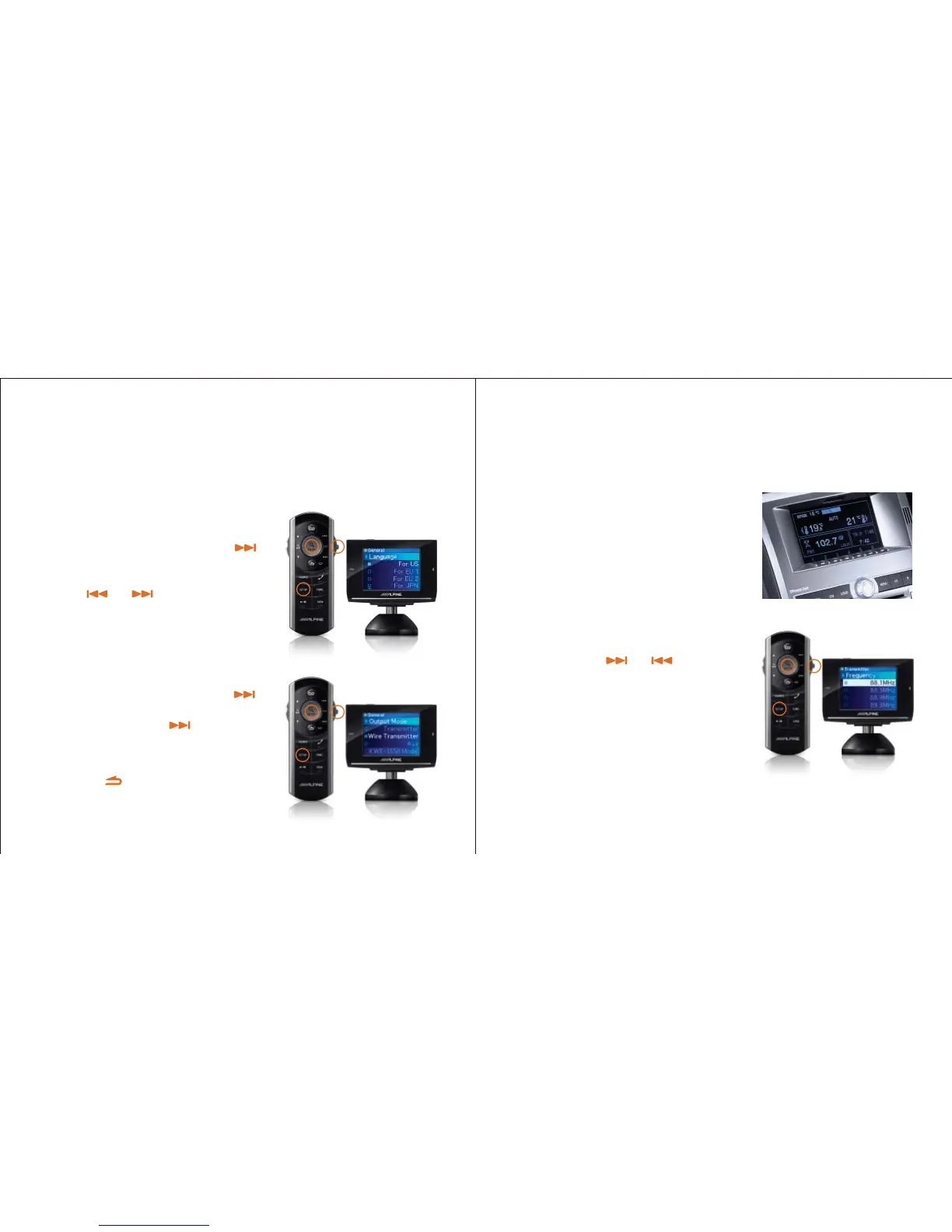
Push the “SETUP” button, then use the
button to scroll down to “General”.
Tap “ENTER” twice, then select your language
using the and buttons. Tap “ENTER”
to select.
You’re still in “SETUP” mode, so tap the
button three times until you get to “Output Mode”.
Tap “ENTER”, and use the button to select
“Wire Transmitter”. Press
“
ENTER
”
to select the
“Wire Transmitter” mode.
Now, tap the button to get back to the
“SETUP” menu.
Step 1: Select your language and set the output mode
Set up your eX-10
The eX-10 broadcasts audio to your car stereo
just like an FM radio station.
Tune your car radio to an FM frequency where
there is no radio reception (for example, 88.3MHz).
Save a few of these blank stations in your car
radio’s preset memories for use with the eX-10’s
FM transmitter.
*Note: If one of your selected frequencies encounters a strong FM signal while driving, interference may be
heard while listening to iPod or Bluetooth. Changing presets to match frequencies on both your car stereo
and on your eX-10 can solve this problem quickly.
Step 2: Set up your car’s radio to work with the eX-10
Select “Transmitter” from the eX-10’s “SETUP”
menu, then press and hold “ENTER” for two
seconds. Use the and buttons to
select the same frequency as shown on your
car radio display. Press “ENTER” to set this
frequency as a preset in the eX-10. You can
set up to four different frequencies using this
method*. Your car’s radio and the eX-10 must
be tuned to the same frequency to hear audio
output.



 To Next Page