20-EN
You can register up to eight My Favorites for each user.
You cannot, however, register the same items (categories).
1
Touch [].
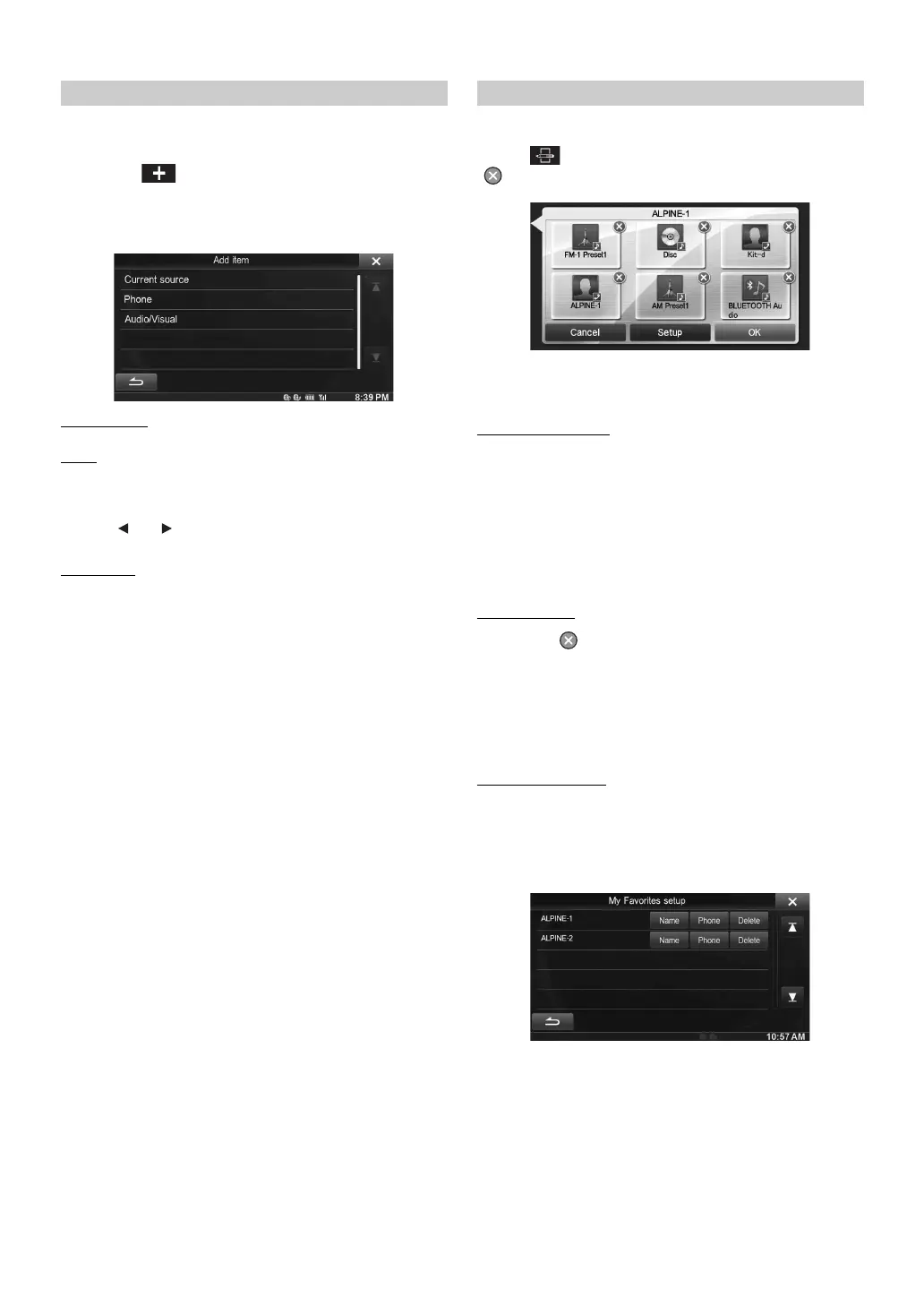
The addition items (categories) are displayed.
2
Touch the desired addition item (category).
Current source : Registers the audio source currently playing in My
Favorites
Phone
: Lets you register phone numbers registered in the phonebook in
My Favorites for shortcut dialing.
Select a name or phone number from the Phonebook list and touch
[ADD].
• Touch [] or [] to switch phone numbers.
• You can only select PHONE when a mobile phone is connected.
Audio/Visual
: Lets you switch directly to an audio source
[Radio]:
HD-Radio/RBDS: You can register presets No. 1-6 in FM1/
FM2/AM.
Select presets No. 1-6 from FM1 preset/
FM2 preset/AM preset.
SiriusXM: You can register presets No. 1-6 in
SiriusXM1, SiriusXM2 and SiriusXM3.
Select presets No. 1-6 from SiriusXM1
preset/SiriusXM2 preset/SiriusXM3 preset.
[Disc]/[USB/iPod]/[Pandora]/[BLUETOOTH Pandora]/[Aux-
1]/[Aux-2]/[Aux-3]/[BT audio]:
You can switch directly to any of these audio sources.
You can delete names in My Favorites or change the layout.
Touch [].
“ ” appears and the mode switches to the Edit mode.
• Touching [Cancel] returns to the previous screen without executing
any changes.
Changing the name
1
Touch the icon you want to change
The Edit Text screen (Keypad) is displayed.
2
Enter the name and touch [OK]
The mode returns to the Edit mode.
3
Touch [OK].
The name is changed.
Deleting Icons
1
Touch “ ” by the icon you want to delete
The confirmation message is displayed.
2
Touch [OK].
The mode returns to the Edit mode.
3
Touch [OK].
My Favorites setup
You can change or delete the registered user name or change the
registered phone number.
Touch [Setup].
The My Favorites Setup screen is displayed.
Adding My Favorites Editing My Favorites



 To Next Page