99-EN
Connections
*
1
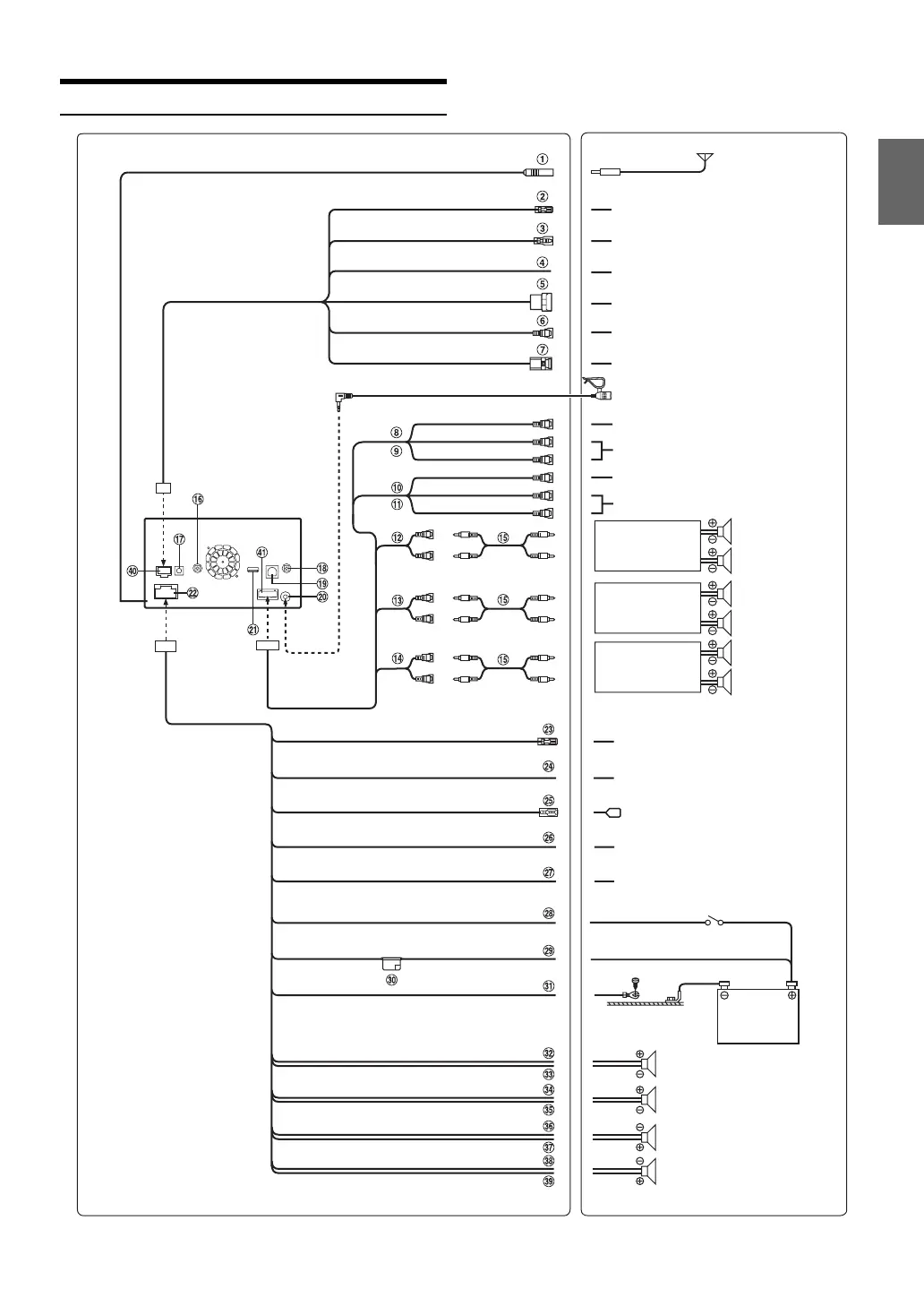
Currently, TOPVIEW is not being used.
To remote output lead
To the vehicle speed pause line
(Brown)
(Green/White)
(Blue/White)
(Blue)
(Yellow/Blue)
(Yellow)
(Black)
To amplifier or equalizer
Rear left
REMOTE IN
SPEED SENSOR
CAMERA1
REMOTE TURN-ON
POWER ANT
PARKING BRAKE
BATTERY
GND
IGNITION
(Red)
To remote input lead
To power ant enna
To the parking brake
signal lead
Battery
(Green/Black)
Ignition key
(Yellow)
(Red)
(White)
(Yellow)
(Red)
(White)
Amplifier
Amplifier
Amplifier
Rear Left
Rear Right
Front Left
Front Right
Subwoofers
To Front/Rear camera
To Audio Input terminals
(R, L)
To Audio Output terminals
(R, L)
To Video Input terminal
To Video Output terminal
(Brown)
REMOTE OUT
CAMERA2
CAMERA SW
To Rear/Other camera
TOPVIEW Camera Switch connector
*
1
Microphone (Included)
(Green)
Front left
Front right
Rear right
(White/Black)
(White)
(Gray)
(Gray/Black)
(Violet)
(Violet/Black)
Speakers
Antenna
To plus side of the back
lamp signal lead of the car
(Orange/White)
REVERSE
To the foot brake cord or
brake lamp cord
(Yellow/Black)
FOOT BRAKE



 To Next Page