32-EN
Demonstration Setup
[Demo mode] is selected on the General setup menu in step 3. Refer to
“General Setup Operation” (page 28).
This unit has a Demonstration feature for the display. When you install
and use the unit for the first time, the unit will enter demo mode
automatically. To quit demo mode, set Demo mode to Off.
Setting item: Demo mode
Setting contents: Off / On (Initial setting)
• If you perform an operation during the Demo mode, the
demonstration is temporarily stopped.
Sound Setup Operation
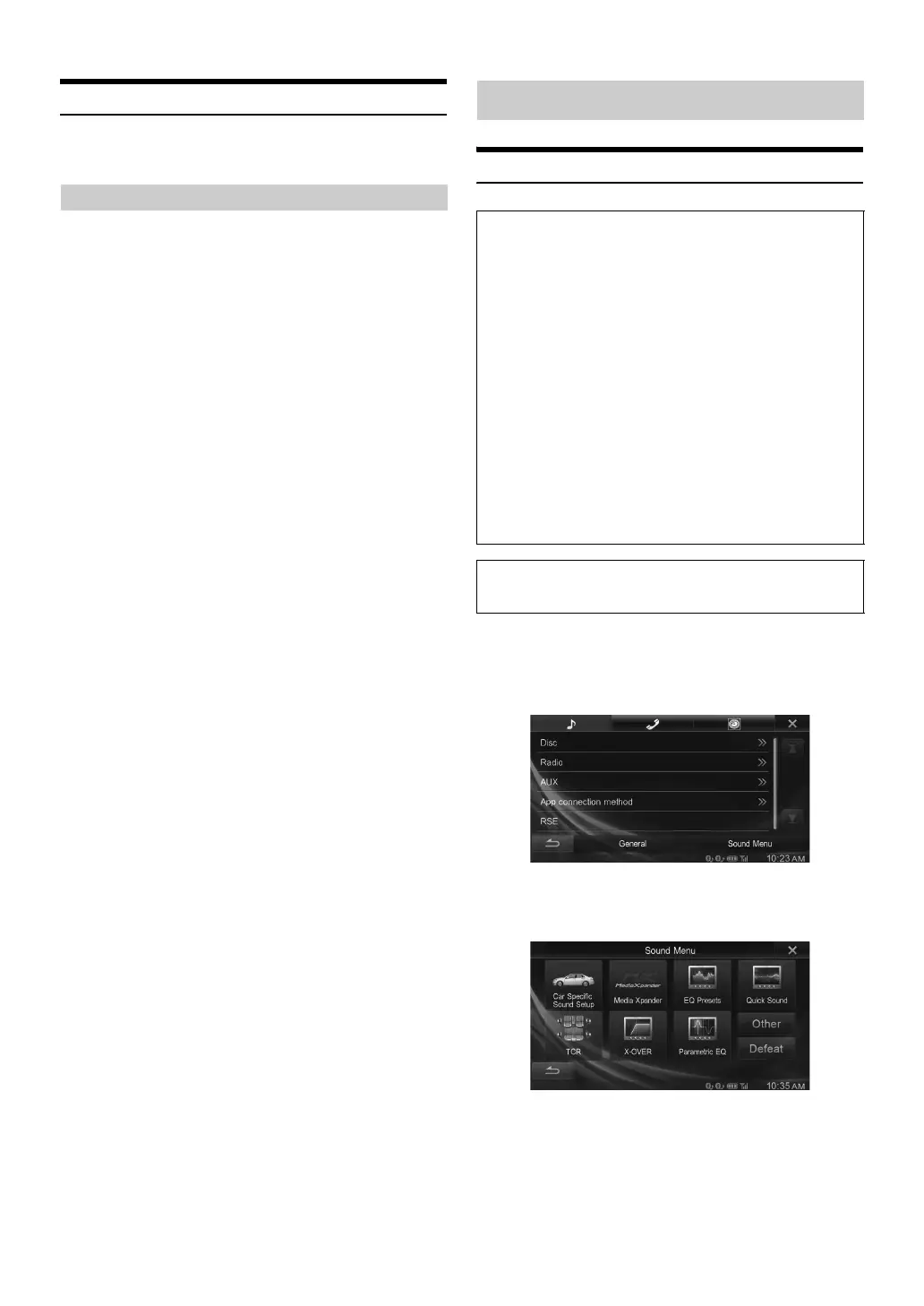
1
Touch [Setup] icon of Top banner.
The Setup main screen is displayed.
2
Touch [Sound Menu].
The Sound Menu screen appears.
3
Select the desired item.
Setting items: Car Specific Sound Setup* / Media Xpander* /
EQ Presets* / Quick Sound /
TCR (Time Correction) / X-OVER* /
Parametric EQ* / Other / Defeat*
* When BASS ENGINE SQ of Quick Sound Setup is set to “ON,” this
setting cannot be selected.
Setting Demo mode to Off/On
Sound Setup
To display the Sound Setup Menu screen:
Your vehicle must be parked with the ignition key in the ACC or
ON position. To do this, follow the procedures below.
1 Bring your vehicle to a complete stop at a safe
location. Engage the parking brake.
2 Keep pushing the foot brake and release the parking
brake once then engage it again.
3 When the parking brake is engaged for the second
time, release the foot brake.
• For automatic transmission vehicles, place the transmission lever
in the Park position.
Now, the locking system for the Sound mode operation has been
released. Engaging the parking brake can reactivate the Sound
Setup Menu, as long as the car’s ignition has not been turned off.
It is not necessary to repeat the above procedure
(1 through 3) of “To display the Sound mode screen.”
Each time the ignition is turned OFF, perform the procedure of “To
display the Sound mode screen.”
The following steps 1 to 5 are common operations to each
“Setting item” of Sound Setup. Refer to each section for details.


 To Next Page