34-EN
MX Compressed Media
This corrects information that was omitted at the time of
compression. This reproduces a well-balanced sound close to
the original.
MX Pandora
This corrects information that was omitted at the time of
compression. This reproduces a well-balanced sound close to
the original.
MX AUX
Choose the MX mode (CMPM, Movie, or Music) that
corresponds to the media connected.
• To cancel MX mode for all music sources, set MX to “Off” in step 1.
• Each music sources, such as CD and MP3/WMA/AAC can have its
own MX setting.
Equalizer Presets (EQ Presets)
[EQ Presets] is selected on the Sound setup menu in step 3. Refer to
“Sound Setup Operation” (page 32).
10 typical equalizer settings are preset at the factory for a variety of
musical source material.
Setting item: EQ Presets
Setting contents: FLAT (Initial setting) / POP / ROCK / NEWS /
JAZZ / ELECTRONICA/DANCE / HIP HOP /
EASY LISTENING / COUNTRY / CLASSICAL
• Only one type can be set to ON.
• When EQ Presets is set, the interlinked Parametric EQ settings are
also changed. We recommend storing Parametric EQ settings in the
Preset in advance.
• The EQ Presets setting can be configured when Defeat is “Off.”
Quick Sound Setup
[Quick Sound] is selected on the Sound setup menu in step 3. Refer to
“Sound Setup Operation” (page 32).
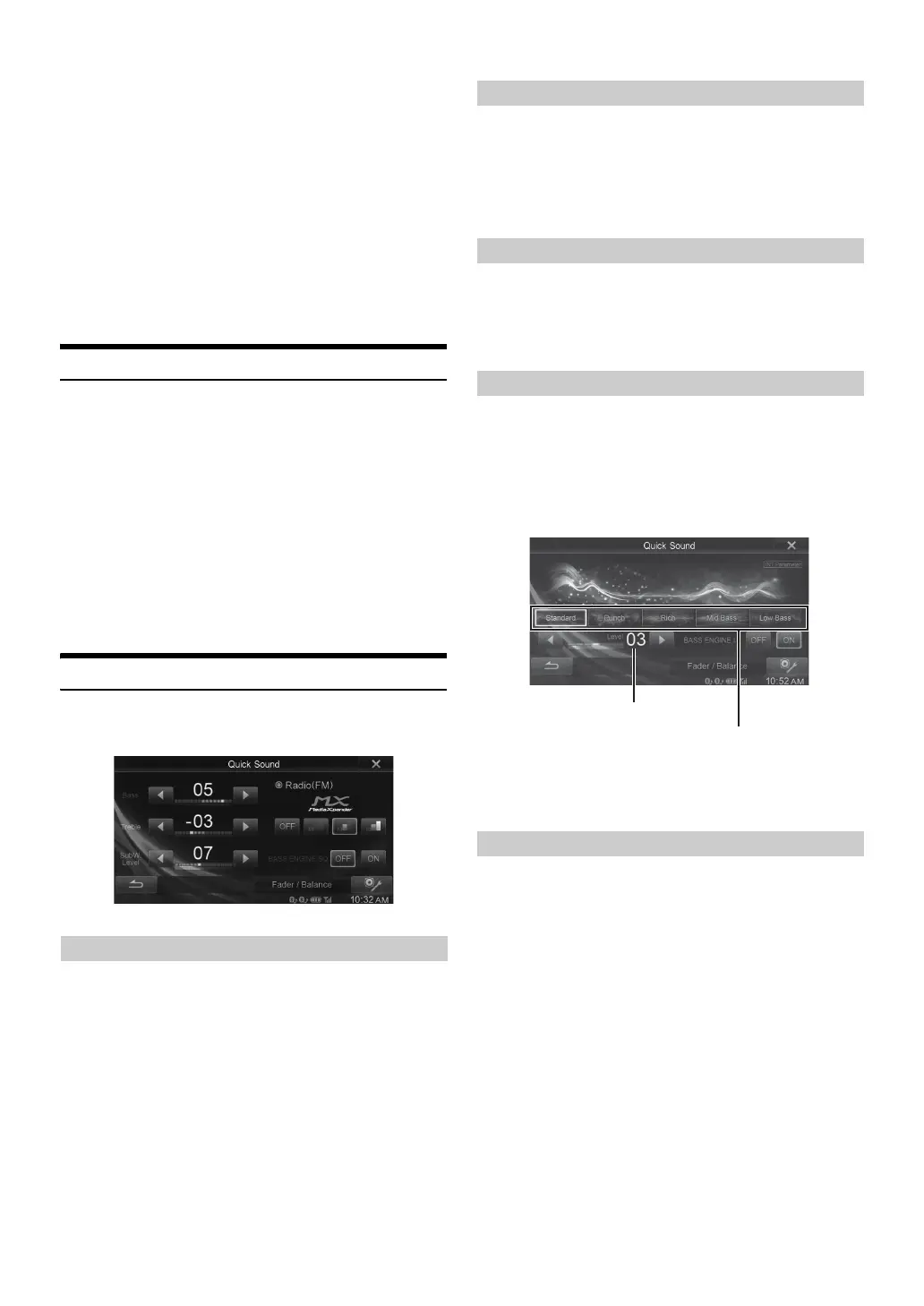
Setting item: Bass/Treble
Setting contents: -7 to +7 (Initial setting: 0)
• When BASS ENGINE SQ is set to “ON,” this setting cannot be set.
• Adjustment cannot be performed when Defeat is set to “On.”
• The Bass adjusted setting value is interlinked with Band2 of
Parametric EQ, and the Treble adjusted setting value is interlinked
with Band8.
You can set the Subwoofer level when a Subwoofer is connected.
Setting item: SubW. Level
Setting contents: 0 to 15 (Initial setting: 0)
• If the Subwoofer setting is “Off,” the setting cannot be set.
• When BASS ENGINE SQ is set to “ON,” this setting cannot be set.
For details on Setting the MX (Media Xpander), refer to page 33.
• When “ALL MX OFF” is set, you cannot adjust MX level on the
Quick Sound screen.
• When BASS ENGINE SQ is set to “ON,” the setting is not available.
Selecting BASS ENGINE Type in BASS ENGINE SQ optimizes sound
in all zones of the vehicle. Select the desired BASS ENGINE Type
according to the music genre and mood for well-balanced and effective
bass sound.
Touch BASS ENGINE SQ [ON].
The BASS ENGINE SQ select screen is displayed.
• When BASS ENGINE SQ is set to “ON,” Car Specific Sound Setup/
Parametric EQ/Media Xpander/EQ Presets/X-Over cannot be
operated as they are adjusted automatically. Defeat is set to “Off.”
You can set your favorite BASS ENGINE type.
Setting contents:Standard (Initial setting) / Punch / Rich / Mid
Bass / Low Bass
• The function is disabled when BASS ENGINE SQ is set to “OFF.”
Adjusting Bass Level/Treble Level
Adjusting the Subwoofer Level
Setting the MX (Media Xpander)
Setting the BASS ENGINE SQ
Setting the BASS ENGINE Type
Standard: Natural low-pitched sound located in front of front
seats.
Punch: Punched bass sound, massive, with a feeling of
speed.
Rich: You can feel wrapped with rich Low-pitched sound
by arranging super-low-pass, low-pass, and mid
lowpass, with sufficient balance.
Mid Bass: Emphasizes the presence of an upper bass.
Reproduces low-pass with a sense of speed.
Low Bass: Super-low-pass presence and a low-pitched sound
which is oriented downwards with deep feeling.
BASS ENGINE Level
BASS ENGINE Type


 To Next Page