82-EN
Installation
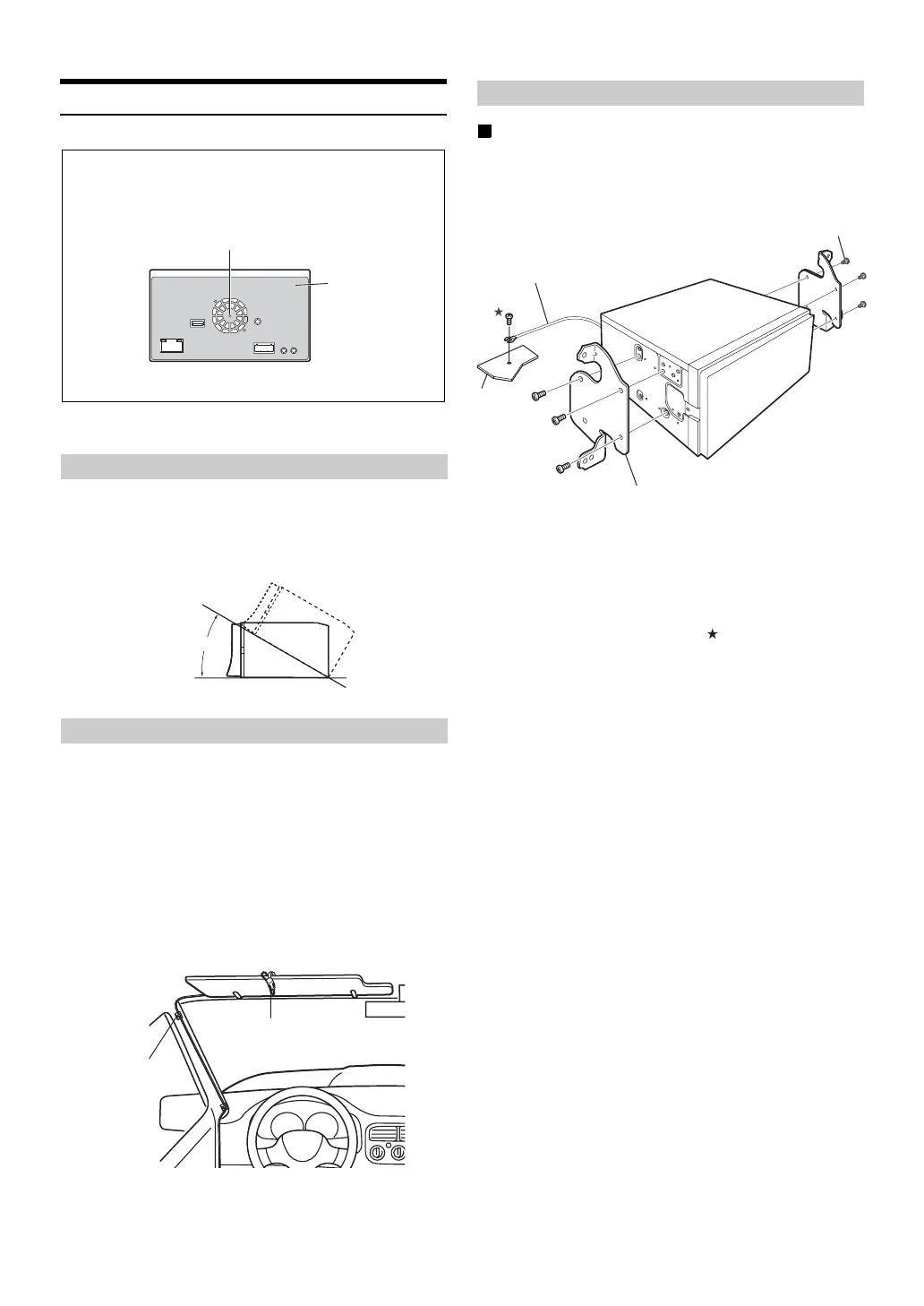
Caution concerning the installation location
Install at an angle between horizontal and 30°. Note that
installing at an angle outside of this range will result in a loss of
performance and possibly damage.
For safe use, make sure of the following:
• location is stable and firm.
• driver’s view and operations are not obstructed.
• microphone is located where the driver’s voice can be easily
picked up (on the sun visor, etc.).
When you speak into the microphone, you should not have to
change your driving posture. This may cause a distraction,
taking your attention away from safely driving your vehicle.
Carefully consider direction and distance while mounting the
microphone. Confirm that the driver’s voice can be easily picked
up at the selected location.
Installation example using the Original Mounting
Bracket
1
Mount the original mounting bracket to the unit
using the supplied screws.
2
Connect all other leads of the unit according to
details described in the “Connections” (page 84).
3
Mounting the unit in a car.
* To securely connect the ground lead, use an already installed screw
on a metal part of the vehicle (marked ( )) or a clean, bare metal
spot on the vehicle’s chassis.
• Fix the cables carefully. Do not damage them by tucking them into
movable parts, such as a seat rail, or by locating them against sharp
or pointed edges.
Angle of installation
Mounting the Microphone
Caution
Do not block the unit’s fan or heat sink, thus preventing
air circulation. If blocked, heat will accumulate inside
the unit and may cause a fire.
Air ventilation hole
Rear of the Unit
Heat sink
<example>
0 -30°
Cable clamp
(Sold separately)
Microphone
Installing the Unit
Original Mounting Bracket
Screws (M5 x 8)
(Included)
Ground Lead*
Chassis



 To Next Page