
 Need help?
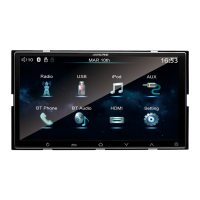
Do you have a question about the Alpine iXE-W400E and is the answer not in the manual?
Critical safety instructions to prevent injury or death, including specific operational warnings.
Guidelines for product care, temperature, installation, and precautions for USB memory device usage.
Details on accessories, unit layout, power, and location of controls for initial setup.
Explanation of remote control buttons and overview of the unit's multimedia functions.
Guide to accessing and operating the radio interface, including band switching and station tuning.
Instructions for playing music, video, and pictures from USB, including file formats and modes.
Connecting and operating iPod, using AUX input, and managing Bluetooth phone and audio.
Guide to using HDMI for screen mirroring and the DA LINK feature with mobile devices.
Adjusting display, sound, Bluetooth, camera, date/time, language, and steering wheel controls.
Detailed explanation of the reversing camera system, including visual angles and reference lines.
Wiring diagrams, supported file formats, connection guides, and safety warnings for installation.
 General
| Brand | Alpine |
|---|---|
| Model | iXE-W400E |
| Category | Car Navigation system |
| Language | English |

 To Next Page











