14
English
Basic Operation
Setting Input Level
The input level adjustment is not necessary.
Adjusting Volume/Balance/
Fader
Make each adjustment on the Head unit.
Note: Some functions or displays may vary
depending on the products used.
For details, consult your authorized
Alpine dealer.
Operating procedures for use
with Ai-NET Head Units
Adjusting Subwoofer
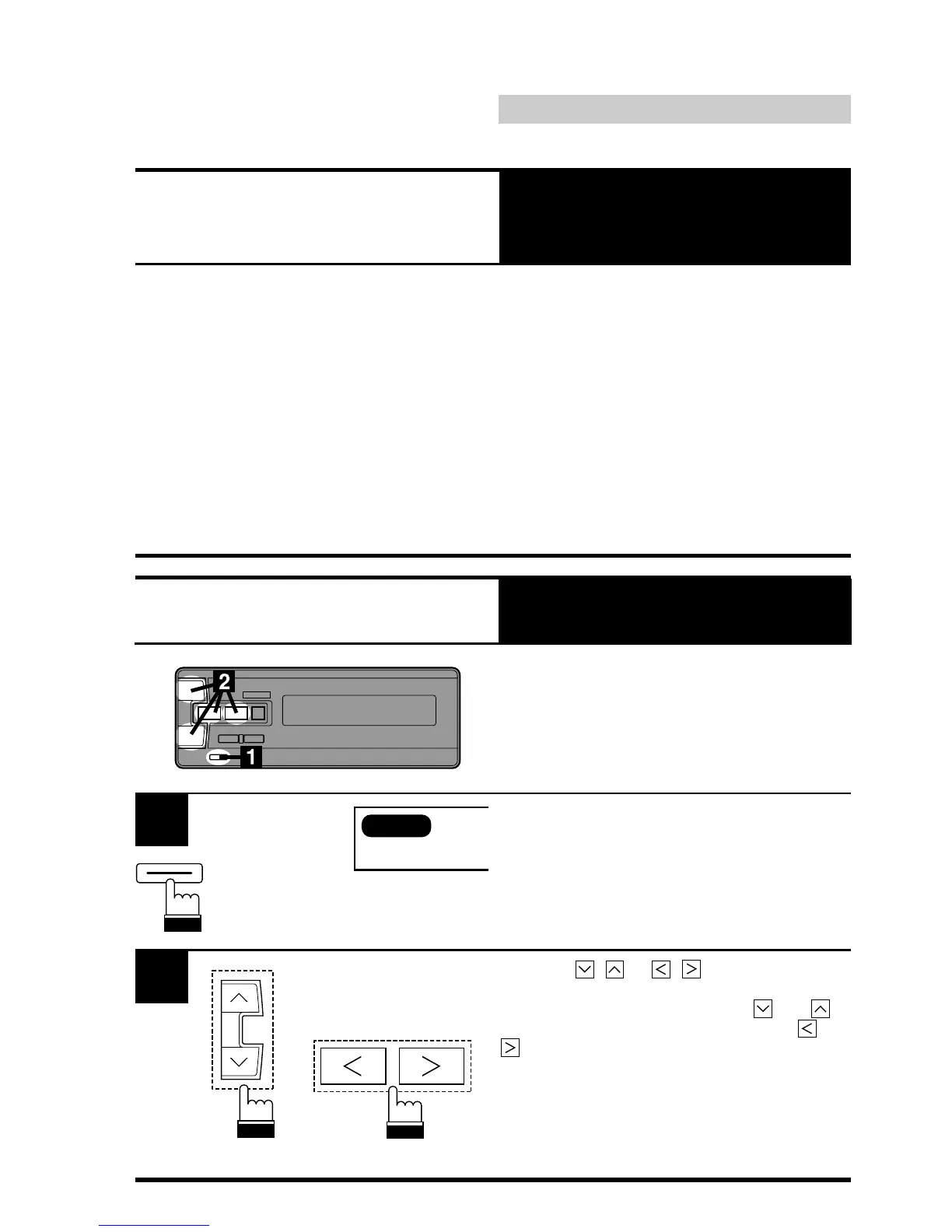
Press the MODE button.
1
SUB.W
MODE/SUB W
Operation in Ai-NET systems
2
Press the , or , button until the
desired sound is obtained in each mode.
In the Subwoofer made, press the
and
buttons to adjust the level and press the and
buttons to adjust the frequency.
Notes: • Each adjustment should be made
within 5 seconds.
• In the SUB.W off mode, the
Subwoofer adjustment cannot be
performed.











 To Next Page