27
EN
Previewing the searched route
When this mode is selected, the reticule icon for the current vehicle position moves along the searched
route so that you can preview the route. You can also search for the POIs along the route.
Press the MENU button to display the main menu. Select "Route preview" from
the main menu by tilting the joystick and press ENTER.
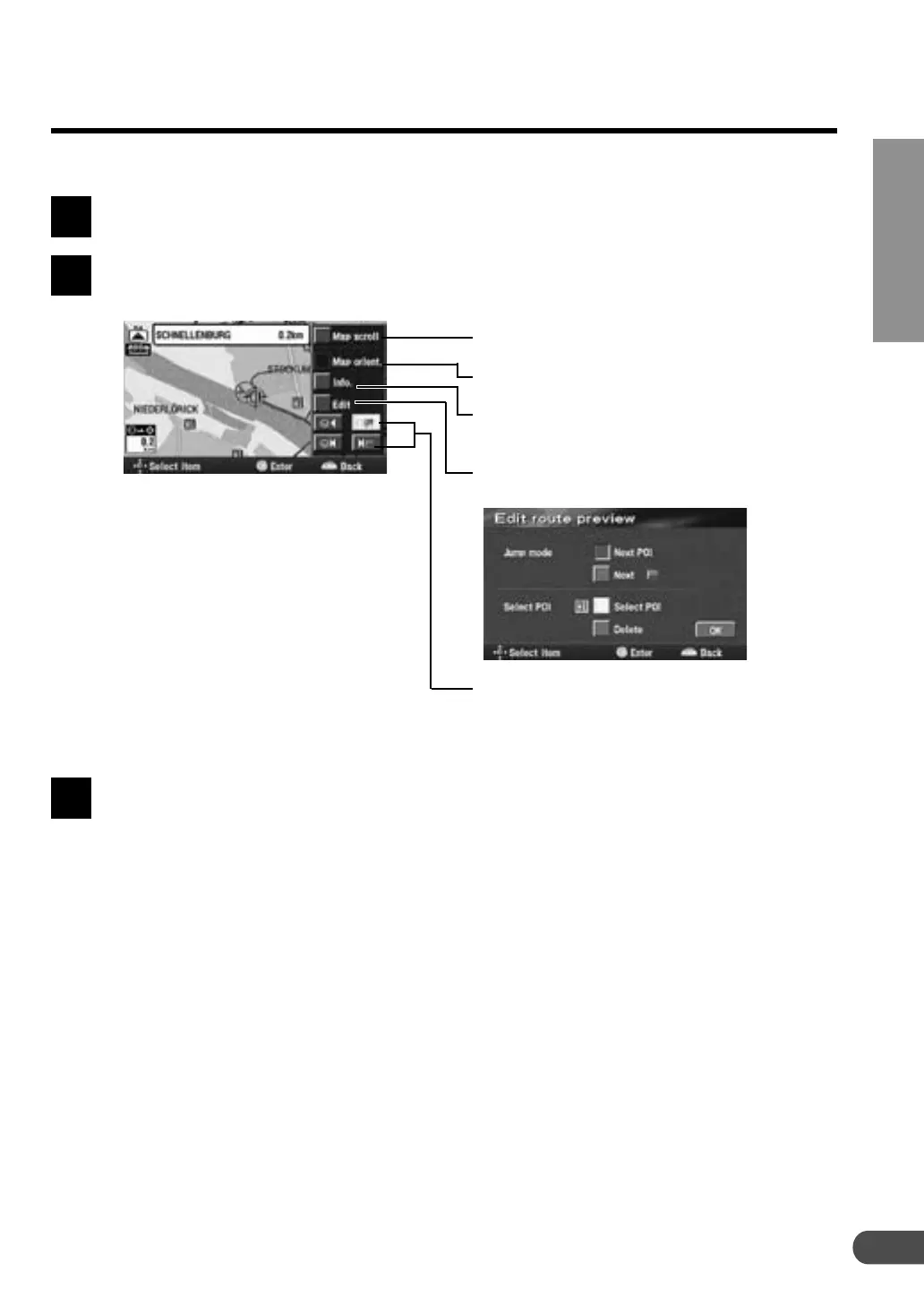
The route preview screen with operation menu is displayed.
Press the POS. button to return to the current vehicle position screen.
1
2
3
Select this menu to scroll the map using
the joystick.
Select this menu to change the map
orientation.
Select this menu to display the Edit route
preview menu as shown below.
Select the desired menu to move the
reticule icon along the route to go to the
destination/POI selected or to return to
the current vehicle position.
This menu appears only when there are
POI icons along the route.
You can display the POI information.



 To Next Page