38
Memory Points
Deleting the registered home
Deleting the stored previous
destinations
You can register only one home, so if you want to
edit the registered home, you should delete the
previously registered home and register new one.
Press the MENU button to display
the main menu. Select "Memory
points" from the main menu by
tilting the joystick and press ENTER.
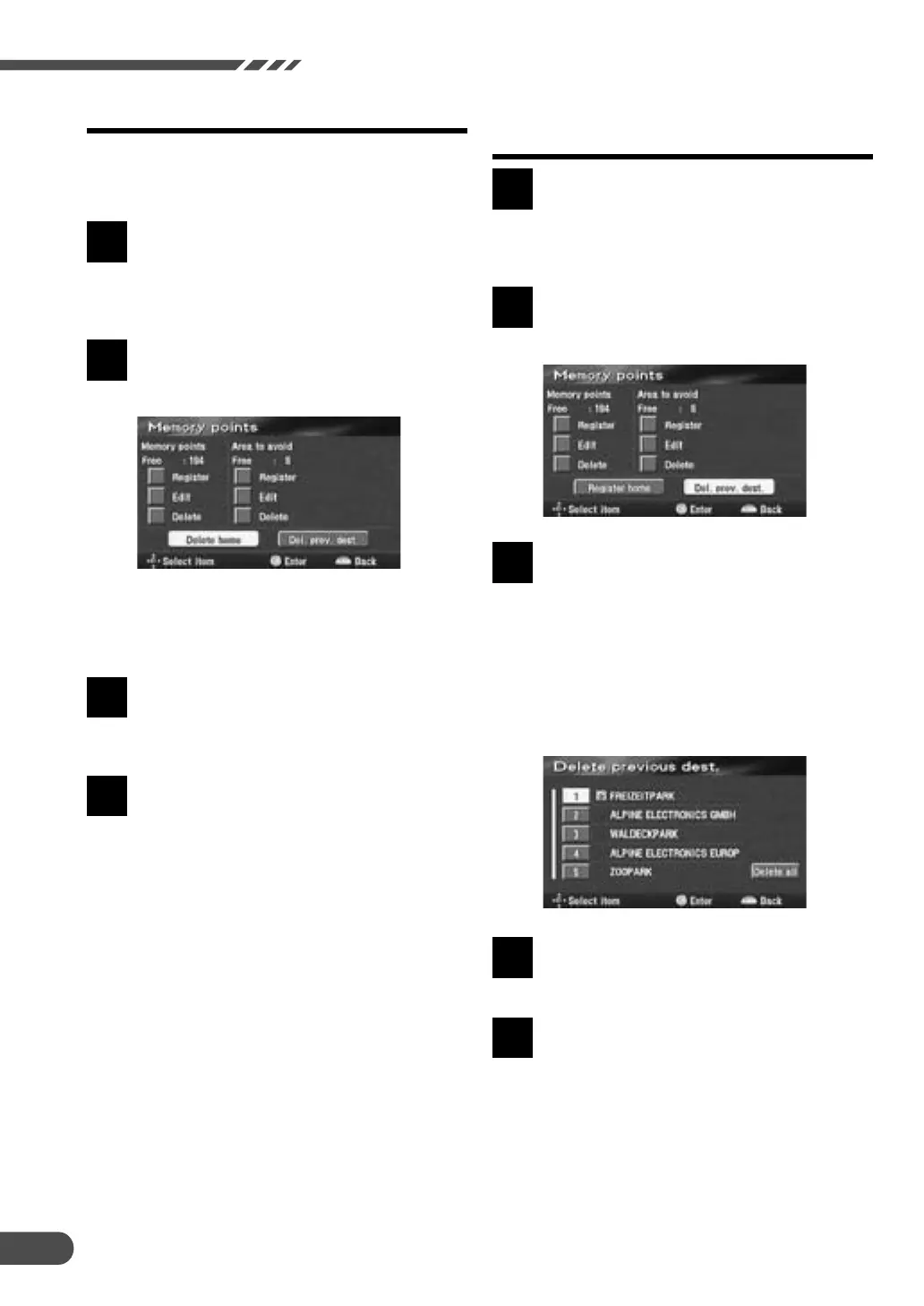
The Memory points screen appears.
Select "Delete home" by tilting the
joystick and press ENTER.
Note:
If your home is not yet registered in memory,
the display shows "Register home."
The confirmation message for
deletion is displayed. Select "Yes"
by tilting the joystick and press
ENTER to execute the deletion.
Press the POS. button to return to
the current vehicle position screen.
1
4
2
3
4
Press the MENU button to display
the main menu. Select "Memory
points" from the main menu by
tilting the joystick and press ENTER.
The Memory points screen appears.
Select "Del. prev. dest." by tilting the
joystick and press ENTER.
The Delete previous dest. screen
showing the list of the previous
destinations appears. Select the
previous destination to be deleted
by tilting the joystick and press
ENTER.
(If you want to delete all of the
previous destinations, select "Delete
all" by tilting the joystick and press
ENTER.)
The confirmation dialog message
appears, select "Yes" by tilting the
joystick and press ENTER.
Press the POS. button to return to
the current vehicle position screen.
1
3
2
5
4


 To Next Page