11
Altai Technologies Ltd. All rights reserved
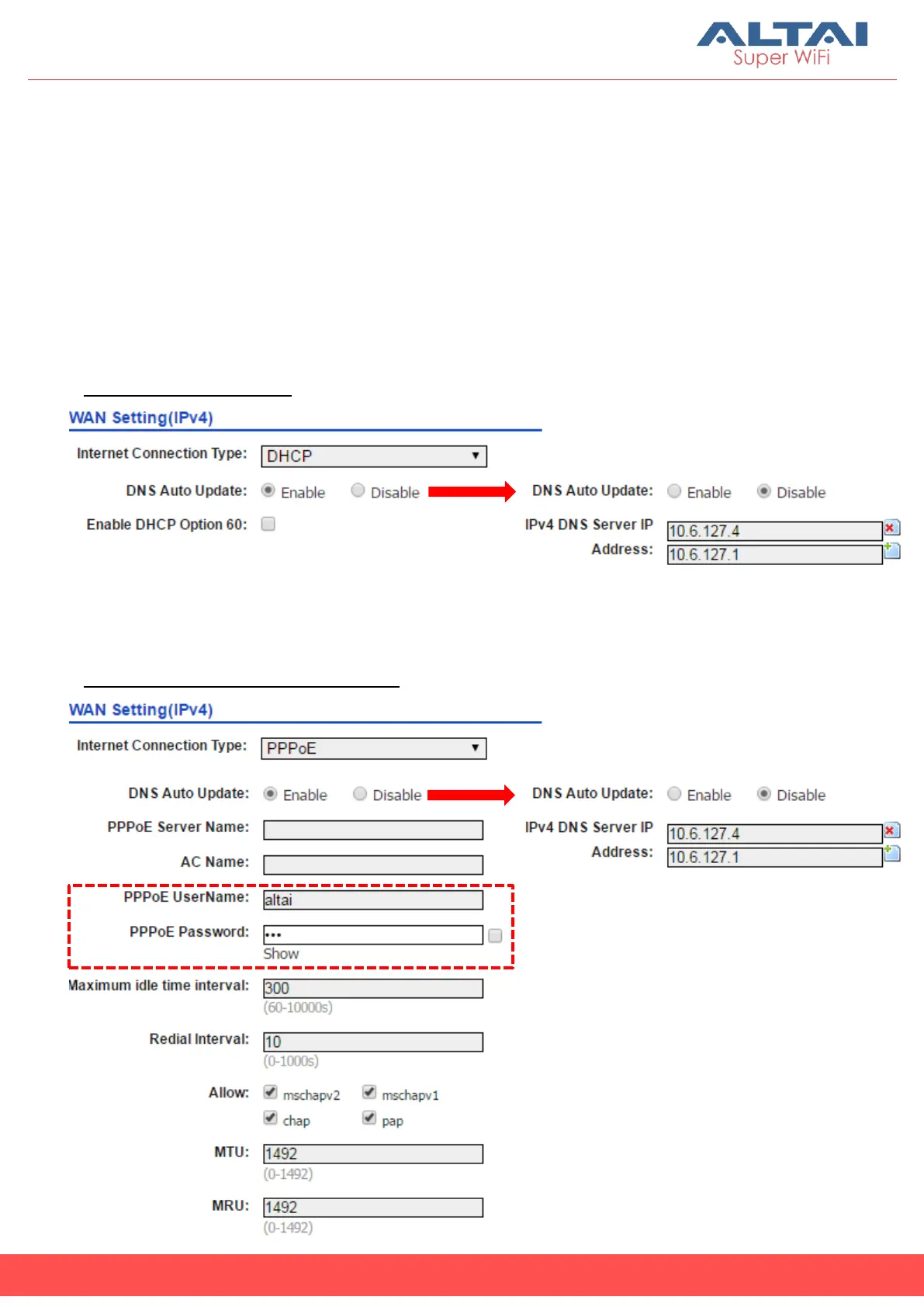
(b) DHCP/PPPoE
With these modes selected, IP Address, Subnet Mask and Default
Gateway will be dynamically assigned and updated for each time of
connection.
Two options for DNS Auto Update:
- Choose “Enable” to update DNS info along with other IP configuration
via DHCP; or
- Choose “Disable” for manual input of valid DNS info provided by ISP.
DHCP Configuration:
-
-
-
-
For PPPoE connection type, enter PPPoE Username and Password
provided by ISP for user authentication.
PPPoE Configuration (Minimal):
For DNS manual input, select “Disable”
For DNS manual input, select “Disable”



 To Next Page