10
Altai Technologies Ltd. All rights reserved
4. Configure Gateway Mode (Router Mode)
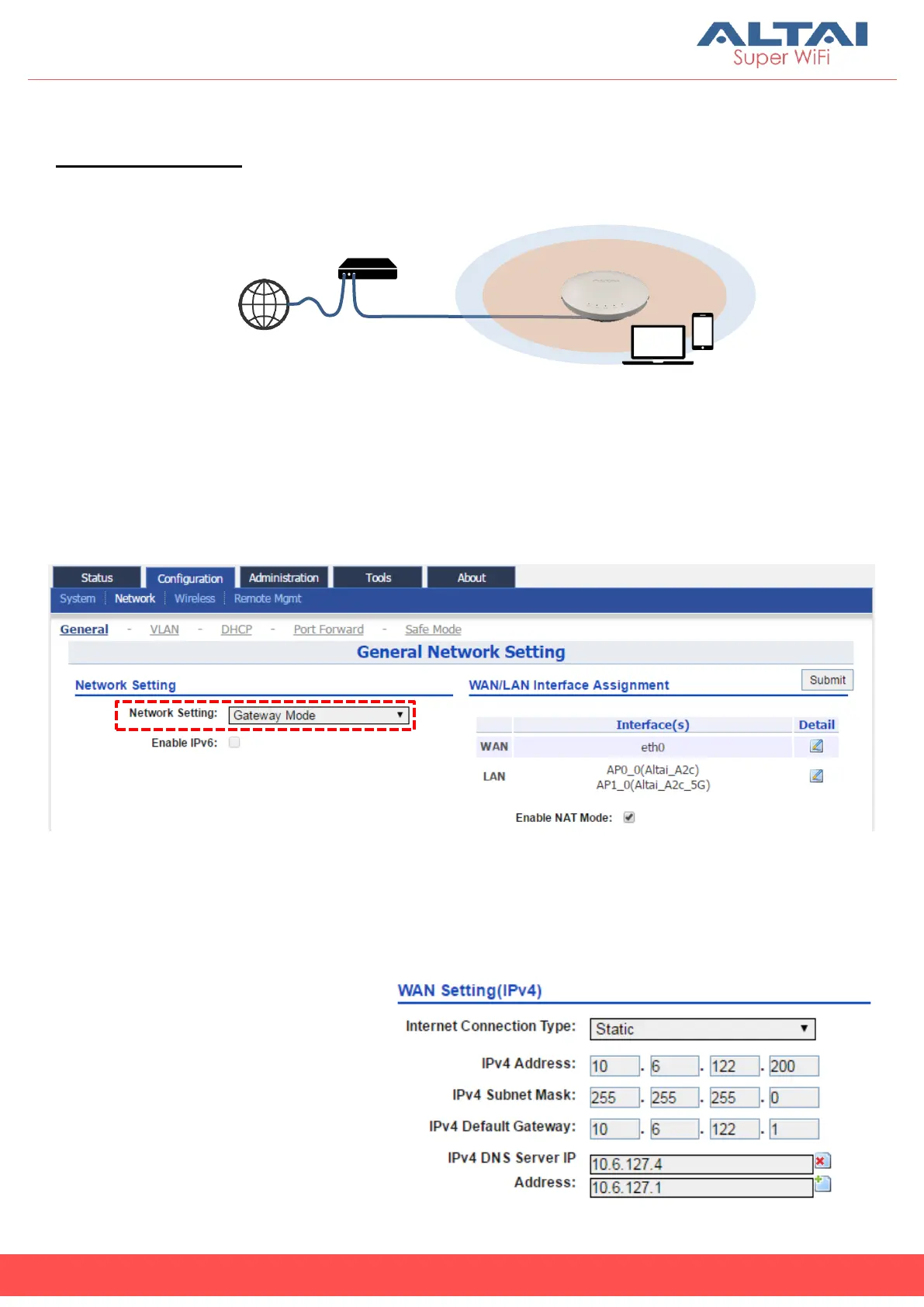
Network Scenario
1. Follow the steps 1 – 6 in Section 3 for the wireless settings.
2. Go to Configuration > Network > General.
3. Select Gateway Mode for Network Setting.
4. Select one of the following ways for Internet Connection Type. If you are
not sure about the connection options, consult your ISP for correct
settings.
(a) Static
Enter IP Address, Subnet
Mask, Default Gateway and
DNS Server IP Address as
provided by ISP.
A2c
(Gateway/Router Mode)



 To Next Page