9
Altai Technologies Ltd. All rights reserved
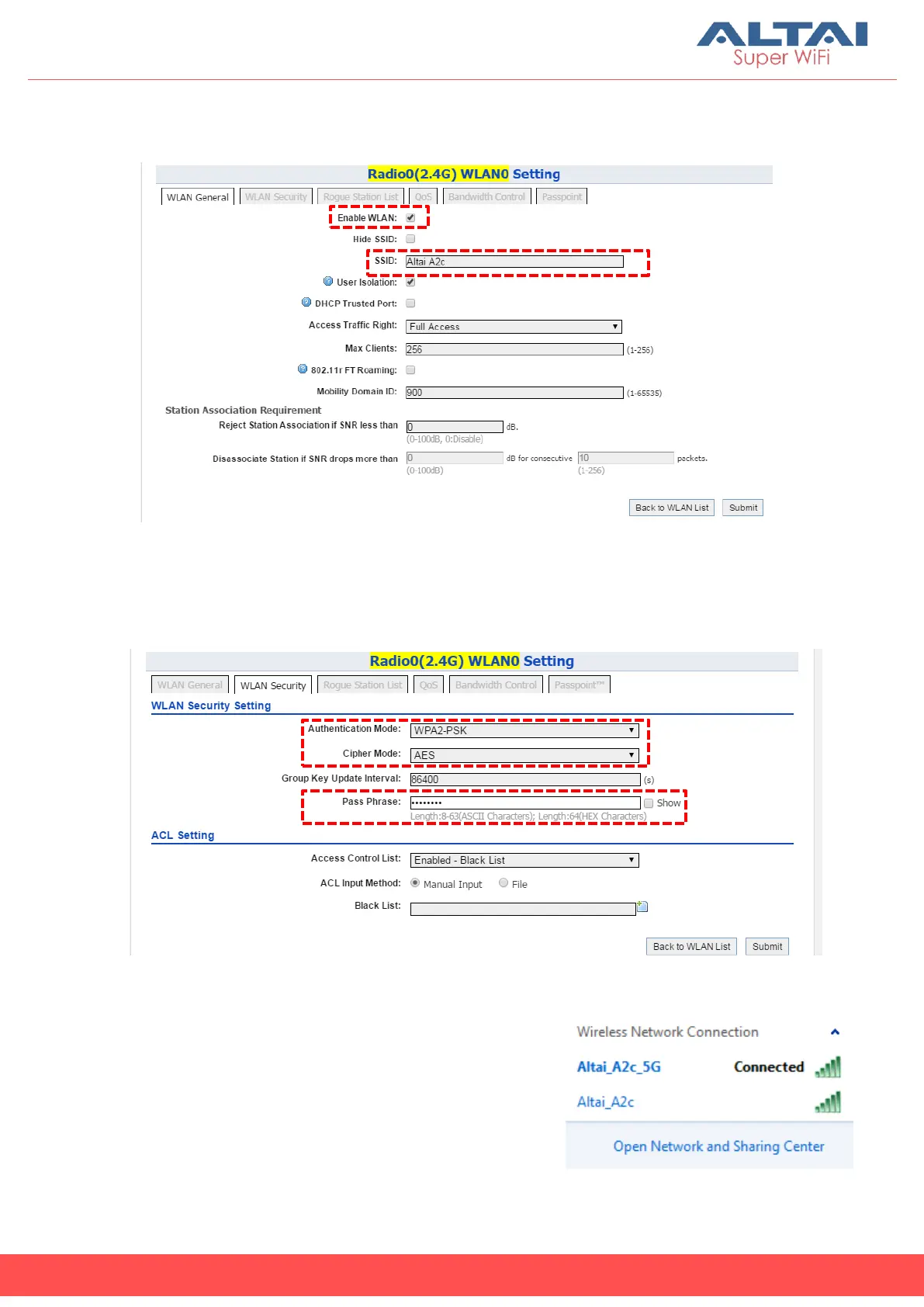
4. Make sure WLAN is enabled by checking the box. Type in SSID to name
the wireless network you want to broadcast and then click Submit.
5. Click the tab WLAN Security. Select WPA2-PSK from the drop down menu
of Authentication Mode and select AES for Cipher Mode. Type in a
password within 8~64 characters or numbers in Pass Phrase and click
Submit.
6. Click Save & Apply at the top right corner to have all changes take effect.
7. Hook up the A2c as shown in Network
Scenario. The SSID should now be broadcast
from A2c and can be seen in the computer
for wireless connection.



 To Next Page