EasyManua.ls Logo

Altec Lansing 1707C - Module Installation and Mounting; Installing Modules in the Mainframe; Shelf or Rack Mounting; Ventilation

Altec Lansing 1707C
27 pages
Print Icon
To Next Page IconTo Next Page
To Previous Page IconTo Previous Page
Loading...
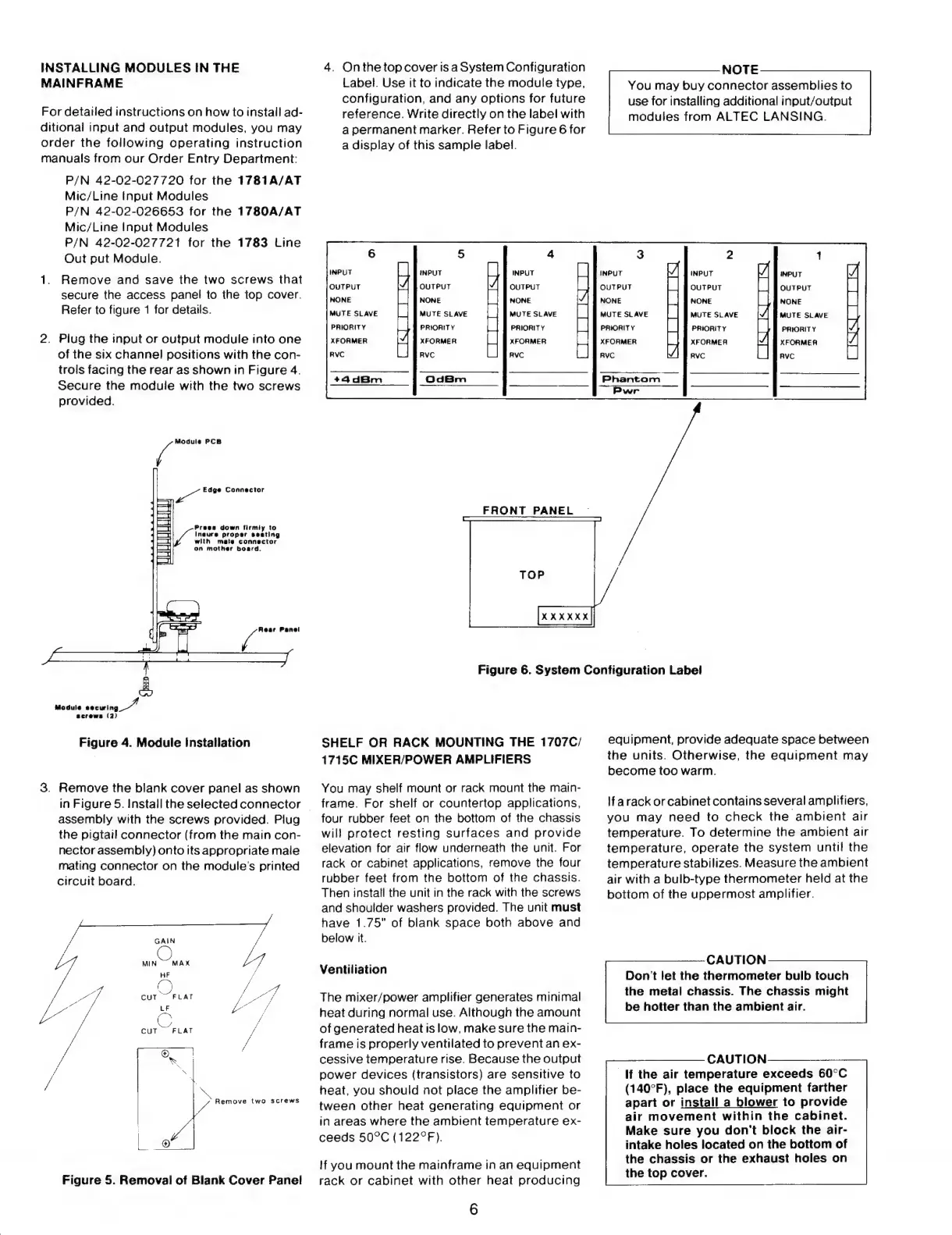
INSTALLING
MODULES
IN
THE
MAINFRAME
For
detatled
instructions
on
how
to
install
ad-
ditional
input
and
output
modules,
you
may
order
the
following
operating
instruction
manuals
from
our
Order
Entrv
Department:
P/N
42-02-027720
for
the
1781A/AT
Mic/Line
Input
Modules
P/N
42-02-026653
for
the
1780A/AT
Mic/Line
Input
Modules
P/N
42-02-027721
for
the
1783
Line
Out
put
Module.
1.
Remove
and
save
the
two
screws
that
secure
the
access
panel
to
the
top
cover.
Refer
to
figure
1
for
details.
2.
Plug
the
input
or
output
module
into
one
of
the
six
channel
positions
with
the
con-
trols
facing
the
rear
as
shown
in
Figure
4.
Secure
the
module
with
the
two
screws
provided.
7
Module
PCB
A
Edge
Connector
Praes
down
firmiy
to
Inaure
proper
seating
with
mate
connector
on
mother
board.
ami
OD
Module
P
d
screws
(2)
Figure
4.
Module
Installation
3.
Remove
the
blank
cover
panel
as
shown
in
Figure
5.
Install
the
selected
connector
`
assembly
with
the
screws
provided.
Plug
the
pigtail
connector
(from
the
main
con-
nector
assembly)
onto
its
appropriate
male
mating
connector
on
the
module's
printed
circuit
board.
jA
Remove
two
screws
Figure
5.
Removal
of
Blank
Cover
Panel
4.
Onthetopcover
isa
System
Configuration
Label.
Use
it
to
indicate
the
module
type,
configuration,
and
any
options
for
future
reference.
Write
directly
on
the
label
with
a
permanent
marker.
Referto
Figure
6
for
a
display
of
this
sample
label.
INPUT
INPUT
QUTPUT
NONE
MUTE
SLAVE
PRIORITV
XFORMER
INPUT
OUTPUT
NONE
MUTE
SLAVE
PRIORITV
XFORMER
OUTPUT
NONE
MUTE
SLAVE
PRIORITV
XFORMER
FRONT
PANEL
NOTE
You
may
buy
connector
assemblies
to
use
for
installing
additional
input/output
modules
from
ALTEC
LANSING.
INPUT
OUTPUT
NONE
MUTE
SLAVE
PRIORITY
XFORMER
RVC
INPUT
OUTPUT
NONE
MUTE
SLAVE
PRIORITY
XFORMEA
INPUT
OUTPUT
NONE
MUTE
SLAVE
PRIORIT
Y
XFORMER
Phantom
|
Figure
6.
System
Configuration
Label
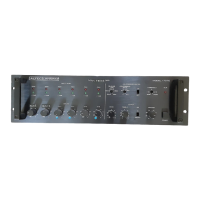
SHELF
OR
RACK
MOUNTING
THE
1707C/
1715C
MIXER/POWER
AMPLIFIERS
You
may
shelf
mount
or
rack
mount
the
main-
frame.
For
shelf
or
countertop
applications,
four
rubber
feet
on
the
bottom
of
the
chassis
will
protect
resting
surfaces
and
provide
elevation
for
air
flow
underneath
the
unit.
For
rack
or
cabinet
applications,
remove
the
four
rubber
feet
from
the
bottom
of
the
chassis.
Then
install
the
unit
in
the
rack
with
the
screws
and
shoulder
washers
provided.
The
unit
must
have
1.75"
of
blank
space
both
above
and
below
it.
Ventiliation
The
mixer/power
amplifier
generates
minimal
heat
during
normal
use.
Although
the
amount
of
generated
heat
is
low,
make
sure
the
main-
frame
is
properly
ventilated
to
prevent
an
ex-
cessive
temperature
rise.
Because
the
output
power
devices
(transistors)
are
sensitive
to
heat,
you
should
not
place
the
amplifier
be-
tween
other
heat
generating
equipment
or
in
areas
where
the
ambient
temperature
ex-
ceeds
50°C
(122°F).
lf
you
mount
the
mainframe
in
an
equipment
rack
or
cabinet
with
other
heat
producing
6
equipment,
provide
adequate
space
between
the
units.
Otherwise,
the
equipment
may
become
too
warm.
If
a
rack
or
cabinet
contains
several
amplifiers,
you
may
need
to
check
the
ambient
air
temperature.
To
determine
the
ambient
air
temperature,
operate
the
system
until
the
temperature
stabilizes.
Measure
the
ambient
air
with
a
bulb-type
thermometer
held
at
the
bottom
of
the
uppermost
amplifier.
CAUTION
Dont
let
the
thermometer
bulb
touch
the
metal
chassis.
The
chassis
might
be
hotter
than
the
ambient
air.
CAUTION
If
the
air
temperature
exceeds
60*C
(140PF),
place
the
equipment
farther
apart
or
install
a
blower
to
provide
air
movement
within
the
cabinet.
Make
sure
you
don't
block
the
air-
intake
holes
located
on
the
bottom
of
the
chassis
or
the
exhaust
holes
on
the
top
cover.

Other manuals for Altec Lansing 1707C

Related product manuals