EasyManua.ls Logo

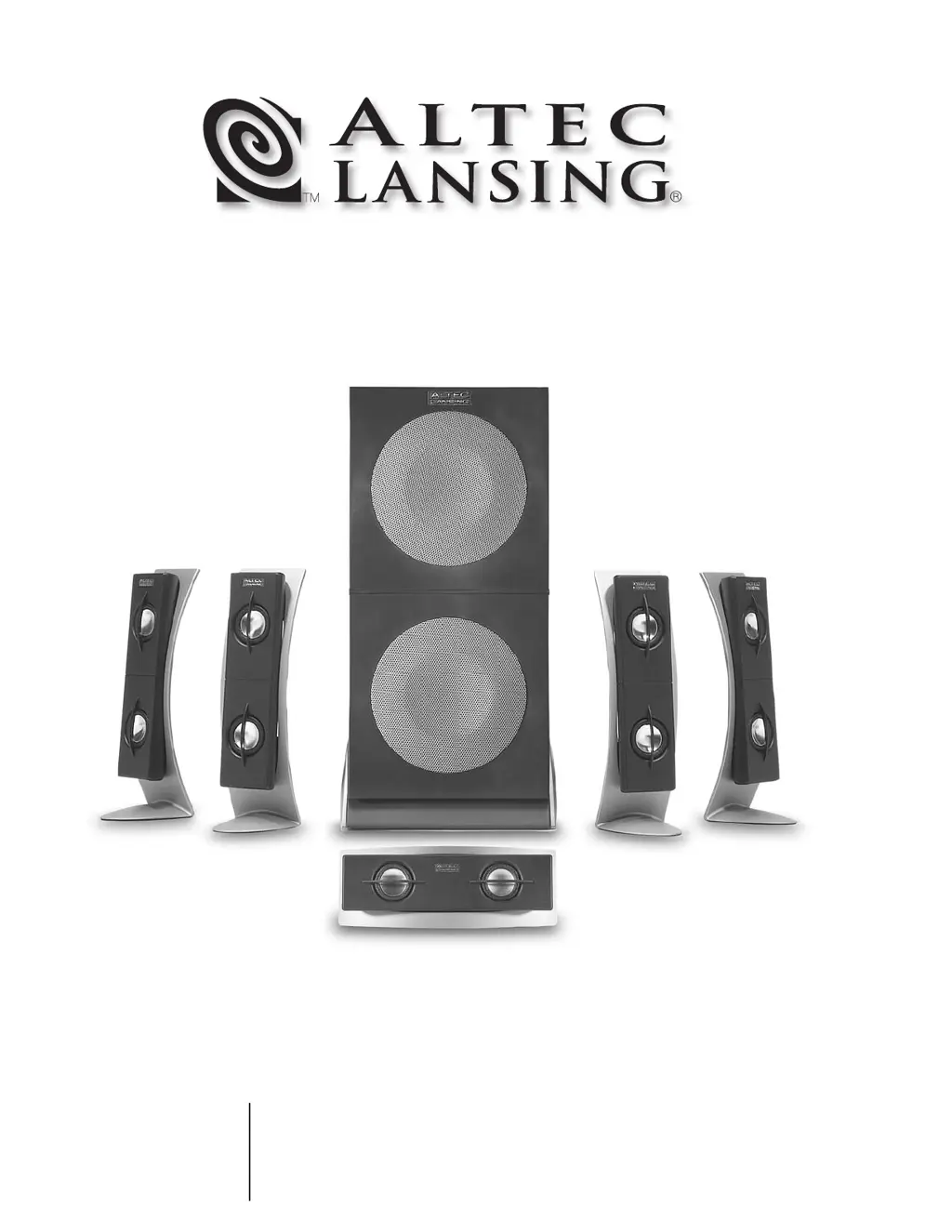
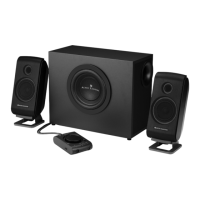
Altec Lansing 5100 - User Manual

Altec Lansing 5100
22 pages
Print Icon
To Next Page IconTo Next Page
Loading...
5100
MODEL
User's guide
Mode d'emploi
Guida per l'utente
Gebrauchsanleitung

Questions and Answers

  • R
    Robert RobertsAug 17, 2025
    Why is there no sound from my Altec Lansing Speakers?
    • R
      rachel24Aug 17, 2025
      If you're not getting sound from your Altec Lansing Speakers, here's what to check: * Make sure the subwoofer's AC power cord is plugged into the wall outlet. * Turn the volume knob clockwise to increase the volume. * Check that the audio cable is properly connected to both the subwoofer and the audio source, ensuring the signal cables are firmly inserted into the correct jacks. * Verify the green 3.5mm stereo cable is connected and fully inserted into the “line-out” jack of the audio source. * Test the speakers with another audio device by connecting the green audio cable to the “line-out” or headphone jack of the alternate source.
  • J
    Jason TurnerAug 20, 2025
    How to increase bass on Altec Lansing Speakers subwoofer?
    • R
      Robert GriffithAug 20, 2025
      If you're not getting enough bass from your Altec Lansing Speakers subwoofer: * Adjust the bass level on the subwoofer to increase it. * Confirm that all cables are properly connected and making a solid connection.
  • J
    Joshua ThomasAug 22, 2025
    How to decrease bass on Altec Lansing Speakers subwoofer?
    • C
      Carl PerezAug 23, 2025
      If there is too much bass from your Altec Lansing Speakers subwoofer, simply decrease the bass level on the controller.
  • H
    holmesbrianAug 26, 2025
    How to fix crackling sound from Altec Lansing Speakers?
    • A
      Anthony MckinneyAug 26, 2025
      To address crackling sounds from your Altec Lansing Speakers: * Check all cables to ensure they are securely connected to the “line-out” or “audio-out” jack on your sound card or audio source, and not the “speaker-out” jack. * Examine the volume control in your computer's operating system and reduce it if it's set too high. * Test with an alternate audio source by unplugging the stereo cable from your current source and plugging it into the headphone jack of another device like a Walkman or FM radio.
  • A
    Anne PadillaAug 28, 2025
    What to do if no LEDs are lit on Altec Lansing Speakers?
    • B
      bellkathleenAug 28, 2025
      If no LEDs are lit on your Altec Lansing Speakers, try the following: * Press the Power button on the rear of the subwoofer and on the controller. * Check if the AC cord is properly connected to the wall outlet. * If using a surge protector, ensure it is switched on. * Plug another device into the same wall outlet to verify it is functioning correctly.
  • J
    Jessica LozanoAug 31, 2025
    Why is the sound distorted on my Altec Lansing Speakers?
    • A
      anthony16Aug 31, 2025
      Sound distortion in your Altec Lansing Speakers can be due to several factors: * The master volume level might be set too high; try decreasing it. * The volume control in your computer's operating system may be too high; adjust it and the balance controls to the center, then adjust the speaker volume. * The sound source itself may be distorted; for example, .WAV files are often of poor quality. Try using a different sound source like a music CD.
  • E
    Eduardo BellSep 2, 2025
    How to troubleshoot no sound from Altec Lansing Speakers subwoofer?
    • D
      Donald SimpsonSep 2, 2025
      If there's no sound coming from the subwoofer of your Altec Lansing Speakers, consider these points: * Adjust the bass level on the controller, as the subwoofer volume might be set too low. * The sound source may lack low-frequency content. Many .WAV and .MID files have little bass, so try a song with more bass, such as something from your CD collection.
  • R
    Rick ThomasSep 5, 2025
    How to stop loud hum from Altec Lansing Speakers subwoofer?
    • W
      Walter HayesSep 5, 2025
      To eliminate a loud hum from your Altec Lansing Speakers subwoofer: * Unplug the power cord from the surge protector (if used) and plug it directly into an AC wall outlet. * Disconnect your green stereo cable from the subwoofer. If the hum disappears, lower the volume on the audio source.
  • R
    Richard WoodSep 8, 2025
    Why no sound from center or rear Altec Lansing Speakers?
    • R
      Richard BondSep 8, 2025
      If you are experiencing no sound from the center or rear satellites of your Altec Lansing Speakers, consider the following: * Check the switch on the rear of the subwoofer and change its position. * Increase the rear or center speaker volume level.
  • S
    Steven MartinSep 12, 2025
    How to stop radio interference on Altec Lansing Speakers?
    • R
      Ryan WhiteSep 12, 2025
      To minimize radio interference with your Altec Lansing Speakers, move them to see if the interference goes away. If the problem persists, consider purchasing a shielded stereo cable from your local electronics store.

Summary

Safety and Handling Instructions

Comprehensive Safety Guidelines

Essential precautions for safe operation, electrical safety, and environmental exposure.

Warranty and Regulatory Information

Two-Year Limited Warranty and FCC Compliance

Details the product warranty and FCC regulatory compliance information.

Speaker Placement

Subwoofer and Satellite Positioning

Guidelines for placing subwoofer and satellite speakers for optimal audio performance.

System Connections

Satellite Speaker Wiring

Step-by-step instructions for connecting satellite speakers to the subwoofer.

Input Configuration

PC Audio;Gaming;DVD Playback Setup

Instructions for connecting to PC sound cards (5.1, 4.1, 2.0) for audio playback.

Connecting External Devices

Console Gaming and Portable Audio

Instructions for connecting game consoles and portable audio players.

System Operation and Controls

Power, Volume, Bass, Treble, and Mode Settings

Guide to operating power, master volume, bass, treble, and mode selection controls.

Special Features and Reset

Center Channel, Headphones, and System Reset

Explains center channel use, headphone connection, and system reset.

System Specifications

Technical Details and Power Requirements

Overview of system power, frequency response, drivers, and electrical requirements.

Troubleshooting Guide

Common Issues and Solutions

A table listing symptoms, possible problems, and solutions for the speaker system.

Altec Lansing 5100 Specifications

General IconGeneral
BrandAltec Lansing
Model5100
CategorySpeaker System
LanguageEnglish

Related product manuals