11
EN
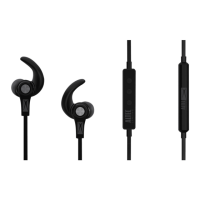
Headphones Phone Controls and Indicators
Action Indicator Light Tone
Transfer active call
to/from headset
2 second press on call
control button when on an
active call
None Transfer call from headset to
phone: Double low tone
Transfer call from phone
to headset: Single low tone
followed by a double low tone
Online indicator
on/off (default on)
Press mute and call control
together when headset
is on.
Off: 4 blue flashes,
then fade out
On: 4 blue flashes,
then fade in
Single low tone, then double
low tone
Missed call
indication
None LED triple purple flash
for 5 minutes
None



 To Next Page