6
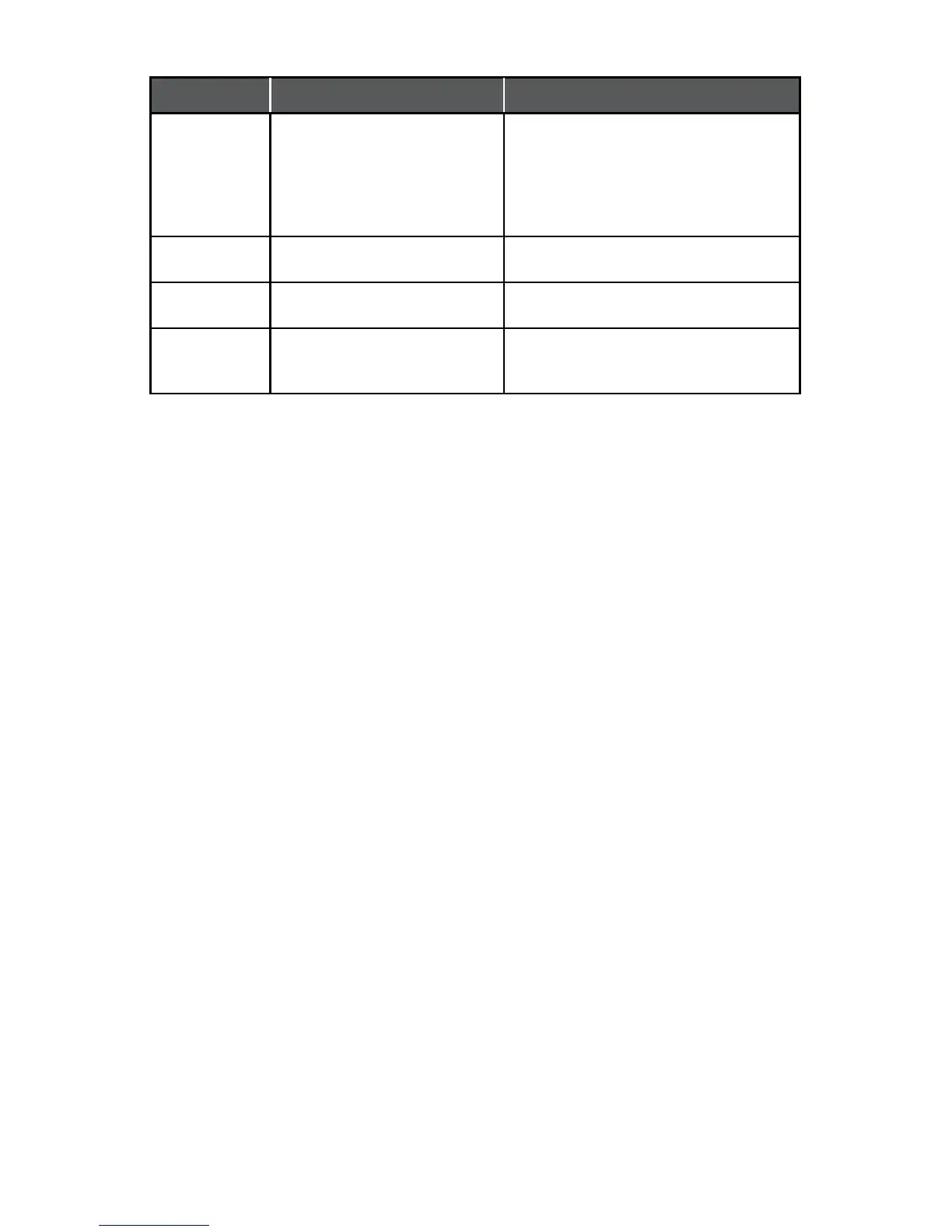
Symptom Possible Problem Solution
There is a
crackling sound
coming from
speakers (when
connected to
PC or laptop).
The operating system’s volume
level may be set too high.
Check the operating system volume level
and decrease it if necessary.
The sound is
distorted.
The inMotion iM310’s volume
level may be set too high.
To lower the volume, see instructions in the
“Volume” section of this manual.
There is radio
interference.
The unit may be too close to a
radio tower.
Move the unit to see if the interference
goes away.
There is
intermittent
buzzing
The unit may be located too close
to a GSM cell phone.
Move the GSM cell phone away from
the unit.




 To Next Page