EasyManua.ls Logo

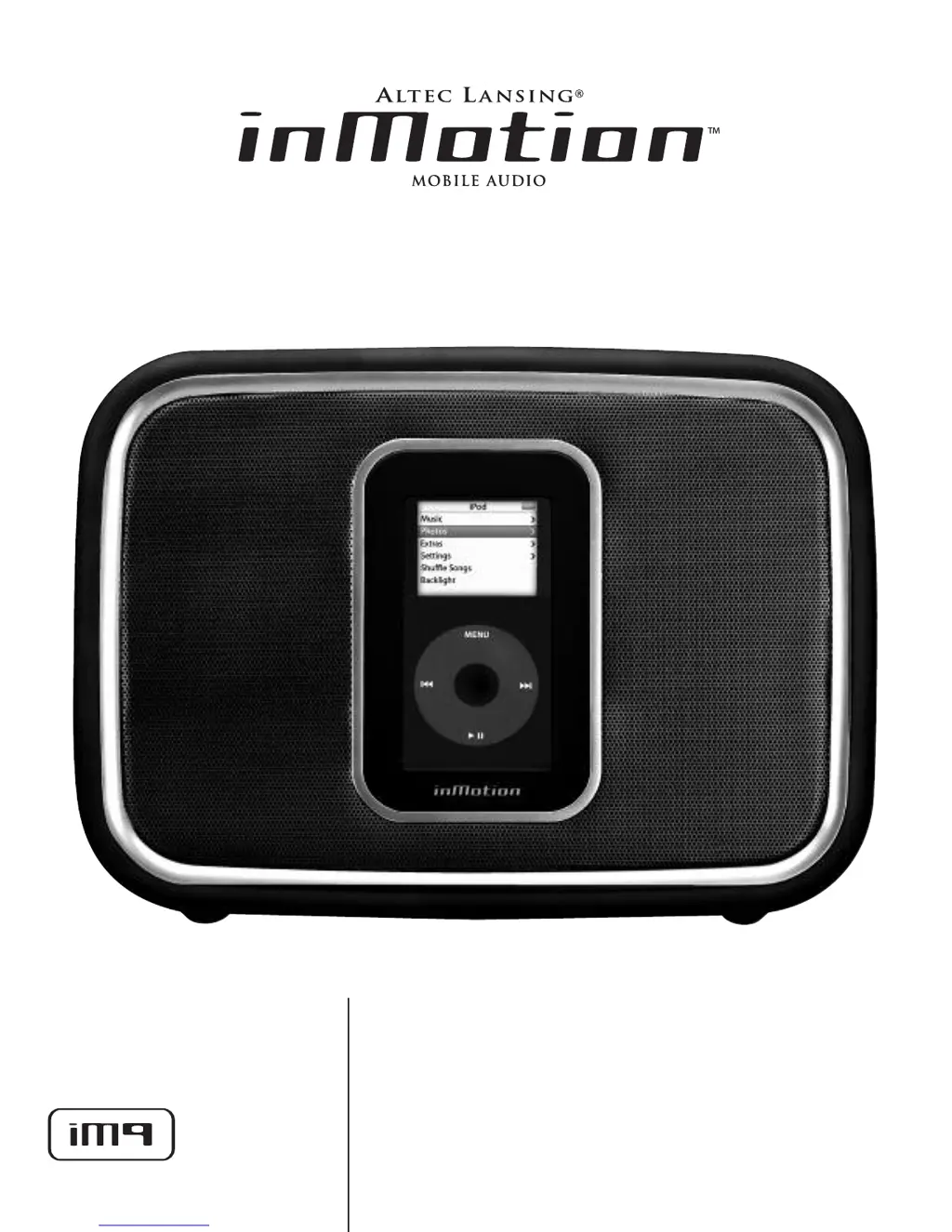
Altec Lansing inMotion IM9 - User Manual

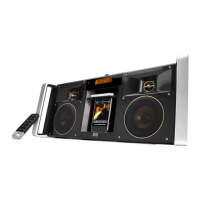
Altec Lansing inMotion IM9
10 pages
Print Icon
To Next Page IconTo Next Page
Loading...
U
U
s
s
e
e
r
r
s
s
g
g
u
u
i
i
d
d
e
e
G
G
u
u
í
í
a
a
d
d
e
e
l
l
u
u
s
s
u
u
a
a
r
r
i
i
o
o

Other manuals for Altec Lansing inMotion IM9

Questions and Answers

  • U
    uhurleyAug 12, 2025
    Why is there no sound coming from my Altec Lansing inMotion IM9?
    • L
      Laura MooreAug 12, 2025
      If no sound is coming from your Altec Lansing Docking Speakers, here are a few things to check: * **Volume Level:** Make sure the volume isn't set too low. Use the '+' button on top of the inMotion iM9 to increase the volume. * **iPod Connection:** If you're using an iPod, turn it off, remove it from the docking station, reseat it properly, and turn it back on. * **Alternate Audio Source:** If you're using another audio source, ensure it's correctly connected to the inMotion iM9. Connect a 3.5mm stereo cable from your device's line out or headphone jack to the 'AUX' input on the back of the inMotion iM9. Set the volume on the audio source to mid-level, and adjust the volume on the inMotion iM9 from minimum to a comfortable level.
  • D
    David VillaAug 19, 2025
    What to do if Altec Lansing inMotion IM9 have no power LED lit (Battery Operation)?
    • L
      Lori MillerAug 19, 2025
      If the power LED on your Altec Lansing Docking Speakers isn't lit during battery operation, check these possible causes: * **Batteries Installed:** Ensure that four C batteries are correctly installed in the battery compartment on the bottom of the inMotion iM9, following the diagram inside the compartment. * **Battery Condition:** Replace the batteries if they are dead. * **Power State:** Confirm that the inMotion iM9 is turned on by pressing the power button on top of the unit. A blue LED should light up around the button when the power is on.
  • B
    Brandon LeeAug 23, 2025
    How to troubleshoot crackling sound from Altec Lansing Docking Speakers?
    • M
      martinezsandraAug 23, 2025
      If you're hearing a crackling sound from your Altec Lansing Docking Speakers, try these solutions: * **iPod Connection:** If you're using an iPod, turn it off, remove it from the docking station, reseat it, and turn it on again to ensure a proper connection. * **Alternate Audio Source:** If you're using an alternate audio source, make sure it's correctly connected to the inMotion iM9. Connect a 3.5mm stereo cable from your device's line out or headphone jack to the 'AUX' input on the back of the inMotion iM9. Set the volume on the audio source to mid-level and adjust the volume on the inMotion iM9 from minimum to a comfortable level.
  • M
    Michael JonesAug 27, 2025
    Why is the sound distorted on my Altec Lansing inMotion IM9?
    • T
      Tiffany CooperAug 27, 2025
      If the sound from your Altec Lansing Docking Speakers is distorted, the volume level may be too high. Use the '-' button on the top of the inMotion iM9 to decrease the volume.
  • B
    Bruce PattonAug 31, 2025
    How to stop crackling sound from Altec Lansing Docking Speakers when connected to PC?
    • D
      Douglas JonesAug 31, 2025
      If you hear a crackling sound from your Altec Lansing Docking Speakers when connected to a PC or laptop, the operating system's volume level might be too high. Check the volume level in your operating system and lower it if necessary.
  • B
    Brandon ArnoldSep 4, 2025
    What causes radio interference in Altec Lansing inMotion IM9?
    • K
      Karen LucasSep 4, 2025
      If you're experiencing radio interference with your Altec Lansing Docking Speakers, the unit may be too close to a radio tower. Try moving the unit to see if the interference disappears.
  • D
    Denise WebbSep 7, 2025
    Why do Altec Lansing Docking Speakers have intermittent buzzing?
    • Q
      qmooreSep 7, 2025
      If you're hearing intermittent buzzing from your Altec Lansing Docking Speakers, it might be located too close to a GSM cell phone. Move the cell phone away from the unit.
  • Z
    zbellNov 15, 2025
    How to fix Altec Lansing inMotion IM9 when no power LED is lit (AC Operation)?
    • W
      William PetersonNov 15, 2025
      If the power LED on your Altec Lansing Docking Speakers isn't lit during AC operation, consider the following: * **Power Supply Connection:** Ensure the power supply is properly connected to both the wall outlet and the DC connector on the back of the inMotion iM9. Insert the barrel connector from the power supply into the DC connector on the back of the inMotion iM9, then plug the power supply into a wall outlet. * **Surge Protector:** If you're using a surge protector, verify that it's switched on. * **Wall Outlet Functionality:** Test the wall outlet by plugging another device into it to confirm it's working. * **Power State:** Make sure the inMotion iM9 is turned on by pressing the power button on top of the unit. A blue LED should light up around the button when the power is ...

Summary

FCC and Canadian Compliance

Product Setup and Operation

Box Contents

List of items included with the inMotion iM9 speaker system.

Initial Setup

Instructions for placing the unit and making connections.

Playback Control

Guide to starting, stopping, and managing playback.

Audio and Video Connections

How to connect external audio sources and output video.

Troubleshooting Common Issues

No Power or No Sound

Solutions for power, LED, and sound output problems.

Sound Quality Issues

Resolving crackling, distortion, or interference.

Warranty and Support

Important Safety Instructions

Crucial safety precautions for using the apparatus.

Altec Lansing Limited Warranty

Details of the product's one-year limited warranty coverage.

Customer Service

Information on obtaining support and assistance.

Altec Lansing inMotion IM9 Specifications

General IconGeneral
Audio output channels2.0 channels
Product colorBlack
Dimensions (WxDxH)280 x 76 x 198 mm
Compatible productsiPod nano, iPod mini, iPod
Battery typeC
Battery life (max)24 h
Number of batteries supported4
Weight and Dimensions IconWeight and Dimensions
Weight1800 g

Related product manuals