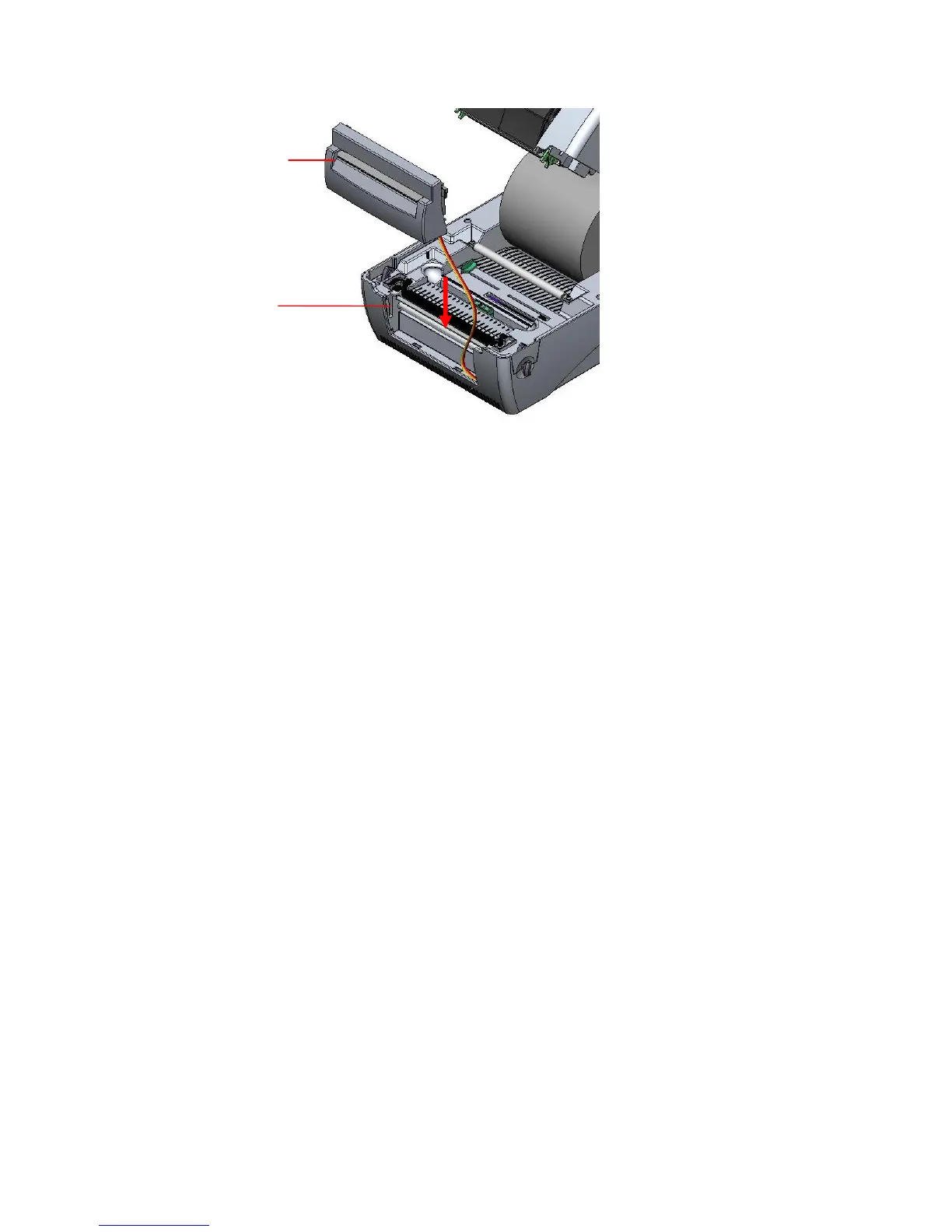
Fig. 26 Cutter module installation
11. Use a screwdriver to screw whole screws on the lower inner cover and the lower
cover.
12. Close the top cover by arranging the top cover support back to the flute
and push it forward then close the top cover slowly.
3.6.1 Loading Label in Cutter Mode
1. Insert a 1” label spindle into a paper roll.
2. Open the printer top.
3. Install a paper roll on the paper roll mount.
4. Feed the paper, printing side face up, through the paper guide and pass over the
platen.
5. Lead the paper through the cutter paper opening.
6. Adjust the paper guide by removing left or right to fit the paper width.



 To Next Page