110
NO
DK
FI
SE
FR
GB
GB
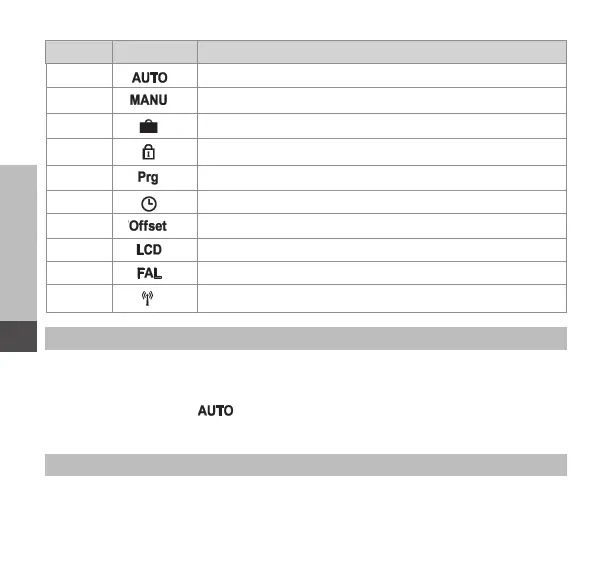
Section Display Meaning
6.2.1
Automatic operation
6.2.2
Manual operation
6.2.3
Holiday mode
6.2.4
Operating lock
6.2.5
Programming of heating profiles
6.2.6
Date and time
6.2.7
Offset temperature
6.2.8
Selection of temperature display/humidity
6.2.9
Configuration of the base station
6.2.10
Connection test
6.1.1 Automatic mode
Do the following to activate automatic operation:
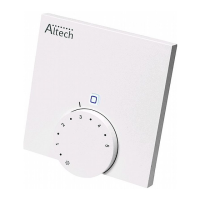
1. Press and hold the setting wheel (E) in order to open the configuration menu.
2. Select the symbol “ “ and confirm the selection by shortly pressing the
setting wheel.
6.1.2 Manual operation
Proceed as follows to activate manual operation:
1. Press and hold the setting wheel (E) in order to open the configuration menu.



 To Next Page