117
NO
DK
FI
SE
FR
GB
GB
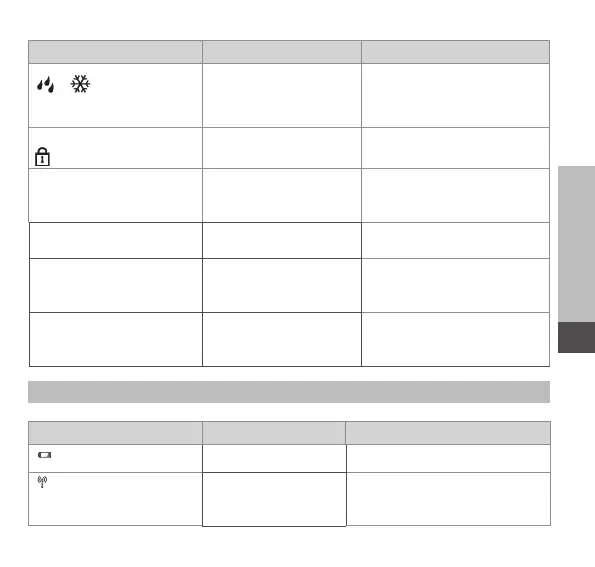
Display Meaning Solution
flash Humidity input activat-
ed at Multi IO Box
Ventilate room
flashes
Operating lock active
Short flashing in orange Radio transmission/
Transmission attempt/
data transmission
Wait until the transmission
has finished.
1 x long illumination in
green
Process confirmed Proceed operation.
Short flashing in orange
(once every 10 sec.)
Teach-in mode active Enter the last four ciphers
of the device serial number
into the app.
1 illumination in orange
and 1 in green (after
inserting batteries)
Test indication Proceed after the LEDs are
out.
8.2 Error indications
Display Meaning Solution
Battery voltage low.
• Change the batteries.
(flashes) Bad connection to
the Altech V3 IP Ac-
cess Point
• Check the connection.



 To Next Page